

 Reply With Quote
See http://www.knoppix.net/wiki/Hd_Install_HowTo for more infomation & suggestions. It also has a link to a Flash video of installing knoppix.


I'm running Windows 2000 and Window's recognizes that my hard drive is partitioned into C and D. D is completely unformatted with nothing on it. However, there is only one physical drive, I originally did the partitioning during the Windows 2000 installation.
How can I install Knoppix to the D drive? I don't want to wipe away my C drive but it didn't see a D when it came to the hard drive selection.
Also, I think I accidently clicked Okay when I was pressing quit and it said that the Disc was Read - Only and I didn't have the permissions.
Can anyone help?
See http://www.knoppix.net/wiki/Hd_Install_HowTo for more infomation & suggestions. It also has a link to a Flash video of installing knoppix.
It won't. In Linux hard drive partitions go hda1, hda2 and so on (this assumes that your hard drive is IDE and that it's the master drive on the primary IDE channel). You want to use (again, assuming that Windows is on the first partition) hda2.but it didn't see a D when it came to the hard drive selection.
The Windows partitioning tools can only make blank partitions & can not format a partition for Linux. You will need to make 2 blank partitions using either the Windows Disk Management utility (Start -> Control Panel -> Administrative tools -> Computer Managment -> Disk Management) or use qtparted inside Knoppix. The knoppix installer will automatically start qtparted to partition the HD.
Reading the HD Install HowTo and watching a flash video is very educational & explains the need for not just 1 partition but 2 partitions.
It sounds like you have somthing similar to this:
You will want at a minimum something like:Code:------------------------------------------------ | hda1 boot primary NTFS 10000 (MB) | |----------------------------------------------| | hda2 primary Unformatted 10000 (MB) | |----------------------------------------------|
Where the hda2 will be formatted as a Linux partition to hold the files and hda3 will be formatted for swap.Code:------------------------------------------------ | hda1 boot primary NTFS 10000 (MB) | |----------------------------------------------| | hda2 primary Unformatted 9500 (MB) | |----------------------------------------------| | hda3 primary Unformatted 500 (MB) | |----------------------------------------------|
A big plus for Knoppix 4.0 is that if your computer is heavy on RAM, you do not need the swap partition. I have 1G RAM installed and have had no issue with no swap partition. You would do well to use Partition Magic in a Windows environment to set up the partiton first with FAT32, then reformat to ext2 or 3, and then let Knoppix reformat it to its default choice. PM always adds two small 101meg partitions that confuse the issue inless you go the route described. I have no idea why, but I keeo getting errors generated when trying to install knoppix without pre-prep with PM. I still let Knoppix reformat the linux partition/partitions though. You would think the program is a bit Irish, like my wife, and has to do the thing its own way.
 Posting Permissions


OPNsense pfSense 8-Core Atom C3758 2.2GHz 8GB DDR4 64GB SSD 8x NIC QAT AES VPN
$145.00

KTN-STL3 EMC VNX 15-slot Disk Array Expansion, full 15 x 2tb drives 100% health
$360.00
Ubiquiti UniFi Gateway Max Router - 5x 2.5GbE - IDS/IPS 2.3 Gbps - UXG-Max
$180.00

Ubuntu Server 26.04.1 LTS Bootable USB Flash Drive – Latest September 2026
$13.99
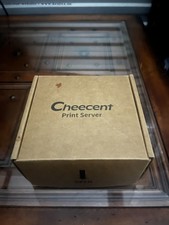
CHEECENT CR202 WiFi USB Print Server 2-Port for Windows, Mac, Linux
$64.99
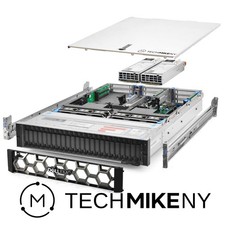
Dell PowerEdge R740xd Server 2.8Ghz 32-Core 384GB RAM 3.2TB Storage Debian Linux
$5969.95

Start9 Server Pure 32GB 4TB Intel i7 Node StartOS — Box + PSU
$649.00

Microsoft SQL Server 2025 Standard 32 Core Unlimited CAL Retail License Package
$299.00

NVIDIA Jetson TK1 + Intel NUC Compute Cluster Tray w/ Netgear 16-Port Switch
$499.99

Microsoft SQL Server 2019 Enterprise 40 Core Unlimited CAL Retail License FPP
$299.00