-
I just had to do this: Thank you knoppix guy
A million thanks to Mr Knopper for coming up with knoppix. A story is coming....
I managed by sheer tempting of Murphy's law to get my laptop's LCD (Sony vaio K13) crushed by a sliding door. Saw a site on the net which offered cheaper (~$300) LCD compared to what Sony was asking for (~$750). Installed it only to see that the display was dark. The LCD guys were clueless and I lost patience. When you boot the computer, during boot screen display is bright but once you enter X it suddenly goes dark. I thought this is not some backlight problem and more $$$s out of my pocket. Downloaded many drivers from net and tried.. still the same dark screen. Tried many other Linux versions, only to get acquainted with linux. Then comes the latest version of knoppix (3.9). Put the CD in, booted and tada, the display remains bright. Installed it to hard drive and am writing this appreciation staring at the same bright display..
This was a bit freaky. It appears that there is a demon sitting on the knoppix installer, who by the way is much brighter than many tech support people, sorting out what works and what works not, make decisions and do an optimal trouble shooting and installation in 15 mts. Just crazy...Spent some time thinking about the brain of the guy behind this demon and felt I had to write a note of appreciation here... Thank you!!!
-
An update on the earlier post. If any of you guys face the same problem as I did, you may use this solution. After some experimentation I saw that knoppix was keeping my display bright after booting because of the use of noapci option during boot. The same thing can be done in windows by going to: Right click my computer-> Hardware->Device Manager-> Computer: If acpi is enabled disable it by right clicking on it and choose standard PC. You may need to reinstall the graphics card drivers and so on. And you get the display to stay bright even after the boot.
Now I have best of both worlds in a dual boot system. The ease of windows and the possibilities of knoppix. Feel Lucky to have come across knoppix and being able to do some troubleshooting on my own for once.
-
Senior Member
registered user
how the heck did your screen door crush your laptop???
-
Senior Member
registered user
>>
I saw that knoppix was keeping my display bright after booting because of the use of noapci option during boot.
>>
By that do you mean that if you didn't use that cli parameter, you would get a dark screen ?
I have heard that LCD displays can be very specific in the "modeline" setting in X. That is, the h/v resolutions, the gate ticks, refresh rates, etc, used
jm
jm
-
How I broke my LCD screen is a long story...
I went to our university library..the book stacks there have for space saving purposes electrically operated stacks.. by pressing a switch you can move them... while standing in between two such stacks, I felt for the first time my laptop was too heavy..decided to keep my backpack on the floor...on realising the book was in the next stack and not realising that my laptop was on the floor I walked out, pressed the switch, closed the stacks, crushed my laptop, broke its LCD screen, lost $300 for repair, learned linux and knoppix, learned how to troubleshoot problems with your computer by spending some time on it and came out richer in experience and poorer in pocket.
I am not sure what cli parameters are..I used different booting options with knoppix. It seemed to work fine when I had the noacpi option. If that was not used the display remained bright till kdm was launched and searching for peripherals step was being performed. During this step the display suddenly went dark...
 Posting Permissions
- You may not post new threads
- You may not post replies
- You may not post attachments
- You may not edit your posts
-
Forum Rules


Vintage HP 21MX 1000 M-Series Minicomputer Chassis Backplane Parts AS-IS
$325.99

Vintage Computer Keyboard Northgate OMNIKEY Ultra
$120.00

Lot of 2 Vintage Plextor PX-43CS SCSI CD-ROM Caddy Drives + 4 Caddies Used
$55.99

Vintage Hewlett Packard HP 13181-60074 Circuit Card Assembly / Interface Board.
$135.37
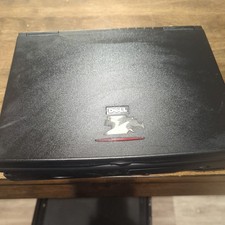
Dell Latitude XPi CD P150ST Vintage Computer - Not Working
$70.00
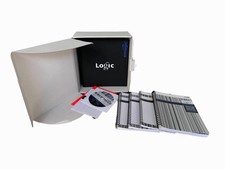
Vintage Emagic Logic 5 / Logic Audio 4.0 Studio Software Box Manuals Serial
$89.99

Original Vintage Old Style STANDARD Black CD Jewel Case (Heavy Duty) 90g Lot
$316.95
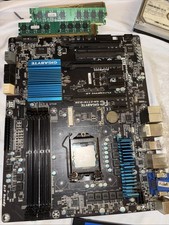
Vintage Gigabyte MB Computer Bundle Memory Harddrive Solid State Drive Graphics
$115.00

VINTAGE COLLECTIBLE Comp USA Maxtor 20 GB 3.5 Inch EIDE Hard Drive NEW SEALED
$500.00
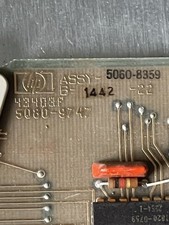
HP 5060-8359 8K solid state semiconducter memory HP 2100/1000 Vintage 1974
$135.36



 Reply With Quote