

If you choose "debian: Debian-like system (recommended)", the installer will ask you about the choice of filesystem type for installation, which are ext3, ReiserFS and jfs.
The default installation option for a filesystem type to be installed is ReiserFS. Of course, you may choose ext3 or jfs instead of the default.
However, if you first choose "beginner: Multi-User System with hw-detection", the installer will NOT ask you about the choice of filesystem type for installation. The filesystem type is still default to ReiserFS.
To install a beginner-type system with ext3 filesystem, you must:
1. first select debian-type installation and choose ext3
2. deny the installation
3. go back to select the beginner-type system and carry on installation
I don't understand why there isn't a choice for "beginner"?
Can this be improved?
 Posting Permissions


Seagate ST6000NM0115 6TB 256MB 7200RPM 3.5" SATA 6.0Gb/s Enterprise Hard Drive
$159.99

Seagate 14TB Exos X14 7200RPM SATA 6Gb/s 256MB 3.5" Enterprise HDD ST14000NM0408
$354.99

Seagate Exos X16 ST10000NM010G 10TB 7200RPM SAS 12Gb/s 3.5" 512e/4Kn HDD
$199.00

Seagate Exos X14 10TB 7200RPM 3.5" SAS 12Gb/s Hard Drive HDD ST10000NM0528
$165.00

HGST HUS724040ALA640 4TB 7200 RPM SATA 3.5" Internal Desktop Drive 100% Health
$78.00

HITACHI ULTRASTAR 2TB 7.2K 6G 3.5INCH SATA HDD HUS724020ALA640 | TESTED WIPED
$34.95
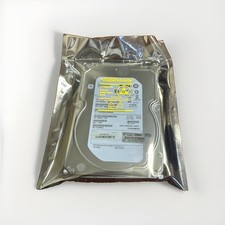
HP Enterprise MB4000FCWDK 4TB SAS 7.2K RPM 3.5" HDD Hard Drive ST4000NM0023
$44.99

Seagate Enterprise Capacity 2TB 2.5in SATA Internal HDD ST2000NX0403
$60.00
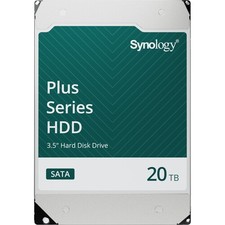
Synology 20TB HAT3320 Plus Series SATA III 3.5" Internal NAS HDD ( HAT3320-20T)
$750.00
SEAGATE ST4000LM024 4TB 2.5" SATA 5400RPM 128MB HDD LAPTOP HARD DRIVE
$169.00


 Reply With Quote