

 Reply With Quote
See Using FAQ


Please I just booted the Live CD but I'm unable to delete files on Fat32 partitions... WHY?
See Using FAQ
I've done what it said, changed the read only thing in Properties but still i cannot delete files on windows partionion *fat32*.
Are you sure that it's fat32? Did you mount the drive using mount -t vfat /dev/hda1 /mnt/hda1?Originally Posted by Tetsuro
Did you add permissions to change all the files on that drive with chmod -R 777 /mnt/hda1?
--You can't change permissions effectively on fat32 filesystems with chmod - it causes unpredictable results. Try changing a vfat file to 600 and you'll see what I mean.
--Fat32 file permissions are instead controlled by the mount command ( see ' man mount '. )
--This drive is assigned with uid=1001 (my non-root login ) as the "owner."Code:/dev/hde8 on /mnt/drivef type vfat (rw,noexec,nosuid,nodev,noatime,uid=1001)
Here's the fstab entry for that drive:
--Note that the owner will revert when the drive is umounted:Code:/dev/hde8 /mnt/drivef vfat defaults,users,noexec,noatime,uid=dave,rw 0 0
--Quick (and safe) solution to delete files:Code:la /mnt drwxr-xr-x 7 root root 472 Jun 5 23:23 bkps drwxr-xr-x 7 root root 384 Jun 5 23:55 bkps2 drwxr-xr-x 9 root root 352 Jun 5 23:58 bkps3 drwxr--r-- 8 dave root 8192 Dec 31 1969 cdtemp drwxr--r-- 40 dave root 8192 Dec 31 1969 drived drwxr--r-- 17 dave root 8192 Dec 31 1969 drivef umount /mnt/drived la /mnt/drived drwxr-xr-x 2 root root 72 May 21 21:32 drived
o Switch to root console ( Ctrl-Alt-F1 ) and enter ' mc '
o cd to the directory you want
o Mark files with Insert, or just set the cursor on a directory
o Hit F8 to delete them.
( The "grey plus" key on the numeric keypad will mark all files in a directory except subdirs; " Grey - " will unmark them. )
--I **never** use bare " rm " to delete directories; always use mc or another filemanager. In doing this, you avoid the most regrettable *nix admin's lament: " I accidentally just trashed my filesystem! " (There are stories all over the Internet about this... It's the #1 trap to fall into. DD is another matter however... But that is a story for another day.
o DON'T USE RM AS ROOT:
http://wiki.linuxquestions.org/wiki/Rm
 Posting Permissions


Yealink T48S VoIP/SIP Phone, 2 x Gigabit Ports PoE 7" Color SIP-T48S | TESTED
$34.95

Lot of 4 USED IPitomy IP620-B with IPX-32 DSS Expansion Module VoIP Phone POE
$225.00

SIM Bank 32 SIM Card Slots Ethernet SIM Server for GoIP
$400.00

Lot of 9 Used IPitomy IP320-P HD POE Voice Speakerphone 12-Line VoIP Phone
$225.00

Yealink SIP-T33G IP Phone 4-LineSpeakerphone VoIP Desk Phone Black w/ Power Sply
$25.00

Grandstream HT701 1-Port FXS Analog Telephone Adapter ATA VoIP Gateway -Free S/H
$19.99

Grandstream WP810 Portable Cordless Wi-Fi IP Phone
$49.28
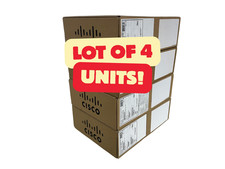
Lot of 4 Cisco CP-8841-3PW-NA-K9 8841 MPP Multiplatform VoIP IP Phone NEW
$450.00

Grandstream VoIP Phone Adapter ATA 1-Line Black Ethernet (RJ-45) Micro USB
$27.07

Poly CCX 400 Desktop Business Media Phone VoIP 2200-49700-019
$49.99
