-
Junior Member
registered user
How to start Wireless card on boot
Ok, first let me say that I am not running Knoppix, I am running Debian 3.1 (Sarge).
I have my wireless card working, however I have to go Root and start it everytime I start the computer. This is how I start it:
Login Root
Ifconfig wlan0 up
iwconfig wlan0 essid "Router SSID"
dhcpcd wlan0
and the wireless is working.
What I am trying to figure out, is how do I get the system to automatically start up the wireless card on startup.
Where do I store the SSID, so it automatically used it by default? and...
How to set up automatic DHCP address retrieval.
Thank You.
Similar Threads
-
By jbreazeale in forum Hdd Install / Debian / Apt
Replies: 9
Last Post: 08-12-2006, 03:32 PM
-
By N!co in forum Networking
Replies: 2
Last Post: 11-23-2005, 06:57 PM
-
By Ryan450 in forum Networking
Replies: 2
Last Post: 02-25-2005, 11:46 PM
-
By repwatuso in forum Laptops
Replies: 0
Last Post: 07-29-2004, 07:18 PM
-
By adjt8r in forum General Support
Replies: 2
Last Post: 06-28-2004, 12:51 AM
 Posting Permissions
- You may not post new threads
- You may not post replies
- You may not post attachments
- You may not edit your posts
-
Forum Rules


NETGEAR ProSafe 5-port Gigabit Switch GS105v5
$9.99

Cisco Catalyst 2960-48TT-L 48-Port Fast Ethernet Managed Rackmount Switch
$46.99

TP-Link 5-Port Gigabit Unmanaged Ethernet Switch Network Expansion TL-SG105
$19.95

5Ports Gigabit Network Switch w/ 4 PoE+ Ports Total 52W each port 30W Plug&Play
$31.99

TP-Link TL-SG2210P 10-Port Gigabit Smart Switch w/ 8-Port PoE+ NO AC SKU 25597
$39.99
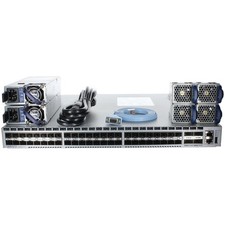
Arista DCS-7050SX-64-R 48P 10GbE SFP+ 4P 40GbE QSFP+ RA Switch
$125.00

TP-Link TL-SG105 5-Port Gigabit Ethernet Unmanaged Metal Desktop Network Switch
$22.49

Linksys 8-Port Managed Gigabit PoE+ Switch 110W w/ 2 Uplink Gigabit - LGS310MPC
$49.00

NETGEAR 5-Port Gigabit Ethernet Unmanaged Switch (Gs305) - Desktop Quiet Fanless
$22.00

10-Port Gigabit PoE Network Switch with 8 PoE+ Ports with 2 Combo SFP Slots 125W
$39.99



 Reply With Quote