

 Reply With Quote
Well, that wasn't too hard. After putting my program in a directory in the path, all seems well. OTOH, it doesn't work when it's in a directory that only belongs to my personal path. Does it have to be in the root's path somewhere?


Greetings!
As I'm using Kanotix (which doesn't seem to have such an extensive forum) and it's based on Knoppix, I figure I'll post this question here.
For a program which will use the parallel port for digital I/O, I'm trying to get access to the port WITHOUT being root (no sudo, either). For this, I've compiled a simple program in C, but it keeps complaining it has no permissions to access the port (/dev/parport0). Port permissions are as follows:
The program has been compiled using gcc -O1 -o test test.c, after which I've issued (as root):Code:crw-rw-rw- 1 root root 99, 0 Feb 9 19:40 /dev/parport0
I figured it should work now, but it doesn't. Keeps complaining about permissions.Code:chown root:users test chmod u+s test
Furthermore I've tried creating a file foo.txt and done chmod 600 foo.txt. Then made an executable script bar.sh, which just cat's foo.txt. Then:
Executing bar.sh also gives permission errors. So in other words: what gives? I'm stumped, but I've probably misunderstood how suid root works. Any help would be greatly appreciated.Code:chown root:users bar.sh chmod u+s bar.sh
Thanks in advance,
Marc.
Well, that wasn't too hard. After putting my program in a directory in the path, all seems well. OTOH, it doesn't work when it's in a directory that only belongs to my personal path. Does it have to be in the root's path somewhere?
That's weird, man.
Originally Posted by mvandoornik
If Kanotix is similar Knoppix I guess the $PATH variable for root has a different (more restricted) set of paths to a normal user. This is partly for security.
This can be tested byfollowed by <enter> at a terminal window. Do this for root and for a normal user and see if this helps explain what has happened.Code:$PATH
I think you meant:
echo $PATH
> Executing bar.sh also gives permission errors.
The suid permission bit is ignored for scripts for security reasons. Suid for "true" executables only give the *effective* UID,
not the *real* UID. This can make a difference, e.g. as in cpio.
Hi Dave,
$PATH alone works as well for this.
mark@z:~$ $PATH
bash: /home/mark/.dist/bin:/sbin:/bin:/usr/sbin:/usr/bin:/usr/X11R6/bin:/usr/local/sbin:/usr/local/bin:/usr/games:.: No such file or directory
mark@z:~$
mark@z:~$ su
Password:
root@z:/home/mark# $PATH
bash: /sbin:/bin:/usr/sbin:/usr/bin:/usr/X11R6/bin:/usr/local/sbin:/usr/local/bin:/usr/games: No such file or directory
root@z:/home/mark#
I think you meant:
echo $PATH
--Yes, but it's not proper *nix form to try and _execute_ your PATH variable. Somebody could attack you that way.
Thanks Dave,
At least I now know what you were concerned about.
Regards,
Mark
 Posting Permissions


Lot of 500 Cisco 10-3145-02 QSFP-100G-CWDM4-S 100G CWDM4 QSFP28 Transceiver
$1500.00

Cisco WS-C3650-12X48UR-L 48-Port Stackable Layer 3 8x10G SFP+ Port Switch
$129.99
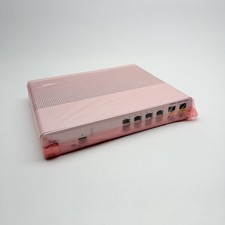
Cisco 8-Port Ethernet Catalyst Switch - WS-C2960C-8TC-L - Brand New
$50.00
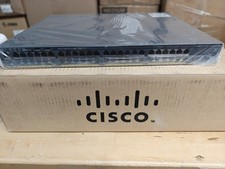
Cisco Catalyst 2960x (WS-C2960X-48FPD-L) 48 Port POE Rack Mount Switch Brand New
$399.99
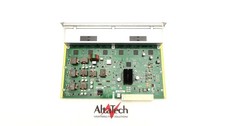
Cisco WS-X4748-UPOE+E Catalyst 4500E 48 Port UPoE 10/100/1000 Switch - fast Ship
$39.98

CISCO Services Router C891F-K9, Grade B, SKU 16188
$24.94

Cisco Nexus N9K-C92160YC-X 48P 25GbE SFP28 6P QSFP+/QSFP28 PE Switch
$439.00
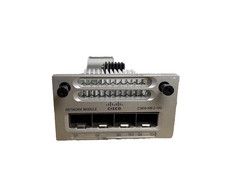
Cisco C3850-NM-2-10G 2 Port Network Exp Module for 3850
$16.99

Cisco Catalyst C9130AXI-B WiFi 6 802.11ax Wireless Access Point Brand New
$101.99
2 PACK Cisco AIR-AP2802I-B-K9 Aironet 2802 Series Dual Band Access Point
$19.85

