

 Reply With Quote
Same thing on my computer (Intel 815e chipset). Solution: When the message comes up, don't press any key, just wait for 30 seconds.


I have a system based on the Intel i810 chipset, using the onboard video.
When booting the 3.9 CD, there are a couple of issues:
1. (minor) I get the message "You passed an undefined mode number."
This is not a big problem; I type 0 and things continue on.
2. (major) X fails to start. It gives me a garbage display.
(Typing ctrl-alt-F2 [or F1/etc] does work okay to get me to a
alternate virtual text console.)
I've done some searching here and found that I can get X to work by
initially giving the "3" argument to "Boot:" and then typing (once I get
the prompt):
modprobe intel_agp
startx
I've noticed that other people using Intel chipsets are experiencing
the same problem. Perhaps a bug fix is in order?
Same thing on my computer (Intel 815e chipset). Solution: When the message comes up, don't press any key, just wait for 30 seconds.
For me, waiting avoids the first (minor) problem, but not the second (major) problem.
In any case, I shouldn't have to wait, either.
>>
I have a system based on the Intel i810 chipset, using the onboard video.
.
.
.
I've done some searching here and found that I can get X to work by
.
.
.
modprobe intel_agp
startx
>>
I'll hazard a suggestion ... X isn't matching the server with the chipset ... hmmmm, ok, obviously. But that would be about the only real attack avenue.
X possibly dosen't support or fully support the on board video ??? ... what would be its' closest match. I take it that your not using a card...
It may be best to use a card. If i got that wrong all appologies.
jm
Try booting with boot: knoppix vga=0 Specifying vga=0 is the same as typing in 0 later.Originally Posted by Anonymous Hamster
Try booting with boot: knoppix vga=0 3. Then when you are at the shell prompt, type:
You may also want to try these other values for vga=: 769, 771, 773, 775. You may also want to try these values for xmodule=: i810, fbdev. For more cheatcodes.modprobe intel_agp
init 5
From what I understand, Klaus is aware of this issue with agp drivers not loading. IIRC, the error is in the script /etc/init.d/xsession:
less -iNX +/'should not' /etc/init.d/xsession
Let us know how things go. Since I don't have an Intel graphics card, I'm particularly curious to know if this works:
boot: knoppix vga=0 xmodule=i810
Regards,
- Robert
http://www.cwelug.org/
That fixes the first problem, not the second.
That works fine.
No, that doesn't work. xmodule is not the problem. The problem is with the AGP driver, not the video driver.
When I try the above, I get this series of messages:
Of course, there's lots of video flashing between these messages.Starting X11.....
Retrying with server XFree86(vesa) .
Retrying with server XFree86(fbdev) .
Error: No suitable X-server found for your card.
Excellent.
True. But was worth a shot.
At this point, you know what works and have several options on how to fix it. Perhaps the simplest solution would be to uncomment the lines after the "Should not ... " in /etc/init.d/xsessions and then save your configuration to a USB stick or local harddrive either through using a persistent image (knoppix-mkimage) or saving the system configuration (saveconfig). You could also remaster the CD.
Let us know what works for you.
Regards,
- Robert
http://www.cwelug.org/
Something finally worked!!!! After weeks of searching the internet!
I love you guys!!!!!
Quite an unusual post for a first post, but congratulations on actually being able to search and find the information you need rather than asking the same question again. We have fondness for you too, although we have problems expressing it as love.
---
Verifying of md5 checksum and burning a CD at slow speed are important.
I registered just to post that too cause im super duper excited!!!!!!!!!!!!!!!!
 Posting Permissions


1969 EAI TR-20 Analog Computer Programming PACE Philbrick Electronic Associates
$35.00

VINTAGE 1970s SKIT Scientific Kit for Computer & Electronics SEALED INSIDE Rare
$249.00

Vintage Donner Scientific Analog Computer Patch Cords Banana Plugs & Resistor
$100.00

WICO Computer Command Apple II Analog Joystick Adaptor NOS 72-4525
$59.99

Rare Vintage CH Product Mach III Analog Joystick for Apple Mac
$45.00

EAI Pace TR-10 Analog Desktop Vintage Computer Electronic Associates Inc
$5555.55

Apple II V2 ANALOG VGA & Z80 PCPI Applicard Softcard PicoPal IIe
$56.99

Vintage 1970’s Analogic MP2110 10-Bit A/D Converter Computer Circuit Board
$24.99
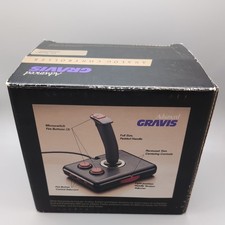
Advanced Gravis Analog Controller Joystics For Tandy Computers complete in box
$90.98

RARE VINTAGE Kontron 80 Psi Compact Microcomputer Computer Germany Early 1980s
$399.99