-
internal wifi card...connected, but can't browse internet??
Hi guys, first off: I'm a newbie! Installed 3.9...running kwifimanager shows I'm connected to network, but when I open mozilla or konqueror and try to go to any site, it says www.whatever.com could not be found.  ...I just wanna browse the net, arrrg! Please help!
-
start dhcp client or static route.
-
I get connected, have IP Address, cannot connect
I am running Knoppix 3.9 on a Dell CPi notebook with an RT2400-based cardbus card.
With coaxing I get "connected":
I run (with sudo su):
ifconfig eth0 up
iwconfig eth0 essid 'network-ssid'
I then run the KDE network card configuration, and tell it to use DHCP.
I then do ifconfig, and it shows an appropriate IP Address.
Strangely, I can't ping the dhcp server that the machine just connected to in order to get the IP address it has. Weird.
I also, of course, cannot connect to the internet. With Mandrake 10.1, I was able, so it's not a router setting.
Arrg.
Jonathan
-
Fixed, sort of
I was able to get working, but I had to "open" my wifi a bit.
I noticed the other day that when I went to Saint Louis Bread Co, my laptop just connected using Knoppix 3.9, no problems. I could access the internet with no effort.
So, at home, I made a couple changes to the Access Point. I set the channel to 1, instead of 6; and I set it to broadcast the ssid, since this is how public APs work. I had already disabled WEP -- this is definitely part of the "public access point" methodology.
Eureka! Simply booting Knoppix 3.9, my laptop connected to the network with no coaxing.
Security Note:
Given that I had to disable WEP, I made sure that the MAC filter was set to allow only the card in my laptop. This now, is the only wifi security I have. WEP would be nice, but also not highly secure. WPA would be better, but I knew going in that it wasn't supported by all of my h/w-s/w.
You might try checking and enabling the SSID Broadcast on your Access Point. As far as channel 1 goes, I just did that because I noticed in iwconfig that it seemed to connect on channel 1, even though my AP was channel 6. I decided that, at some level, it wasn't negotiating the channel properly. Having connected successfully without checking each change on its own, makes it difficult to say if one or the other change was the most important.
Jonathan
Similar Threads
-
By gccradioscience in forum Networking
Replies: 1
Last Post: 04-03-2008, 01:24 AM
-
By YareDaze in forum Networking
Replies: 1
Last Post: 02-04-2007, 09:51 PM
-
By r00tNinj4 in forum Networking
Replies: 3
Last Post: 07-23-2005, 09:43 AM
-
By siggy in forum Hdd Install / Debian / Apt
Replies: 5
Last Post: 07-11-2005, 06:56 AM
-
By Yojimbo in forum Hardware & Booting
Replies: 3
Last Post: 01-11-2005, 11:23 PM
 Posting Permissions
- You may not post new threads
- You may not post replies
- You may not post attachments
- You may not edit your posts
-
Forum Rules


Commodore Amiga 500 Vintage Computer A500 No Power Supply
$249.95

Supra Amiga 2000 4MB Zorro RAM Expansion Card 30-0054-3 READ
$129.00
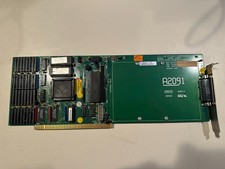
Commodore Amiga 2000 A2091 V4 SCSI Controller Card + RAM (no RAM installed)
$179.00
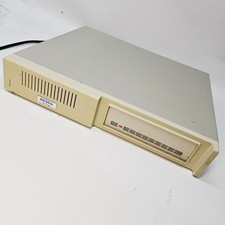
Vintage XETEC FASTRAK SH Series SCSI Hard Disk System FTCA Commodore Amiga 1
$298.99
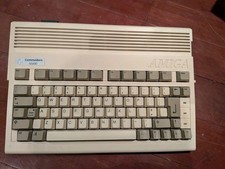
Commodore Amiga 600 Computer w/ PIStorm Framethrower Recapped, Caffeine OS NTSC
$799.99
COMMODORE AMIGA 500 WITH GOTEK NTSC,NO PSU ,NO MOUSE ,NO MONITOR ,TESTED
$355.00
Vtg Amiga Computer Monitor Commodore 13" Screen W/ Power Cord Powers On As Is
$279.95

GVP 50MHZ 68030 + 68882 Accelerator Card for Amiga 2000 A2000-030 Rev 8 READ
$399.00

Amiga 1000 Computer w/ Monitor Keyboard Mouse Disc Drive Sidecar Expansion Discs
$1175.00

GVP 68030 33MHz Accelerator Amiga 2000 68882 4MB TESTED Manuals Software
$339.99



 Reply With Quote