-
solution found!
to install stuff that has to compile to kernel source then install another kernel source and header files using apt-get (or indirectly using kpackage for GUI) and do the job in the other kernel then come back to your knoppix kernel for correct hardware detection. for me, i installed kernel headers 2.6.11-1 whereas knoppix ships with 2.6.11. i also installed kernel image 2.6.11-1 and booted to 2.6.11-1 and successfully installed vendor-supplied video card driver, which required header files (2.6.11 don't have header files as deb package). then i was surprised to find that in 2.6.11 video card was succssfully configured!
another note: i discovered a very good program for configuring rt2500. use apt-get to install RaConfig2500 by installing package called rt2500 and other depended packages (should be automatic if you set up apt-get correctly using net connection as source).
happy knoppixing!
Similar Threads
-
By BCL_64 in forum General Support
Replies: 0
Last Post: 12-11-2005, 06:43 PM
-
By hipgnosis in forum MS Windows & New to Linux
Replies: 4
Last Post: 11-14-2005, 11:49 PM
-
By MillTek in forum Hdd Install / Debian / Apt
Replies: 1
Last Post: 05-16-2004, 12:45 PM
-
By metonymy in forum Networking
Replies: 3
Last Post: 05-11-2004, 01:25 AM
-
By Tad in forum Hardware & Booting
Replies: 2
Last Post: 05-24-2003, 08:03 AM
 Posting Permissions
- You may not post new threads
- You may not post replies
- You may not post attachments
- You may not edit your posts
-
Forum Rules


Genuine OEM Apple MagSafe 2 45W AC Adapter Charger for Macbook Air 2015 11" 13"
$14.24

Genuine Apple Power Adapter Extension Cable 6FT White OEM MacBook MK122LL/A
$10.99

Genuine Apple OEM A2164 30W USB-C AC Power Adapter with USB-C Cable, Very Good
$21.05

OEM Apple Data Migration Toolkit for A1706 A1707 MacBook Pro PN 076-00236
$549.99

OEM 45w T-Tip Power Adapter charger for Apple macbook air 2012-2017 A1436 A1466
$19.99
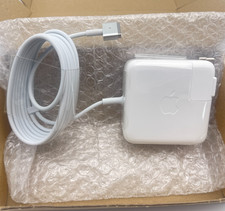
OEM 45W Charger For Apple MacBook Air 11-inch 13-inch Early 2012 2013 2014 2015
$26.98

OEM Apple 45W A1436 Power Charger AC Adapter for MacBook Air MagSafe 2
$12.99
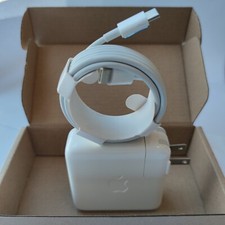
Genuine OEM 61W USB-C Power Adapter Charger For Apple MacBook PRO 13 inch A1718
$22.00
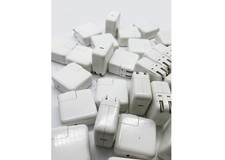
Lot of 30 Genuine OEM Apple 30W USB-C Power Adapter for iPhone iPad MacBook Air
$419.59

apple oem cube 5w charger
$6.99



 Reply With Quote