
I have Knoppix 3.9 installed on my hd using knoppix-installer.
I updated it with apt-get upgrade.
But how to ugrade to the last version of the kernel (currently 2.6.12.3).
Knoppix is based on kernel 2.6.11.


I have Knoppix 3.9 installed on my hd using knoppix-installer.
I updated it with apt-get upgrade.
But how to ugrade to the last version of the kernel (currently 2.6.12.3).
Knoppix is based on kernel 2.6.11.
DON'T use apt-get upgrade! It ruins the delicate balance of Knoppix's software versions. Your current kernel is fine.
What do you suggest to maintain the software up to date?
Do I have to install everytime the last Knoppix version?
Perhaps you are looking at this wrong. The problem isn't anything wrong with apt-get upgrade. It's that you chose to install Knoppix (which breaks if you run apt-get upgrade) rather than installing Debian (which does not).
I agree with Harry. Knoppix is:
- Great as a LiveCD
- Okay for a short-term HDD install
- Not good for a permanent HDD installation
Try Debian. It's quite stable and very well supported in the Linux community.
Many thanks for your useful advices.
Will Debian recognize my hardware as well as Knoppix?
Can't answer that, don't know what your hardware is.Originally Posted by jjbergdolt
I recently installed Debian. It did a much better job than past versions of Linux I've tried to install. I only had to deal with technical information in one area, the monitor's frequency range (which is strange, because it is a plug-and-play monitor and the Debian installer seemed to detect it and get the information that way too!). Everything else went well. Debian didn't set up my standard Sound Blaster 16 sound card (I still haven't figured out how to set it up), but Knoppix doesn't detect and set it up either.
The bottom line is that Debian is getting much better, and Knoppix is failing in a lot more areas than it used to. So for any small extra effort you might spend in setting up a Debian system, you gain an awful lot in installing exactly what you want, in learning how to properly do a real install, and in having a system that will allow you to upgrade and install more things without breaking existing things.
Knoppix has a very well-developed hardware detection script, so it will probably do better detection than Debian initially.
However, since they are both Linux and both based on the same development packages, Debian is in no way inferior to Knoppix, and with a little fiddling & googling, you should be able to get all your currently working hardware to work just as well in Debian.
 Posting Permissions


Samsung SCXSTP000, SCX-STP000 (Swingline Staple Cartridge - 3 Refills)
$57.99
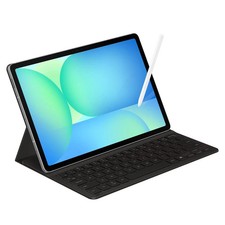
Samsung Galaxy S10 10.9" FE 128GB WiFi Tablet SM-X520NZACXAR S-Pen Keyboard 2025
$299.99

Samsung Galaxy Tab Active 3/ 64 gig/WIFI
$85.00
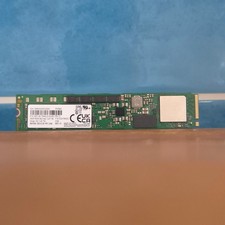
Samsung MZ1LB1T9HALS PM983 1.92TB M.2 22110 PCIe 3.0 NVMe SSD (430 EUR 0% VAT)
$601.98
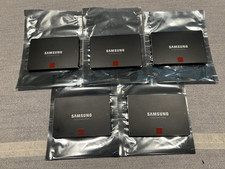
Samsung 850 Pro Series 2TB 2.5inch SATA3 6Gbp Internal SSD MZ-7KE2T0 5 Available
$189.00

Kids Case for Samsung Galaxy Tab A9+/A9 plus 11 Inch 2023 Case, with Strap, Shoc
$27.99

Samsung JC95-01514A Cover-Side Roller T2 Compatible
$39.00

Samsung JC93-01078A Transfer Roller T2
$89.00

Samsung Galaxy View Tablet 18.4 SM-T670/677A Digitizer 100% Original Oem
$152.99
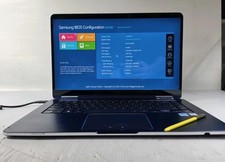
Samsung Notebook 9 Pen Touchscreen 2-in-1 Motherboard NP930SBE-K01US
$112.67

 Reply With Quote