-
Everything is detected, but Knoppix still doesn't load
Knoppix goes through and it says .. done on everything. In the places where it needs to know what type of drivers you have or how much memory you have available everything is filled out. After this, it says
starting init process.
INIT: 2.78 - knoppix booting
It just stops there and I can type in characters. I waited there for about ten minutes and nothing happened. Sorry if this is an obvious question, this is my first time using Knoppix. I have an Intel Celeron M Processor 330 and it is a Compaq Presario if that helps.
-
i've got a very similar computer and it seems this problem is kind of related to my situation. let me know how you got yours to work and what cheatcode you used so i can try that also. try 'failsafe' mode, but that option for my situation won't let me browse the web when linux loads.
-
Alright, I tried failsafe mode and it completely loaded. I forgot to mention in my first post I'm using a laptop. When Knoppix loaded my touchpad was messed up and my mouse wouldn't work because failsafe doesn't dectect anything. Either way, it loaded and that was a good thing. I then tried it again with a couple cheats, not including failsafe, and it would get all the way down to this one line which was
network device eth0 detected, DHCP broadcasting for IP
that's where it gets stuck now. All I typed in was (without the quotes) "knoppix wheelmouse lang=us" They were really basic ones and I didn't expect it to load but it got all the way to the line mentioned above. Now, for some reason, I can load it without using any cheats and it will get all the way down to the same line. Everything before it is dectected fine. Anybody have any suggestions? Thanks!
I am also connected to a wireless router... wirelessly! It is a Netgear wireless router MR814v2
-
Senior Member
registered user
Maybe try "nodhcp" cheatcode.
-
Thank you ockham23, that worked and it loaded. I finally got to explore a little! The only problem is I still can't use the internet  . If anyone knows a way so I can still use my internet I would be extremely greatful. Thanks in advance.
-
Administrator
Site Admin-

Originally Posted by
Electric Blah
Thank you ockham23, that worked and it loaded. I finally got to explore a little! The only problem is I still can't use the internet
. If anyone knows a way so I can still use my internet I would be extremely greatful. Thanks in advance.
Well, my first step would be to give up that silly idea of connecting wirelessly, at least as a first step. If you have an ethernet interface in that box I would jack into the router and see if the system doesn't boot with no efort at all. Or failing that you could try netcardconfig for the wired interface after you get booted.
Once you get past that point you can revisit the wireless issue. It sounds like you may actualy have wireless support for your device (whatever it is, you seem to be keeping that a secret). If so you are pretty lucky. I have several wireless pcmcia cards and only one of them is recognized by Knoppix and that one only starting with 3.8.1. You'll need to at a minimum configure it's SSID though before you can connect to your router. You may have to deal with encryption too, but I would suggest disabling that on your router for your first tests unless you are in a location at high risk of trespass if you do. Once you have the wifi settings established, another pass at getting an IP setup by dhcp with netcardconfig may give better results.
If you need more help, post as much information about yout wireless interface as you can. We don't need the MAC address or your router's WEP code, but just about everything else will be helpful.
-
Administrator
Site Admin-
Electric Blah
I'll help where I can, but really have no experience with a Broadcom 802.11b/g. My expectation of support for any 802.11g equipment is low, but your DHCP problem seems to be implying that something was detected. Unless it was just hanging because of the wired ethernet NIC, then you may have better luck than I.
I don't exactly mind the personal PM, but I see no need for it. You'll have a better chance for support from others who might actually know the answers if they see both sides of the dialog, know what hardware you are working on, and see that you are providing info and still trying to resolve this. It would be best to reserve the PM's to things that have a reason to be kept private.
Harry
-
Alright, thank you Harry. For anyone else, I am connected on a Broadcom 802.11b/g wirelessly to my router. I connected to my router directly about five minutes ago and made sure I could still go on the internet, and I could. I tried loading Knoppix without any cheats and it hung on the DHCP part so I used knoppix nodhcp and got to the desktop. I then tried netcardconfig and it would just hang like it did when it was booting without the nodhcp cheat. I'll keep trying different things and searching topics.
Similar Threads
-
By crash893 in forum MS Windows & New to Linux
Replies: 0
Last Post: 01-28-2007, 07:08 PM
-
By n()()dle in forum General Support
Replies: 4
Last Post: 12-23-2004, 01:39 AM
-
By Medicate in forum General Support
Replies: 3
Last Post: 11-26-2004, 07:08 AM
-
By bored in forum General Support
Replies: 3
Last Post: 01-27-2004, 01:29 AM
-
By caven_a in forum General Support
Replies: 2
Last Post: 05-02-2003, 08:18 PM
 Posting Permissions
- You may not post new threads
- You may not post replies
- You may not post attachments
- You may not edit your posts
-
Forum Rules

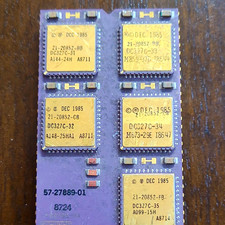
DEC Vintage Module/Board Collectable Vintage chip - 1 BROKEN LEG (BO)
$200.00
Vintage Brown Leather Laptop Briefcase with Yellow Zipper
$45.00

Vintage AutoCAD 2000i Upgrade Boxed CD & Key Code
$144.45
Sanyo DM 5012CM Solid State Data Display Monitor Working Vintage 1980s 80s
$169.99
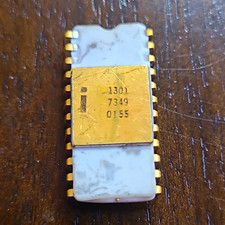
Intel 1301 Vintage collectable IC Ceramic DIP - possible cracked casing (BO)
$100.00
Vintage Apple IIc Computer Carrying Case Bag Grey Canvas Rainbow Logo 1980s
$74.99
Vintage Apple Macintosh LC 512K VRAM SIMM M0517LL/A 68-Pin 820-0313-03 Boxed
$99.00

Original Vintage Old Style STANDARD Black CD Jewel Case (Heavy Duty) 90g Lot
$316.95
Vintage WD 120GB External Hard Drive USB 2.0 7200RPM FACTORY SEALED New Old Stk
$130.00
Dell Inspiron E1505 Vintage Laptop – Windows XP – Working
$50.00



 Reply With Quote