

 Reply With Quote
is there a fake packet sending daemon that runs in background so it fools rt2500 device into thinking it is downloadnig so it stops crashing???


when downloading there is no problem but if left with no packet received after few minutes system hangs and input devices freeze.
is there a fake packet sending daemon that runs in background so it fools rt2500 device into thinking it is downloadnig so it stops crashing???
Well, there's the ping command. It has a wait switch (-i) that lets you pause between pings and it will run until told to stop. May not be exactly what you want, but it should do the job for testing and will certainly keep your connection alive with minimal traffic.Originally Posted by paradigm_shift
---
Verifying of md5 checksum and burning a CD at slow speed are important.
#!/bin/csh -f
set IP=( 192.168.0.1 www.google.com )
set LOGFILE="ping.log"
set ZZZ=2
echo "Started ping log at: `date`" >! ${LOGFILE}
echo "Targets: $IP" >> ${LOGFILE}
echo " " >> ${LOGFILE}
# Go until Ctrl-C or killed
while 1
foreach target ( ${IP} )
ping -c1 -qn ${target} > /dev/null
if( ${status} == 1 ) then
echo "`date`: ${target} is not reachable" >> ${LOGFILE}
endif
end
sleep ${ZZZ}
end
script works but even when script is run rt2500 causes system to halt. i tried running script on bash or running it through cron but not effective.
I don't know what you are trying to tell me or why you seem to be doing it a complex way. I was simply thinking of opening a terminal and typing in something like ping -i30 192.168.0.1 and letting it run. And I wasn't the one that claimed that network activity would keep your system alive, that was you who drew that relation. If the system still hangs then maybe the original premis is wrong.
i'm not really sure what is the problem but what i know for sure is that when i'm downloading files of size say >10kb connection is alive and system don't freeze. pinging don't seem to prevent system freeze.
I don't know what the problem is either. Downloading does involve more than just network activity though. For example, it keeps the disk active while just the computer sitting idle does not. Might this be something as simple as a bios setting that is causing the hard drive to sleep after a few minutes of inactivity and Linux for some strange reason hanging when that happens?
anywyz case solved when i installed newest rt2500 driver from serialmonkey.
 Posting Permissions


GIGABYTE A520M DS3H AC AMD AM4 Motherboard mATX
$59.99

Intel H310 LGA1151 8-9th Gen DDR4 M.2 NVMe mATX Motherboard IO Shield Battery
$54.99

MSI PRO Z790-P WIFI DDR4 LGA 1700 Intel Z790 SATA 6Gb/s DDR4 ATX Motherboard
$163.49

ASUS PRIME Z490-P LGA 1200 Intel Z490 SATA 6Gb/s ATX Intel Motherboard NEW
$121.45

GIGABYTE B365 HD3 LGA1151 Intel 9th Gen motherboard
$59.99

Intel H81 Motherboard M.2 NVMe LGA 1150 mATX w/ IO Shield (Random Slot Color)
$29.90

ASUS PRIME Z370-A II LGA 1151 Intel Z370 DDR4 DIMM USB3.1 DVI ATX RGB
$69.99

ASRock B550M PRO4 AM4 AMD B550 SATA 6Gb/s Micro ATX AMD Motherboard
$76.49

AORUS Z790 AORUS ELITE AX Intel LGA 1700 ATX DDR5 M.2 Gaming Motherboard
$129.00
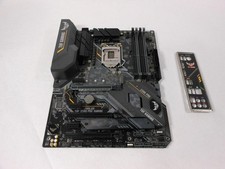
ASUS TUF Z390-PRO GAMING LGA1151 DDR4 ATX Motherboard With IO Inlucded
$100.00