-
Senior Member
registered user
--Post the results of ' fdisk -l ' and what version of Windows you are running. If you're using NTFS you only have read-only access to the filesystem. With Fat32 you have read/write.

Originally Posted by
pat
hi michael,
> Make sure that write-access is turned ON. It is turned OFF by
> default in Knoppix. Right-click on the desired disk icon(s). The
> menu that pops up has an entry to change write-access. Click "OK"
> when the confirmation pops up. That SHOULD do it!
thanks, i didn't know that...
> Open a window for each disk. Drag the icon for the desired file(s)
> from one window to the other. A menu will pop up. Select "Copy
> Here" or Move Here" depending on the desired action.
it doesn't function with my knoppix  ...
...
i did it with graphic and by console and it indicated me "access denied: could not write"...
i precise, that from my mnt/hda9 to my mnt/hdc7 i can move files but not from my mnt/hdc7 to my mnt/hda9...
what strange thing...
the problem is that i want move from my mnt/hdc7... but i can't...
is there a knoppix solution?
thanks...[/quote]
Similar Threads
-
By N1N in forum General Support
Replies: 1
Last Post: 11-02-2004, 06:56 PM
-
By FelixDzerzhinsky in forum Hdd Install / Debian / Apt
Replies: 9
Last Post: 07-11-2004, 07:58 PM
-
By FelixDzerzhinsky in forum Networking
Replies: 0
Last Post: 07-08-2004, 01:06 PM
-
By mikekgr in forum Hdd Install / Debian / Apt
Replies: 0
Last Post: 05-18-2004, 10:15 PM
-
By nishtya in forum Hdd Install / Debian / Apt
Replies: 4
Last Post: 03-26-2004, 01:59 AM
 Posting Permissions
- You may not post new threads
- You may not post replies
- You may not post attachments
- You may not edit your posts
-
Forum Rules


Commodore 128 C128 Computer FOR PARTS / REPAIR Untested Missing Key No Cords
$149.99

TeensyROM+ TR+ v0.4 Cartridge for C64/128 - w/ Case & 32GB SD Preloaded
$89.50
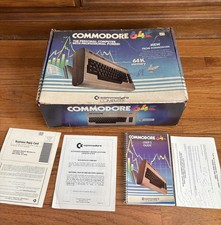
Commodore 64 Computer In Original Box w Cord & User Manual 💥
$149.99

Commodore VIC-20 Diagnostic Cartridge & Test Harness Set - USA seller
$39.99
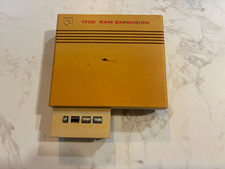
Commodore 1750 512K RAM Expansion REU for C128 / C64 – Tested & Working
$110.00

Commodore 64 Serial Cable 6PIN DIN 1541 1571 C64 128 C128 Disk Drive Printer USA
$10.49

Commodore 1541 Emulator PI1541 HAT with ROTARY, OLED screen, USA Seller
$29.99
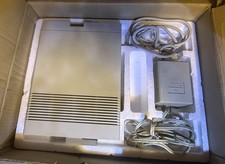
Vtg 128 / 64 Commodore 1541-II Computer Disk Drive in Box 5.25 Floppy (Working)
$89.99
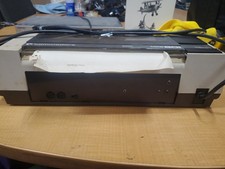
RARE Commodore MPS801 Printer - 1st printer for the 64 - powers on
$70.00

Commodore 64 Dead Test & Diagnostic Cartridge & Test Harness Set - USA seller
$39.99



 Reply With Quote