-
-
Senior Member
registered user
<snip>
I... want to organize the transfer of lot of files from the first disk to another disk with knoppix...
</snip>
Make sure that write-access is turned ON. It is turned OFF by default in Knoppix. Right-click on the desired disk icon(s). The menu that pops up has an entry to change write-access. Click "OK" when the confirmation pops up. That SHOULD do it!
Open a window for each disk. Drag the icon for the desired file(s) from one window to the other. A menu will pop up. Select "Copy Here" or Move Here" depending on the desired action.
-
hi michael,
> Make sure that write-access is turned ON. It is turned OFF by
> default in Knoppix. Right-click on the desired disk icon(s). The
> menu that pops up has an entry to change write-access. Click "OK"
> when the confirmation pops up. That SHOULD do it!
thanks, i didn't know that...
> Open a window for each disk. Drag the icon for the desired file(s)
> from one window to the other. A menu will pop up. Select "Copy
> Here" or Move Here" depending on the desired action.[/quote]
it doesn't function with my knoppix  ...
...
i did it with graphic and by console and it indicated me "access denied: could not write"...
i precise, that from my mnt/hda9 to my mnt/hdc7 i can move files but not from my mnt/hdc7 to my mnt/hda9...
what strange thing...
the problem is that i want move from my mnt/hdc7... but i can't...
is there a knoppix solution?
thanks...
-
Senior Member
registered user
<snip>
it doesn't function with my knoppix
</snip>
If you are using the default KDE desktop, it should: check that both disk drive icons show a green, triangular arrow next them. This is the indication that the drive is mounted. If that's the case AND write is enabled, it SHOULD work!
-
[/quote] If that's the case AND write is enabled, it SHOULD work![/quote]
no, it doesn't work...
however, i have mounted all the Harddisk and give the write mode for all Hd, maybe the cause of my problem is that it is the second disk where are my data !?
but i don't understand why from the first disk to the second i can move and the contrary no ?...
maybe there's a reason...
-
Senior Member
registered user
--Post the results of ' fdisk -l ' and what version of Windows you are running. If you're using NTFS you only have read-only access to the filesystem. With Fat32 you have read/write.

Originally Posted by
pat
hi michael,
> Make sure that write-access is turned ON. It is turned OFF by
> default in Knoppix. Right-click on the desired disk icon(s). The
> menu that pops up has an entry to change write-access. Click "OK"
> when the confirmation pops up. That SHOULD do it!
thanks, i didn't know that...
> Open a window for each disk. Drag the icon for the desired file(s)
> from one window to the other. A menu will pop up. Select "Copy
> Here" or Move Here" depending on the desired action.
it doesn't function with my knoppix ...
i did it with graphic and by console and it indicated me "access denied: could not write"...
i precise, that from my mnt/hda9 to my mnt/hdc7 i can move files but not from my mnt/hdc7 to my mnt/hda9...
what strange thing...
the problem is that i want move from my mnt/hdc7... but i can't...
is there a knoppix solution?
thanks...[/quote]
-
Senior Member
registered user
<snip>
If you're using NTFS you only have read-only access to the filesystem.
</snip>
Whoops! Forgot about THAT one. I'll be more careful in my advice... obviously, I only half-answered the issue involved.
Thanks for the reminder!
-
hi,
[if anyone know a solution for this problem...
it's surprising that from the first on the second disk, it functions, and the contrary no...
help!!
thanks...
-
i precise.. i don't have windows...
thanks...
-
Senior Member
registered user
copy files
If your running Kde be sure the two windows you open are the "file manager super user" windows (I think its system>file manager super user mode menu)..Or you could boot Knoppix and say "knoppix 2" at the boot prompt and then at the root prompt it boots you to mount your drives with "mount /dev/hda1" or whatever then use the cp command or say "startx /usr/X11R6/bin/icewm" and you will be root and have full premission with whatever windows you want to open and use.
Similar Threads
-
By N1N in forum General Support
Replies: 1
Last Post: 11-02-2004, 06:56 PM
-
By FelixDzerzhinsky in forum Hdd Install / Debian / Apt
Replies: 9
Last Post: 07-11-2004, 07:58 PM
-
By FelixDzerzhinsky in forum Networking
Replies: 0
Last Post: 07-08-2004, 01:06 PM
-
By mikekgr in forum Hdd Install / Debian / Apt
Replies: 0
Last Post: 05-18-2004, 10:15 PM
-
By nishtya in forum Hdd Install / Debian / Apt
Replies: 4
Last Post: 03-26-2004, 01:59 AM
 Posting Permissions
- You may not post new threads
- You may not post replies
- You may not post attachments
- You may not edit your posts
-
Forum Rules


(New) AMD Ryzen 7 5700X 8 Core 16 Thread AM4 Unlocked 3.4 GHz CPU OEM Tray
$174.99

AMD Ryzen 7 PRO 8700GE 8-Core/16-Thread Up to 5.1GHz AM5 (FL1)
$189.00

Dell OptiPlex 5070 SFF i7-9700 (8-Core) 3.0GHz 16GB 256 SSD Windows 11
$250.00
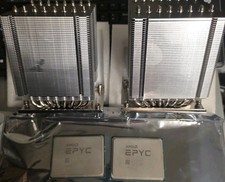
Pair ID-COOLING A8-SP3 CPU Heatsink Coolers and AMD EPYC 7601 32 Core Processors
$290.00

AMD Ryzen 7 7800X3D 4.20GHz Quad Core 100-000000510 8 Thread AM4
$279.99

Apple Macbook Pro 13" M1 8-Core 16GB 512GB - Good
$464.99

Intel Xeon E5 - 2667V2 / SR19W 3.30GHz 25MB 8-Core CPU Socket LGA2011
$30.00
AMD Ryzen 7 9800X3D 8-Core 16-Thread AM5 Zen 5 Desktop Processor NEW
$391.00
Dell OptiPlex 7060 Intel Core i7-8700 3.2GHz 8GB RAM 256GB Windows 11 Pro FAST
$159.99

SGIN 17.3" Laptop Intel Quad-Core Up to 2.4 GHZ 8GB RAM 256GB SSD HD
$229.99


 , but it fails when i do a copy/paste from a
  i have some files between 3Mo and 400Mo to move...
 Reply With Quote
-an-object-from-one-disk-to-an-other/images/buttons/collapse_40b.png#top)