-
How to make use of installed fonts
I need to read Chinese in Openoffice and found that the default font is very hard to read, and there is coding problem that most of the Chinese characters did not display properly, they just show up as a square box. I installed additional true type font I download from the net, but how do I make use of it so that it become the default Chinese font system wide ?
Similar Threads
-
By param85047 in forum Hdd Install / Debian / Apt
Replies: 3
Last Post: 11-03-2006, 03:31 PM
-
By Fabianx in forum Ideas
Replies: 1
Last Post: 07-14-2006, 11:30 PM
-
By lewisdw in forum General Support
Replies: 1
Last Post: 07-14-2005, 03:24 AM
-
By Lord1981 in forum Hdd Install / Debian / Apt
Replies: 6
Last Post: 01-04-2004, 10:19 PM
-
By Thraaser in forum Hdd Install / Debian / Apt
Replies: 1
Last Post: 10-21-2003, 04:29 AM
 Posting Permissions
- You may not post new threads
- You may not post replies
- You may not post attachments
- You may not edit your posts
-
Forum Rules


16GB KIT (2x8GB) DDR3 Gamer Desktop RAM PC3 MIXED BRANDS VIPER VENGEANCE FURY
$10.00

Netac DDR4 32GB 16GB DDR4 3200MHz UDIMM C16 Desktop Internal Memory RAM Kit
$99.99

Samsung 32GB DDR4-2666V-2Rx4-RB2-12 RAM M393A4K40CB2-CTD6Q
$169.00
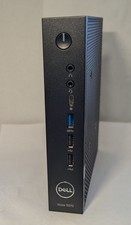
Dell Wyse 5070 Thin Client Pentium J5005 8GB RAM 128GB SSD w/Power Win 10 LTSC
$62.00

RAMAXEL Lenovo 32GB LPDDR5X CAMM2 7500MHz Laptop RAM | UNTESTED
$445.00

DDR4 Laptop RAM 4GB 8GB 16GB 32GB 2400 2666 3200 Samsung Hynix
$66.00

Major Brand 16GB (2x8GB) PC3-12800U DDR3-1600MHz DDR3-12800 DESKTOP RAM NON-ECC
$29.99
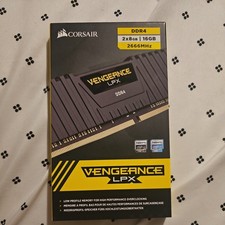
Corsair Vengeance 16GB DDR4 2666MHz (8 X 2) (Black) - 2 Sticks
$60.00

Dell 16GB PC4-21300 (DDR4-2666) Memory (SNPPWR5TC16G)
$89.99
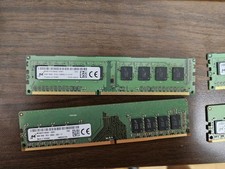
Micron and SK hynix RAM 56GB (4x8GB) (2x4GB) see description
$135.00



 Reply With Quote