-
Junior Member
registered user
Any checks I can run on CD
I've checked the ISO, are there any checks I can run on CD to see if CD is a clean write?
-
Administrator
Site Admin-
Re: Any checks I can run on CD

Originally Posted by
Quinny
I've checked the ISO
I'm guessing this means that you ran a md5 program against the matching md5 sum file, and that it reported that there was one file (and only one file), the ISO, and that it's md5 sum was correct.
Originally Posted by
Quinny
are there any checks I can run on CD to see if CD is a clean write?
Many burning programs, like Nero 6, have an option to verify the CD when it is written. For me this is the best test. And it is very important to burn slowly. Since you are past that point, you may want to look at the cheat codes section of the wiki and read about testcd. If you can boot far enough to run this, it will run md5 tests of several parts of the burn, including the cloop file. It can not check the boot code however.
-
Junior Member
registered user
What's the X11 bit it's hanging at?
-
Administrator
Site Admin-
Originally Posted by
Quinny
What's the X11 bit it's hanging at?
I'm not sure. There was no mention of X11 or any hanging in your previous post. I don't know what you're refering to and I'm way too sleepy to guess.
I think X11 is an underlying part of the GUI. I could be wrong. You shouldn't need the GUI to run the testcd cheat code that I gave you in the last post. If it still seems to hang try knoppix 2 testcd which should avoid bringing up the KDE desktop. If you want someone who can help you with X11 you should really start another thread, it's beyond the scope of the topic for this thread.
-
Junior Member
registered user
Test cd switch seems to work. OK.
I've only mentioned X11 about 4 times so far. Where should I post questions about it?
BTW I seem to be getting a command prompt where standard UNIX commands work. How do I load an desktop or application?
-
Administrator
Site Admin-
Originally Posted by
Quinny
Test cd switch seems to work. OK.
Sounds like your CD is OK then
Originally Posted by
Quinny
I've only mentioned X11 about 4 times so far. .....
You didn't mention it in this thread. You shouldn't expect me or other users to have read or remembered everything that you have written. If you want to point to other things that you have talked about in other threads or at other places on the web you can provide links so people can find what you are talking about.
Originally Posted by
Quinny
Where should I post questions about it?
You likely know more about it at this point than I, but if I'm correct about what it is I would think this foum or the general support forums would both be good choices (there is some overlap so it's not always easy to say what the best choice for a post is. It is much simpler to determine when a post has been put in a forum where it doesn't fit at all or when there is a much better choice.) But don't suddenly ask about a topic like X11 when the original topic of the thread had no relation to it, in this case that topic being how to check a CD.
Originally Posted by
Quinny
BTW I seem to be getting a command prompt where standard UNIX commands work. How do I load an desktop or application?
If you used the 2 cheat code in your boot line, then you told Knoppix to not start the KDE desktop. You san still run a non-graphical program by typing it's name at the command prompt. For example: ping or man. If you are not using the 2 then the kde desktop should have started, it could be that there is some issue with your hardware that is keeping it from starting (which implies that maybe the question could go in the hardware forum. I would put it there if you ralated it to particular hardware like your video controler. I would keep to the other two forums if it were a more general question about X11.) There may be some way to start X, KDE and or other GUI tools at the command prompt (like startx). But I really don't know what the proper way to do this is in Debian/Knoppix. Which is likely why I didn't get involved in other threads where you mentioned X11.
-
Junior Member
registered user
-
Administrator
Site Admin-
Re: Resolved
Originally Posted by
Quinny
Thanks very much, but as the last few posts were only you and I, I sort of thought the link might have been noticed. I thought everyone else was in bed!

I am now replying using Firefox. The last day has seemed like a lifetime, but got there eventually. All I have to do now is transfer to a hard disk, so I have a nice server setup.. I am confident it will be dead easy

I'm sure we'll meet again. Once again thanks.

I found your other thread after I had written the above. But in that thread I and Underscore were trying to talk you through some other burning issues. It looked like the burning stuff was finally resolved. You threw in some mention of X11 then, but since I knew I would be on no help with X11 I just skipped past it. I didn't put the two posts together. Some others here may, but don't expect it.
Everyone's not in bed. This forum is very International. Eadz, the admin, is down under, for example. And, of course, Knoppix originates in Europe. You're in the UK, I'm in the U.S.
Glad you're up. I don't think you actually need the = sign in your cheat code string the way you said you are using it. But since you can string multiple codes together and unrecognized codes seem to be ignored, it shouldn't cause any harm.
You might seriously rethink that "all I have to do is xfer to hard disk" idea. Knoppix is intended as a Live CD and works best as a live CD. The HD install forum is second in size of problems only to the general support forum, and many of the problems in the general and other forums including Networking are actually HD install problems. Use the Live CD to learn Linux. Use it as a way to carry Linux with you and test it on other systems. Use it as a great recovery tool when a system will not boot into Windows. But consider installing Debian (the distro that Knoppix is based on) when you want to do a hard drive install. Or at least read through the hd install forum and know what you are likely to run up against. If you got frustrated getting a CD boot to work then you are going to hate a Knoppix HD install. The Debian install has really matured recently. At least look at it and try installing Debian before you decide that you want to install Knoppix onto a hard disk. And, as an example of how to include links to other threads in a post, read this post by James on the subject of Knoppix HD installs.
-
Junior Member
registered user
Thanks very much for all your advice, I'm already downloading the Debian Linux disk. Must say once I'd got the system up and running I was v impressed with 1. the speed for a cd /ram disk system & 2. the way it picked up my network / tcp/ip settings from the firewall when the pc I was installing on wasn't set up properly.
Similar Threads
-
By broy in forum General Support
Replies: 7
Last Post: 03-16-2003, 06:06 AM
 Posting Permissions
- You may not post new threads
- You may not post replies
- You may not post attachments
- You may not edit your posts
-
Forum Rules


5 Port Gigabit Unmanaged Ethernet Switch, Home Network Hub, Office Ethernet S...
$9.64

NETGEAR GS308EP Essential Series 8-Port Gigabit PoE+ Unmanaged Switch
$49.99

Cisco WS-C3650-12X48UR-L 48-Port Stackable Layer 3 8x10G SFP+ Port Switch
$129.99

TP-Link TL-SG1048 48-Port Gigabit Rackmount Switch New Factory Sealed
$199.99

TP-Link TL-SG105 5-Port Gigabit Ethernet Unmanaged Metal Desktop Network Switch
$19.99

TP-Link TL-SG105, 5 Port Gigabit Unmanaged Ethernet Switch, Network Hub, Ethern
$15.25

10-Port Gigabit PoE Network Switch with 8 PoE+ Ports with 2 Combo SFP Slots 125W
$39.99

Arista DCS-7010T-48-R 48P 1GbE 4P 10GbE SFP+ RA Switch with rack mounts
$69.00

Cisco Catalyst 2960-48TT-L 48-Port Fast Ethernet Managed Rackmount Switch
$46.99
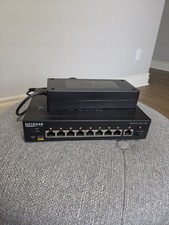
Netgear AV Line M4250-9G1F-PoE+ GSM4210PD 10-Port PoE+ Managed L3 Network Switch
$378.00



 Reply With Quote