-

Originally Posted by
rwcitek
Originally Posted by
jkusters
I wound up back at the stage 1 prompt (#) but unable to type.
Right. Don't use the "debug" label. Use only the "knoppix" label. Debug will pause during the boot process, which is futile for you since the USB module is not loaded until after stage 3.
Yeah, forgot to mention (and later went back and edited my post) that I also tried "knoppix" followed by the same parameters which resulted in the same set of scrolling messages followed by the kernel panic.
I haven't tried any other flavors of linux since what I'm really looking for is something just like knoppix that runs off the CD. The ultimate purpose is a cheap-man's ghost solution, of which the first step is getting something to boot.
Thanks for your help!
JOhn.
-
Senior Member
registered user
Originally Posted by
jkusters
I haven't tried any other flavors of linux since what I'm really looking for is something just like knoppix that runs off the CD. The ultimate purpose is a cheap-man's ghost solution, of which the first step is getting something to boot.
From a bit of Googling, Linux will run just fine on the machine ... from the hard drive. Apparently, linux doesn't have support for SATA CD-ROMs, yet, which this machine uses. Also, Knoppix isn't compiled with the USB modules so that you could use your keyboard. If either worked, you'd be set.
Some options to try:
1) If the mobo has a normal ATA (IDE) conection, then try adding an ATA CD-ROM and booting from that.
2) Try kanotix: http://kanotix.com
3) Try slax: http://slax.linux-live.org
Regards,
- Robert
http://www.cwelug.org
-
Thanks for the help! I'll look into those.
I just discovered that the optical drive on these machines is a Philips DVD+-RW DVD8701. I wonder if it being a DVD/RW drive makes any difference? Maybe I'll try to download the 4.x version of Knoppix onto DVD and run with that...
JOhn.
-
I was having similar problems on a Dell Optiplex GX280 with USB only keyboard. I got it to work with the following cheat codes (v. 3.8.1):
knoppix noapic noagp noapm noaudio noddc nodhcp nofstab nofirewire nopcmcia noscsi noswap pnpbios=off acpi=off
Basically everything but nousb. I could probably test to find which is offending but...
I was able to use partimage and image my SATA (/dev/sda2) partition.
I never did get a kernel panic, I just could not get the keyboard to work. Now it does!
HTH,
Mike
-
Senior Member
registered user
Originally Posted by
mmaki
I got it to work with the following cheat codes:
knoppix noapic noagp noapm noaudio noddc nodhcp nofstab nofirewire nopcmcia noscsi noswap pnpbios=off acpi=off
That's great! One code I don't recognize is "noddc". The only reference I could find for it via google is that it's used in configuring X11. Is that correct, or it is used for something else? How did you know to use it?
It would be great if someone else could verify if that set of cheatcodes works for them, too.
After that, the next step would be to figure out if the cheatcode set can be whittled down.
Thanks, Mike, for posting feedback.
Regards,
- Robert
http://www.cwelug.org
-
Originally Posted by
rwcitek
It would be great if someone else could verify if that set of cheatcodes works for them, too.
I was so very hopeful...
But I just tried this. Twice, to make sure I typed it all in right. And both times I got the scrolling error messages followed by a kernel panic.
(BTW, got the same exact result with slax, so I know it's not a Knoppix issue.)
Thanks,
JOhn.
-
Senior Member
registered user
Originally Posted by
jkusters
But I just tried this. Twice, to make sure I typed it all in right. And both times I got the scrolling error messages followed by a kernel panic.
In previous posts you mention using Knoppix 3.9. mmaki was using Knoppix 3.8.1. You might want to download that version and give it a whirl. 3.8.1 uses the 2.6.11 kernel. 3.9 uses the 2.6.11.10 kernel. 4.0 uses the 2.6.12.4 kernel.
Also in reviewing some of the older posts, you are able to get to stage 1. So, linux and some initial drivers do load. I'm curious to know if you can get into "emergency mode". Try booting with this:
boot: failsafe -b 1
Of course, your keyboard won't work. But I'm just interested to know if you get to a prompt or if you get a kernel panic.
Regards,
- Robert
http://www.cwelug.org
-
FWIW I got my Optiplex GX280 to boot with everything working by using:
Mike
-
Senior Member
registered user
cheatcode shortlist
Originally Posted by
mmaki
FWIW I got my Optiplex GX280 to boot with everything working by using:
Thanks, Mike, for whittling down that cheatcode list and posting it. What kind of CD-ROM do you have in your machine? Is it a SATA bus or regular ATA (IDE)?
Regards,
- Robert
http://www.cwelug.org
-
Originally Posted by
rwcitek
boot: failsafe -b 1
It's been a while since I've had time to work on this, so I tried both this and Mike's suggestions.
With the failsafe, I do get the kernel panic on Knoppix 3.9. I'll be downloading and burning 3.8.1 later today and giving it a try.
With acpi=off, I also get the kernel panic.
Somone suggested trying Kanotix, so that's next on my list. Something about the ub driver (though I'm neophyte enough to not know what that is).
JOhn.
Similar Threads
-
By sonsrey in forum Hardware & Booting
Replies: 3
Last Post: 03-10-2010, 03:49 PM
-
By destro in forum MS Windows & New to Linux
Replies: 4
Last Post: 04-01-2007, 11:08 PM
-
By Stephen_A in forum Hardware & Booting
Replies: 2
Last Post: 11-26-2005, 05:45 AM
-
By codeforge in forum Customising & Remastering
Replies: 2
Last Post: 11-16-2004, 05:06 PM
-
By Philly_Blunt in forum General Support
Replies: 7
Last Post: 01-16-2004, 05:57 PM
 Posting Permissions
- You may not post new threads
- You may not post replies
- You may not post attachments
- You may not edit your posts
-
Forum Rules


Dell EMC PowerEdge R740 8 Bay Server w/ 32GB RAM 2x GOLD 6132 2x 1600W PSU H730p
$499.88

Dell PowerEdge R740xd Dual Intel Silver 4116 @2.1GHz 32GB HBA330 24Bay Server
$525.00

Dell EMC PowerEdge R440 Xeon silver 4215 2.5GHz 16 GB ram 2x 550W PSU No HDD
$275.00

Dell Intel X710-DA2 5N7Y5 Dual-Port 10GbE SFP+ PCIe 3.0 x8 Network Adapter
$27.50

Dell PowerEdge R640 1U 8SFF Server Barebones 2x Gold 5120 64GB H330 2x 750w
$538.88

Dell Poweredge R630 2x Xeon E5-2680 v3 2.5ghz 24-Cores / 64gb / Raid / 2x 1Tb
$374.99

Dell PowerEdge R640 1U 8SFF Server Barebones 2x Gold 6150 64GB 2x 750w
$499.88
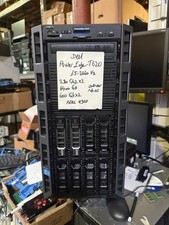
Dell PowerEdge T620 2x E5-2620 v2 @ 2.20GHz, 64GB 2X600GB HDD DVDRW H310 NO OS
$449.99

Dell EMC VxRail E560F 10-SFF 2*Gold 6230R 2.1GHz No RAM HBA330 iDrac Ent Server
$349.99
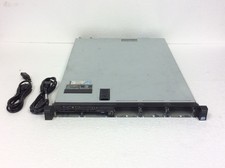
Dell PowerEdge 320 Server Intel Xeon E5-2420 1.90Ghz w/ 16GB DDR3, H710, No HD
$149.99



 Reply With Quote