-
Junior Member
registered user
certain changes in KNOPPIX after hdd install
it generally looks a bit different.. some of the default fonts in mozilla are different.. the icons appear smaller.
i also noticed that the KNOPPIX menu in the K-start panel is gone.. this makes it more difficult to configure the network, printer, etc.. why is it gone?
also, once you do a hdd-install, the wonderful hardware detection no longer runs right? this makes my life difficult as i was going to configure a box for my dad, but he was going to keep his monitor.
anyone know how to get the hdd install to run like the CD-ROM knoppix?
-
Senior Member
registered user
Re: certain changes in KNOPPIX after hdd install

Originally Posted by
genzo
it generally looks a bit different.. some of the default fonts in mozilla are different.. the icons appear smaller.
i also noticed that the KNOPPIX menu in the K-start panel is gone.. this makes it more difficult to configure the network, printer, etc.. why is it gone?
also, once you do a hdd-install, the wonderful hardware detection no longer runs right? this makes my life difficult as i was going to configure a box for my dad, but he was going to keep his monitor.
anyone know how to get the hdd install to run like the CD-ROM knoppix?
As you already learned debian is not knoppix ...
You can get the "right" configuration in copying "/etc/skel" to your favorite users home dir ...
You can copy the KNOPPIX menue again from CD to your hard disk build ... /KNOPPIX/usr/share/applnk/KNOPPIX (Its jsut the menue and its gone, because sudo does not work with installed system; user should learn, he is not always "root"; make life more secure)
... mkxf86config should still work also on installed system ...
Elese, boot just once from CD-Rom and then copy Xf86config-4 from CD to HD ...
Hope that helps!
cu
Fabian
-
Senior Member
registered user
Re: certain changes in KNOPPIX after hdd install
Originally Posted by
genzo
i also noticed that the KNOPPIX menu in the K-start panel is gone.. this makes it more difficult to configure the network, printer, etc.. why is it gone?
In the control center (I forget exactly where as I am not at my Linbox right now) you can add the 'printer' config to your KDE menu.
also, once you do a hdd-install, the wonderful hardware detection no longer runs right? this makes my life difficult as i was going to configure a box for my dad, but he was going to keep his monitor.
Not sure what you mean here. Maybe you're thinking of installing Knoppix to a hard drive and then putting that drive in another machine. If so, is there some reason why can't you boot Knoppix on your dad's machine? More details please.
-
Junior Member
registered user
installing knoppix for my dad
i'm actually building a new linux box for him.. i figured that knoppix is nice enough that he can throw away his old win 98 computer and just use knoppix.. but i was just going to mail him the box without a monitor. i was worried that his monitor might not work properly and since there is no knoppix detection after you install it on your hard drive, i was worried about whether or not he would have problems booting with his monitor..
thanks for your help
-
Senior Member
registered user
Unless you have changed the monitor settings in the Control Center's xdisplay it is just using a generic monitor setting so there should be no problem.
Also if you are mailing him the box make sure he opens it up and checks everything is seated properly. I have a friend who recently fried the CPU during boot after moving (the CPU came loose).
-
Senior Member
registered user
Yup, check all the internal connections. A couple years ago a friend of mine drove from Ashland (Oregon/California border) to Seattle for a tribes players convention. he got there and spent half the convention just trying to get his systm to post because things had come unseated in transit and he didn't check that untill some stranger sugested it. Lucky for him, it was just the RAM, so no permanent damage.
Similar Threads
-
By techdesk in forum Hdd Install / Debian / Apt
Replies: 1
Last Post: 01-21-2005, 03:14 AM
-
By shimi in forum Hdd Install / Debian / Apt
Replies: 11
Last Post: 01-10-2005, 10:22 PM
-
By nmz787 in forum Hdd Install / Debian / Apt
Replies: 1
Last Post: 11-21-2004, 09:17 AM
-
By Jez in forum General Support
Replies: 4
Last Post: 08-09-2004, 09:06 PM
-
By Superstoned in forum Hdd Install / Debian / Apt
Replies: 2
Last Post: 08-27-2003, 03:04 PM
 Posting Permissions
- You may not post new threads
- You may not post replies
- You may not post attachments
- You may not edit your posts
-
Forum Rules


Dell PowerEdge R640 1U 8SFF Server Barebones 2x Gold 5120 64GB H330 2x 750w
$538.88

Dell PowerEdge R740xd Dual Intel Silver 4116 @2.1GHz 32GB HBA330 24Bay Server
$525.00

Dell EMC PowerEdge R440 Xeon silver 4215 2.5GHz 16 GB ram 2x 550W PSU No HDD
$275.00

Dell Intel X710-DA2 5N7Y5 Dual-Port 10GbE SFP+ PCIe 3.0 x8 Network Adapter
$27.50

Dell EMC PowerEdge R740 8 Bay Server w/ 32GB RAM 2x GOLD 6132 2x 1600W PSU H730p
$499.88
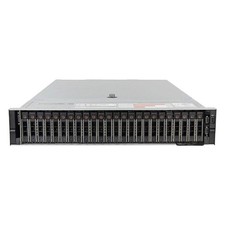
Lot of 2 Dell R740xd 24SFF 2x Xeon Gold 6244 128GB RAM 4x 960GB New SSD Server
$9124.00

Dell Poweredge R630 2x Xeon E5-2680 v3 2.5ghz 24-Cores / 64gb / Raid / 2x 1Tb
$374.99

Dell PowerEdge R640 1U 8SFF Server Barebones 2x Gold 6150 64GB 2x 750w
$358.88
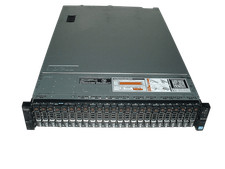
Dell Poweredge R720xd 2x Xeon E5-2660 2.2GHz 16-Cores 64gb H710 26x Trays
$364.99
NEW DELL TRUSTED PLATFORM MODULE TPM 2.0 POWEREDGE R730 SERVER M48YR RXW6R K98XH
$225.00



 Reply With Quote