-
Senior Member
registered user
So far the output indicates that the tulip driver is not loaded. The next step is to:
sudo modprobe tulip
Then
sudo lsmod
Visually inspect the list to see if it has loaded
Then
sudo ifconfig -a
And check to see if there is a eth0 device
If there is a eth0 device then run
netcardconfig
If there is no eth0 device then it is most likely never going to work without doing that workaround that I mentioned. For the sake of being complete, see http://www.linuxquestions.org/hcl/sh...&cat=146&page= which describes the workaround.
Microsoft MN-130
Uses ADMtek AN983B chipset but either way its a standard (to myknowledge) chipset found on linksys cards. So under normal circumstances you should be able to use the tulip module to get this to work. But of course microsoft had to go in and put in their 2 cents and screw it up for everyone. Apparently the I/O address built onto the card was changed so you have to rewrite the tulip module manually in order to get it to work. To begin insert the following line at line 201 (its a function I beleive) of the tulip module source code (tulip_core.c)
" {0x1414, 0x0002, PCI_ANY_ID, PCI_ANY_ID, 0, 0, COMET}, "
save and do the following commands.
cd /usr/src/linux**** #(**** = kernel number)
make dep
make modules
make modules_install
do a restart and everything should be ok
right now I'm using mine in slackware so I know it works.
If it doesn't work, the you can get another network card for about 5 to 20 bucks. Obviously if you want a better quality card you must spend around $20. Practically any one of these cards should work for you. Your best bet is to go to a local Best Buy, Circut City, Staples, Office Max, Frys and buy a network card & put it in the PC in the place of the current card. If the card doesnt work, then you can take it back without having to worry about shipping.
-
UnderScore,
I did as you said, but after running sudo ifconfig -a there was no eth0 device listed.
Where is tulip_core.c located? CD? Ramdisk? Internet? I need more elementary-level information about how to change it and how to use it to see if it works?
Thanks.
P.S., I picked up a copy of the O'Reilly "Knoppix Pocket Reference" today. It helps to explain some things, but I need more experience with Knoppix to make sense of a lot of it.
Similar Threads
-
By Dai777 in forum General Support
Replies: 7
Last Post: 10-31-2008, 01:12 PM
-
By sloanezilla in forum Hardware & Booting
Replies: 1
Last Post: 02-22-2008, 09:41 PM
-
By babelbrennt in forum Hdd Install / Debian / Apt
Replies: 4
Last Post: 06-21-2005, 11:00 PM
-
By sakiZ in forum Networking
Replies: 2
Last Post: 05-12-2005, 02:28 AM
-
By Xeogears13 in forum General Support
Replies: 0
Last Post: 11-03-2003, 02:27 AM
 Posting Permissions
- You may not post new threads
- You may not post replies
- You may not post attachments
- You may not edit your posts
-
Forum Rules

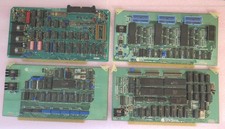
Vintage S-100 California Computer Systems cards Z80 cpu + ADS PromBlaster
$895.00

Vintage Computer - PC Innovation Intel 486DX2 - Dos Ver 6.2 Windows 3.1
$250.00

🔥 RARE VINTAGE HP 2113A 21MX 1000 E-SERIES MINICOMPUTER CHASSIS BACKPLANE
$249.00

Vintage Jetway J-620BF Socket 370 Celeron AT Motherboard SiS 620 Brand New
$75.00
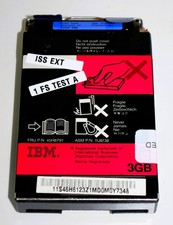
Vintage IBM ThinkPad Laptop 3 GB and 3GB Hard Drive
$39.99

Bering OptiPac 3315 OPT 401 205 HP / IBM Vintage Storage PC Computer 1983 3.5”
$100.00
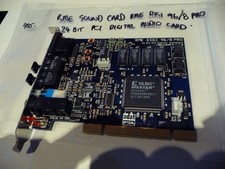
AU SELLER VINTAGE SOUND CARD RME DIGI 96/8 PRO "A" GRADE EXAMPLE -TESTED
$390.48
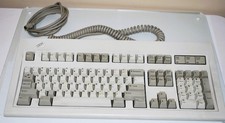
Vintage IBM Mechanical Keyboard Clickity Clack Model M F2 1987 Made USA Computer
$139.99

Lot of 2 Vintage Plextor PX-43CS SCSI CD-ROM Caddy Drives + 4 Caddies Used
$55.99

🔥 RARE VINTAGE HP 2112A 21MX M-SERIES 16-BIT MINICOMPUTER HP
$299.99



 Reply With Quote