-
Junior Member
registered user
Knoppix rescue for Debian?
I eventually got Knoppix working, but need a hard disk linux system to install apps on.
Following advice, I've gone to Debian, but hit problems with X. Debian doesn't like my mouse settings!
I am currently using the Knoppix system.
Is there anyway I can copy tte settings (or note them down) and then transfer them to the debian system so X will work?
-
Senior Member
registered user
/etc/X11/XF86Config-4 is the file you need to copy. Assuming you're happy with the video auto-detection performed by the live CD, and that your debian HD-install lives on /dev/hdaX, try the following: (1st switch to root console by hitting <Alt-F1>)
Code:
# mount /mnt/hdaX
# cd /mnt/hdaX/etc/X11
# mv XF86Config-4 XF86Config-4.bkp
# cp /etc/XF86Config-4 .
Upon rebooting debian, the copied X11 settings will be active.
-
Senior Member
registered user
I eventually got Knoppix working, but need a hard disk linux system to install apps on.
You might have been better (or found life easier) installing Knoppix (or better Kanotix) to HD.
-
Administrator
Site Admin-

Originally Posted by
Quinny
I've gone to Debian, but hit problems with X. Debian doesn't like my mouse settings!...
Originally Posted by
fingers99
You might have been better (or found life easier) installing Knoppix (or better Kanotix) to HD.
Fingers99 presents the other point of view favoring installing a live CD. I certainly respect his views and I expect that he is much more knowledgable about Linux than am I. However he has also posted statements like
Originally Posted by
fingers99
Also, we see plenty of posts like this one today about things that work fine from the CD but fail after HD install.
So you can have problems installing Debian and you can have problems installing a Live CD. I still think that installing Debian is the better choice. As to the mouse problem, I've installed with old serial mice, with PS2 mice and with USB mice, all with no mouse problems. The install did suggest that I shoud wiggle the mouse as it was doing the detecting so it could be sure (something that Knoppix has never needed), I did that and all went well.
If you feel you must install from a live CD and as in your case you have at least looked at doing a Debian install, you likely will have better results with Kantonix than Knoppix. Kantonix does seem to be putting some attention to the CD to try to minimize the install problems, Knoppix does not.
Similar Threads
-
By kefguy in forum Networking
Replies: 0
Last Post: 05-06-2004, 08:49 PM
-
By mc_03 in forum General Support
Replies: 1
Last Post: 03-27-2004, 10:36 PM
-
By datakid in forum General Support
Replies: 0
Last Post: 11-07-2003, 07:46 AM
-
By j.drake in forum Hardware & Booting
Replies: 19
Last Post: 09-22-2003, 04:41 PM
-
Replies: 1
Last Post: 03-31-2003, 09:59 PM
 Posting Permissions
- You may not post new threads
- You may not post replies
- You may not post attachments
- You may not edit your posts
-
Forum Rules


Gigabyte 4U AI Server 10x Nvidia GPU 2x Xeon Gold 6150 36 Core 2.7GHz DDR4 RAM
$1625.00

Dell EMC PowerEdge R440 Xeon silver 4215 2.5GHz 16 GB ram 2x 550W PSU No HDD
$275.00

867959-B21 HPE ProLiant DL360 G10 CTO Server W/ 2x 865414-B21 1x 840140-001
$245.00

Dell PowerEdge FX2s + 8x FC430 Blades 16x E5-2630v4 160 Cores Rails No PSU/RAM
$699.00

Dell PowerEdge C4130 1U AI GPU Server | 2x E5-2680 v3 | 32gb Ram | 2x 1600W
$409.99

Dell PowerEdge R730XD 28 Core Server 2X Xeon E5-2680 V4 H730 32GB RAM No HDD
$378.93

Dell Poweredge R730xd 12LFF 2*2660v4 4*1Gbe h730 2x 750W Server CTO
$308.00
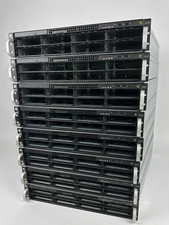
2U AI MINING SERVER 2x Xeon 36 cores 2.3Ghz DDR4 2x NVIDIA V100 GPU PCIe 2PS USA
$799.00
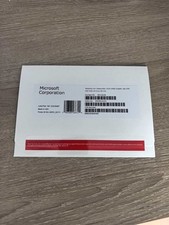
Windows Server 2025 datacenter 64bit 24 Core 50 cal DVD + PRODUCT LICENSE KEY.
$49.99

Dell Poweredge R630 2x Xeon E5-2680 v3 2.5ghz 24-Core | HBA330 | No RAM or HDD
$149.99



 Reply With Quote