

 Reply With Quote
while looking around here it seems that it are X11 settings.
how can I change those settings in X11?
i'm really new to this.
and I would like to learn Linux


first of all i would like to thank all the people involved with Knoppix.
i got it running without problems.
i never got suse, rethat or any other working before.
but now i would like to know how i can boot it with automatic values.
i always need to type 'knoppix screen=1024x768 depth=24 wheelmouse'
but before i'm done with typing all that i'm a min later. (not a fast typer)
so where can i put those values to boot like that automaticly?
Thanks
while looking around here it seems that it are X11 settings.
how can I change those settings in X11?
i'm really new to this.
and I would like to learn Linux
OK, after booting with all your special settings on (from boot: screen with knopppix commands) click the K in the bottom left corner of the desktop.
Make sure you have a linux formatted disk in the floppy drive (boot disk is ok).
Then click KNOPPIX and then clickk Save KNOPPIX Config.
This creates a knoppix.sh bash file and saves it on the floppy saving your desired settings.
To boot up again with those settings without having to type them every time on the boot: screen, make sure that same disk is in the floppy drive and just type at the boot: knoppix floppyconfig.
That should do it!
Good Luck,
OK, after booting with all your special settings on (from boot: screen with knopppix commands) click the K in the bottom left corner of the desktop.
Make sure you have a linux formatted disk in the floppy drive (boot disk is ok).
Then click KNOPPIX and then clickk Save KNOPPIX Config.
This creates a knoppix.sh bash file and saves it on the floppy saving your desired settings.
To boot up again with those settings without having to type them every time on the boot: screen, make sure that same disk is in the floppy drive and just type at the boot: knoppix floppyconfig.
That should do it!
Good Luck,
OK, after booting with all your special settings on (from boot: screen with knopppix commands) click the K in the bottom left corner of the desktop.
Make sure you have a linux formatted disk in the floppy drive (boot disk is ok).
Then click KNOPPIX and then clickk Save KNOPPIX Config.
This creates a knoppix.sh bash file and saves it on the floppy saving your desired settings.
To boot up again with those settings without having to type them every time on the boot: screen, make sure that same disk is in the floppy drive and just type at the boot: knoppix floppyconfig.
That should do it!
Good Luck,
OK, after booting with all your special settings on (from boot: screen with knopppix commands) click the K in the bottom left corner of the desktop.
Make sure you have a linux formatted disk in the floppy drive (boot disk is ok).
Then click KNOPPIX and then clickk Save KNOPPIX Config.
This creates a knoppix.sh bash file and saves it on the floppy saving your desired settings.
To boot up again with those settings without having to type them every time on the boot: screen, make sure that same disk is in the floppy drive and just type at the boot: knoppix floppyconfig.
That should do it!
Good Luck,
to: Allowee
re: hdd install
OK, after booting with all your special settings on (from boot: screen with knopppix commands) click the K in the bottom left corner of the desktop.
Make sure you have a linux formatted disk in the floppy drive (boot disk is ok).
Then click KNOPPIX and then clickk Save KNOPPIX Config.
This creates a knoppix.sh bash file and saves it on the floppy saving your desired settings.
To boot up again with those settings without having to type them every time on the boot: screen, make sure that same disk is in the floppy drive and just type at the boot: knoppix floppyconfig.
That should do it!
Good Luck,
sorry, knoppix.net kept saying send error!
Did it say "failed to send email?" It's been happening to me too. I haven't been getting reply notifications either- something's fishy around here.Originally Posted by A. Jorge Garcia
Allowee-
Did you install Knoppix to your hard drive or are you booting from cd?
 Posting Permissions


(New) AMD Ryzen 7 5700X 8 Core 16 Thread AM4 Unlocked 3.4 GHz CPU OEM Tray
$169.99

Intel Core i9-9900K SRG19 3.60GHz 16MB 8-Core LGA1151 B Grade CPU Processor
$175.00
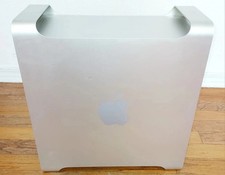
Apple Mac Pro 5,1 • 8‑Core 2.26GHz • 14GB RAM • 128GB SSD + 1TB HDD Dual NVIDIA
$325.00

AMD Ryzen 7 7700X 8-Core, 16-Thread Unlocked Desktop Processor
$250.00

AMD Ryzen 5 PRO 4650GE 100-000000153 6-Core 3.30GHz 8MB AM4 CPU Processor
$59.99

Intel Xeon E5 - 2667V2 / SR19W 3.30GHz 25MB 8-Core CPU Socket LGA2011
$30.00

AMD Ryzen 7 9700X 8-Core 16-Thread 40MB Cache Socket AM5 9000 Series Processor
$245.99

Microsoft Surface Go 2 Laptop Core i5 1135G7 2.4GHz 8GB 128GB SSD
$179.99

Dell OptiPlex 5070 SFF i7-9700 (8-Core) 3.0GHz 16GB 256 SSD Windows 11
$250.00

Home Assistant Server | 8GB RAM | 128GB SSD | Intel i5 Quad-Core | Dell OptiPlex
$159.99