

 Reply With Quote
while looking around here it seems that it are X11 settings.
how can I change those settings in X11?
i'm really new to this.
and I would like to learn Linux


first of all i would like to thank all the people involved with Knoppix.
i got it running without problems.
i never got suse, rethat or any other working before.
but now i would like to know how i can boot it with automatic values.
i always need to type 'knoppix screen=1024x768 depth=24 wheelmouse'
but before i'm done with typing all that i'm a min later. (not a fast typer)
so where can i put those values to boot like that automaticly?
Thanks
while looking around here it seems that it are X11 settings.
how can I change those settings in X11?
i'm really new to this.
and I would like to learn Linux
OK, after booting with all your special settings on (from boot: screen with knopppix commands) click the K in the bottom left corner of the desktop.
Make sure you have a linux formatted disk in the floppy drive (boot disk is ok).
Then click KNOPPIX and then clickk Save KNOPPIX Config.
This creates a knoppix.sh bash file and saves it on the floppy saving your desired settings.
To boot up again with those settings without having to type them every time on the boot: screen, make sure that same disk is in the floppy drive and just type at the boot: knoppix floppyconfig.
That should do it!
Good Luck,
OK, after booting with all your special settings on (from boot: screen with knopppix commands) click the K in the bottom left corner of the desktop.
Make sure you have a linux formatted disk in the floppy drive (boot disk is ok).
Then click KNOPPIX and then clickk Save KNOPPIX Config.
This creates a knoppix.sh bash file and saves it on the floppy saving your desired settings.
To boot up again with those settings without having to type them every time on the boot: screen, make sure that same disk is in the floppy drive and just type at the boot: knoppix floppyconfig.
That should do it!
Good Luck,
OK, after booting with all your special settings on (from boot: screen with knopppix commands) click the K in the bottom left corner of the desktop.
Make sure you have a linux formatted disk in the floppy drive (boot disk is ok).
Then click KNOPPIX and then clickk Save KNOPPIX Config.
This creates a knoppix.sh bash file and saves it on the floppy saving your desired settings.
To boot up again with those settings without having to type them every time on the boot: screen, make sure that same disk is in the floppy drive and just type at the boot: knoppix floppyconfig.
That should do it!
Good Luck,
OK, after booting with all your special settings on (from boot: screen with knopppix commands) click the K in the bottom left corner of the desktop.
Make sure you have a linux formatted disk in the floppy drive (boot disk is ok).
Then click KNOPPIX and then clickk Save KNOPPIX Config.
This creates a knoppix.sh bash file and saves it on the floppy saving your desired settings.
To boot up again with those settings without having to type them every time on the boot: screen, make sure that same disk is in the floppy drive and just type at the boot: knoppix floppyconfig.
That should do it!
Good Luck,
to: Allowee
re: hdd install
OK, after booting with all your special settings on (from boot: screen with knopppix commands) click the K in the bottom left corner of the desktop.
Make sure you have a linux formatted disk in the floppy drive (boot disk is ok).
Then click KNOPPIX and then clickk Save KNOPPIX Config.
This creates a knoppix.sh bash file and saves it on the floppy saving your desired settings.
To boot up again with those settings without having to type them every time on the boot: screen, make sure that same disk is in the floppy drive and just type at the boot: knoppix floppyconfig.
That should do it!
Good Luck,
sorry, knoppix.net kept saying send error!
Did it say "failed to send email?" It's been happening to me too. I haven't been getting reply notifications either- something's fishy around here.Originally Posted by A. Jorge Garcia
Allowee-
Did you install Knoppix to your hard drive or are you booting from cd?
 Posting Permissions


USB 3.0 Flash Drive 32GB 64GB 128GB Memory Stick Thumb Stick Lot Pack
$826.09

TF/SD Card Adapter Camera Reader Android Type-c For iPhone17 Pro Max Plusm lot
$573.98
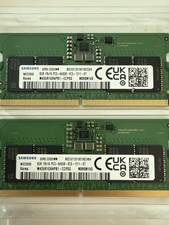
LOTS of 2 Samsung 8GB (8x2 16GB) DDR5 RAM Memory M435R1GB4PB1-CCPSG PC5-6400B
$150.99

Microsoft Office 2021 Pro Plus USB for 1PC Windows 10 & 11
$62.55
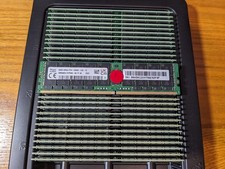
LOT 32x Hynix 64gb PC4-2666V 4DRx4 DDR4 ECC LRDIMM Memory HMAA8GL7CPR4N-VK PARTS
$8000.00

Kingston 32GB 64GB 128GB 256GB USB 3.0 Flash Drive Thumb Memory Stick Pen lot
$285.90
(8) Micron 32GB DDR4 ECC RDIMM PC4-2933Y Server Memory MTA36ASF4G72PZ *TESTED*
$1599.00

Samsung 32GB DDR4-2666V-2Rx4-RB2-12 RAM M393A4K40CB2-CTD6Q
$169.00

MICRON MTA36ASF4G72PZ-2G6D1 32GB PC4-21300R DDR4-2666V RDIMM 2RX4 MEMORY DIMM
$139.99
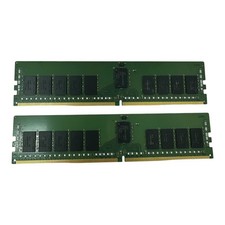
SK Hynix 16GB 2Rx8 DDR4-2400T Reg ECC Server RAM HMA82GR7AFR8N-UH (32GB/2) Lot 2
$157.50