

 Reply With Quote
Your problem & its solution is in the Downloading FAQ. I know this because I put it there myself.


Hi people, I would really appreciate if someone can help me to fix the prblem i have found.
Caldera DR-DOS 7.03
[DR-DOS] A:\>
Dearpeople, what do I have to type?
As long as I was reading, the user interface shall appear after loading the CD into the CD Rom.
Why it is not appearing in this case?
I have 2 drives, a CD and a DVD Recorder drive, I've set the settings to boot from the CD in this case E:
I have disabled the Floppy drive, so, doesnt appear in the system. But still is appearing the message and command line [DR-DOS] A:\>
How can I solve this problem?
Thanks very much
Your problem & its solution is in the Downloading FAQ. I know this because I put it there myself.
Hello
Make sure that booting cD jump to bootable. If Booting CD is set to bootable, then press F8 to get a system menu. This technique depends on the mother. Some board will let you select a different mode.
Welcome to Knoppix.net. I see you want to help. That is good. The solution is in the FAQ. No need to change boot mode because his system is booting correctly.Originally Posted by technutts
 Posting Permissions


WAVLINK RAID 2 Bay Hard Drive Docking Station SATA 2.5/3.5'' SSD HDD Enclosure
$107.99

Broadcom 9600-24i Tri-Mode RAID Controller 4.0 NVMe SAS SATA NEW 05-50111-01003
$639.69

Intel VROC Premium RAID Controller Card PCIe Add-On Module VROCPREMMOD
$265.00
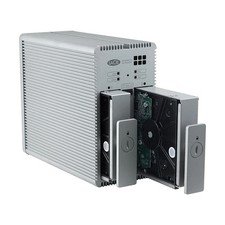
Lacie 2big Quadra RAID 2 x 2 TB 4 TB Only 158 hours
$199.00

2-Bay/4-Bay Hard Drive Enclosure for 3.5"/2.5'' SATA HDD/SSD 10Gbps USB-C 3.2
$75.99

Broadcom LSI 9305-16i 12Gbps SAS-3 PCIe x8 HBA 16-Ports Raid Controller
$64.99

Dell 3KDWX PERC H755 12G 8GB Cache Front RAID Controller
$999.99

NEW Supermicro AOC-SLG4-2H8M2 2x Hybrid Gen 4 NVMe/SATA M.2 RAID w/both brackets
$180.00
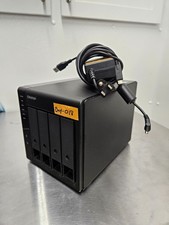
QNAP TR-004 4 Bay USB-C Hardware RAID Enclosure DAS 3.5 2.5 SATA Tested Working
$149.99

Broadcom 9600-24i RAID Controller PCIe Gen 4.1 Tri-Mode NEW 05-50111-01004
$649.99