-
boot from windows xp
Hello!
I'd like to boot knoppix from the winxp command line. Is there any solution out there?
In former times (Win98 etc) there was loadlin and linld, but since winxp doesn't support the i386 real mode / EMS memory, this doesn't work.
Thanks for comments and suggestions!
-
Senior Member
registered user
forget running linux from winxp virtual DOS
but there is a solution
Install win98 ( not C:\windows itself but only win98 DOS)
Then install XP above win98
Then you will have the option to boot into XP or win98 command prompt
boot.ini
[boot loader]
timeout=30
default=multi(0)disk(0)rdisk(0)partition(1)\WINDOW S
[operating systems]
multi(0)disk(0)rdisk(0)partition(1)\WINDOWS="Micro soft Windows XP Professional" /sos /fastdetect /noexecute=optin
C:\="DOS (Windows 98 )"
Alternatively you may boot from a DOS floppy and then run loadlin.
-
Senior Member
registered user
Or use boot.ini to boot linux
Boot sector transplant
The next step in the process is to save a copy of the Linux boot partition. This can be done either with dd in Linux or with the free Bootpart utility under Windows. Either program simply takes the first 512 bytes on the disk and puts them into a file. The dd command to do this is dd if=/dev/hdb1 of=bootsect.lnx size=512 count=1. Once you have this file, copy it to a diskette or some other removable media so you can then copy it to the Windows drive for NTLDR.
I happened to use Bootpart because I forgot to use dd before I booted the system back to Windows. If you use Bootpart you don't have to copy the boot sector to a diskette, as you are already in Windows. To complete the transplant, place the file you created with dd or Bootpart on the Windows drive as C:\bootsect.lnx.
Now it's time to tell Windows about Linux. Again, there are two ways to go about this. If you are doing everything manually, fire up a text editor in Windows and edit the file c:\boot.ini. Add the line c:\bootsect.lnx="Linux" to the end of the file.
The Bootpart way to do this is simpler: run Bootpart with the command bootpart Linux c:\bootsect.lnx "Linux". Bootpart will take care of adding the proper entry to boot.ini for you
http://enterprise.linux.com/enterpri...tid=129&tid=49
Similar Threads
-
By deepak_abc in forum Hdd Install / Debian / Apt
Replies: 20
Last Post: 08-08-2007, 03:05 AM
-
By cli168 in forum Hdd Install / Debian / Apt
Replies: 3
Last Post: 06-20-2005, 03:57 AM
-
By Mahmut in forum General Support
Replies: 2
Last Post: 03-11-2004, 05:21 AM
-
By tkatchev69 in forum Hdd Install / Debian / Apt
Replies: 2
Last Post: 02-01-2004, 05:56 PM
-
By J.A.X in forum Hdd Install / Debian / Apt
Replies: 4
Last Post: 01-30-2004, 02:52 AM
 Posting Permissions
- You may not post new threads
- You may not post replies
- You may not post attachments
- You may not edit your posts
-
Forum Rules


Western Digital WD Blue 3D NAND 500GB 2.5in SATA III Internal SSD WDS500G2B0A
$34.99

SSD 880EVO SATA III 2.5 4TB INTERNAL STATE DRIVE
$214.99
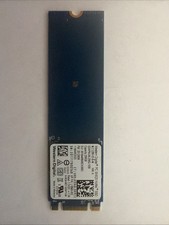
Western Digital 256GB NVMe 2280 80mm SSD SDAPNUW-256G-1006 L18845-002 SN520
$29.99

Samsung 860 EVO 250GB SSD MZ-76E250 2.5" SATA III Solid State Drive
$39.99
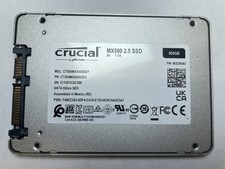
Crucial MX500 500GB 2.5" SATA III Internal SSD CT500MX500SSD1
$52.99
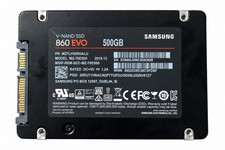
Samsung 860 EVO 500GB 2.5" SATA III SSD MZ-76E500 MZ7LH500HALU
$50.00

2 PACK 128 GB SSD M.2 2280 SATA Solid State Drive Major Brands, Samsung, LiteON
$28.80

M.2 SATA SSD 2280 128GB 256GB 512GB major brands | Very Good health
$35.99

Kingston 128GB M.2 SATA III SSD
$13.00

Samsung 850 EVO 250GB SATA III 2.5" Internal SSD (MZ7LN250HMJP) dell Lenovo hp
$32.99



 Reply With Quote