

 Reply With Quote
The lines go into /etc/fstab. and you must make a /mnt/app directory which klik users have rights to write to.Originally Posted by adamherb


When I try to add the lines to mnt/app/, there is no mnt/app. I just added a text file that contains those lines but it doesnt work. Please Help!
I am using a HD Install of the modified 4.0 DVD that is in english.
The lines go into /etc/fstab. and you must make a /mnt/app directory which klik users have rights to write to.
I did those thing but when I try to run a .cmg, it says cannot mount /mnt/app/1 What do I do to make a mnt/app/1?
You don't, it is made and destroyed automatically when you run a klik program. Please read the sticky posts and look at some of the other posts with similar problems and double check everything. In a console try runningreplacing ~/Desktop/foo.cmg with the filename and path to the cmg file you are trying to run, you may get a useful error message.Code:~/.zAppRun ~/Desktop/foo.cmg
I did that and it says, does that mea that I copied wrong?
[mntent]: line 22 in /etc/fstab is bad
[mntent]: warning: no final newline at the end of /etc/fstab
mount: can't find /mnt/app/1 in /etc/fstab or /etc/mtab
I replaced creamfs,iso9660
with
auto
But I still get the same response.
Yes, something is copied wrong. You shouldn't be seeing errors like that. Delete it all from fstab and copy it in again, perhaps from the sticky post in the forum, just make sure it all copies properly. Paste the section from your fstab here if it still doesn't work.
This is /etc/fstab
# /etc/fstab: filesystem table.
#
# filesystem mountpoint type options dump pass
/dev/hdb3 / reiserfs defaults 0 1
proc /proc proc defaults 0 0
/dev/fd0 /floppy vfat defaults,user,noauto,showexec,umask=022 0 0
usbfs /proc/bus/usb usbfs devmode=0666 0 0
sysfs /sys sysfs defaults 0 0
tmpfs /dev/shm tmpfs defaults 0 0
/dev/cdrom /cdrom iso9660 defaults,ro,users,noexec,noauto 0 0
/dev/cdrom1 /cdrom1 iso9660 defaults,ro,users,noexec,noauto 0 0
/dev/cdrom2 /cdrom2 iso9660 defaults,ro,users,noexec,noauto 0 0
/dev/dvd /dvd iso9660 defaults,ro,users,noexec,noauto 0 0
/dev/cdrom1 /mnt/auto/cdrom1 auto users,noauto,exec,ro 0 0
/dev/cdrom2 /mnt/auto/cdrom2 auto users,noauto,exec,ro 0 0
/mnt/app/2/image /mnt/app/2 cramfs,iso9660 user,noauto,ro,loop,exec 0 0
/mnt/app/3/image /mnt/app/3 cramfs,iso9660 user,noauto,ro,loop,exec 0 0
/mnt/app/4/image /mnt/app/4 cramfs,iso9660 user,noauto,ro,loop,exec 0 0
/mnt/app/5/image /mnt/app/5 cramfs,iso9660 user,noauto,ro,loop,exec 0 0
/mnt/app/6/image /mnt/app/6 cramfs,iso9660 user,noauto,ro,loop,exec 0 0
# Added by KNOPPIX
/dev/hda1 /mnt/hda1 ntfs noauto,users,exec,ro,umask=000 0 0
# Added by KNOPPIX
/dev/hdb1 /mnt/hdb1 ntfs noauto,users,exec,ro,umask=000 0 0
# Added by KNOPPIX
/dev/hdb2 none swap defaults 0 0
Where is /mnt/app/1/image ?
wow that was dumb of me. It still says to add the lines even though I have added them
Here is how it looks now:
# /etc/fstab: filesystem table.
#
# filesystem mountpoint type options dump pass
/dev/hdb3 / reiserfs defaults 0 1
proc /proc proc defaults 0 0
/dev/fd0 /floppy vfat defaults,user,noauto,showexec,umask=022 0 0
usbfs /proc/bus/usb usbfs devmode=0666 0 0
sysfs /sys sysfs defaults 0 0
tmpfs /dev/shm tmpfs defaults 0 0
/dev/cdrom /cdrom iso9660 defaults,ro,users,noexec,noauto 0 0
/dev/cdrom1 /cdrom1 iso9660 defaults,ro,users,noexec,noauto 0 0
/dev/cdrom2 /cdrom2 iso9660 defaults,ro,users,noexec,noauto 0 0
/dev/dvd /dvd iso9660 defaults,ro,users,noexec,noauto 0 0
/dev/cdrom1 /mnt/auto/cdrom1 auto users,noauto,exec,ro 0 0
/dev/cdrom2 /mnt/auto/cdrom2 auto users,noauto,exec,ro 0 0
/mnt/app/1/image /mnt/app/1 cramfs,iso9660 user,noauto,ro,loop,exec 0 0
/mnt/app/2/image /mnt/app/2 cramfs,iso9660 user,noauto,ro,loop,exec 0 0
/mnt/app/3/image /mnt/app/3 cramfs,iso9660 user,noauto,ro,loop,exec 0 0
/mnt/app/4/image /mnt/app/4 cramfs,iso9660 user,noauto,ro,loop,exec 0 0
/mnt/app/5/image /mnt/app/5 cramfs,iso9660 user,noauto,ro,loop,exec 0 0
/mnt/app/6/image /mnt/app/6 cramfs,iso9660 user,noauto,ro,loop,exec 0 0
# Added by KNOPPIX
/dev/hda1 /mnt/hda1 ntfs noauto,users,exec,ro,umask=000 0 0
# Added by KNOPPIX
/dev/hdb1 /mnt/hdb1 ntfs noauto,users,exec,ro,umask=000 0 0
# Added by KNOPPIX
/dev/hdb2 none swap defaults 0 0
 Posting Permissions


(New) AMD Ryzen 7 5700X 8 Core 16 Thread AM4 Unlocked 3.4 GHz CPU OEM Tray
$174.99

HP ZBook Firefly 14" G8 Mobile Workstation i5 11th Gen 16GB RAM 256 GB SSD No AC
$184.99

SGIN 17.3" Laptop Intel Quad-Core Up to 2.4 GHZ 8GB RAM 256GB SSD HD
$229.99

Dell Optiplex 7050 Micro Core i5-7500 8 GB RAM 256GB SSD Microsoft Windows 11
$89.99

Intel Xeon E5 - 2667V2 / SR19W 3.30GHz 25MB 8-Core CPU Socket LGA2011
$30.00
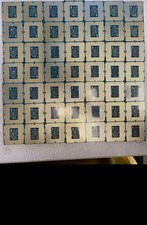
LOT of 47 Intel Core i3 6100 x18, I3 7100 x19 I3 8100 x1, I5 8500 x1, I3 9100 x8
$400.00

AMD Ryzen 7 9800X3D 8-Core 16-Thread AM5 CPU Processor Brand New Unused
$395.95

AMD FX 8350 8-CORE 4.00GHz CPU FD8350FRW8KHK SOCKET AM3+ *QTY
$39.99

Dell T7810 Workstation 8-Core 2.40GHz E5-2630 v3 No RAM GPU HDD OS
$259.98

Intel Core i7-10700 8-Core 16-Thread 2.9GHz Desktop CPU LGA1200 SRH6Y Z490 Z590
$129.00