-
Hello Robert,
Please find hereafter the results of the tests.
I feel a scsi module is missing but wich one?
Ubuntu Live recognizes my device.
It includes a module scsi_mod that is used by usb_storage.
But modprobe can not not find scsi_mod on my Knoppix.
I think Ubuntu is based on an older kernel.
----------
cat /etc/knoppix-version
3.9 2005-05-27
---------
uname -va
Linux Knoppix 2.6.11 #2 SMP Thu May 26 20:53:11 CEST 2005 i686 GNU/Linux
--------
lsusb
Bus 002 Device 001: ID 0000:0000
Bus 001 Device 001: ID 0000:0000
-------
sudo dmesg -c >> dmesg.txt
echo '===' >> dmesg.txt
-------
sudo dmesg -c >> dmesg.txt
echo '===' >> dmesg.txt
------
------
lsusb
Bus 002 Device 001: ID 0000:0000
Bus 001 Device 002: ID 0aec:5010 Neodio Technologies Corp. ND5010 Card Reader
Bus 001 Device 001: ID 0000:0000
------
sudo dmesg -c >> dmesg.txt
grep -B 3 -A 1000 '^===' dmesg.txt
usb 1-1: new full speed USB device using uhci_hcd and address 2
ub: sizeof ub_scsi_cmd 64 ub_dev 2504
uba: device 2 capacity nsec 0 bsize 512
usbcore: registered new driver ub
-
Senior Member
registered user

Originally Posted by
jjbergdolt
usb 1-1: new full speed USB device using uhci_hcd and address 2
ub: sizeof ub_scsi_cmd 64 ub_dev 2504
uba: device 2 capacity nsec 0 bsize 512
usbcore: registered new driver ub
As far as I can tell, Linux sees your USB storage device as /dev/uba. Try these commands as root:
Code:
cat /dev/uba | od -bc | head
fdisk -l /dev/uba
Please post the results.
My suspicions are that even though the kernel recognizes your USB device, the ub driver may not be working correctly with it.
Regards,
- Robert
http://www.cwelug.org/
-
Hello Robert,
You are right.
---------
cat /dev/uba | od -bc | head
cat: /dev/hba: No medium found
0000000
------
fdisk -l /dev/uba
0000000
-
Senior Member
registered user
Originally Posted by
jjbergdolt
Hello Robert,
You are right.
---------
cat /dev/uba | od -bc | head
cat: /dev/hba: No medium found
0000000
------
fdisk -l /dev/uba
0000000
From another list someone recommend that the ub driver be removed and use usb-storage instead. So, try this:
Code:
sudo su -    # become root
rmmod ub
modprobe usb-storage
At this point, it can't hurt, right? 
Regards,
- Robert
http://www.cwelug.org/
-
Senior Member
registered user
Try loading the imm and/or ppa module.
-
sudo su - # become root
rmmod ub
modprobe usb-storage
-----
I do not see any changes.
Is a scsi support required for usb storage devices?
lsmod does not display any scsi module.
-
Try loading the imm and/or ppa module.
---------
modprobe imm
FATAL: Error inserting imm (/lib/modules/2.6.11/kernel/drivers/scsi/imm.ko): Unknown symbol in module, or unknown parameter (see dmesg)
-----
modprobe ppa
FATAL: Error inserting ppa (/lib/modules/2.6.11/kernel/drivers/scsi/ppa.ko): Unknown symbol in module, or unknown parameter (see dmesg)
-
When I compare with Ubuntu live that is also based on Debian, I notice the following:
Partitions:
major minor #blocks name
8 16 62720 sdb
8 17 62576 sdb1
3 0 20010816 hda
3 1 5237158 hda1
3 2 1 hda2
3 5 1052226 hda5
3 6 1028128 hda6
3 7 3574431 hda7
3 8 530113 hda8
3 9 8586711 hda9
My usb device is recognized as sdb1.
---------
lsmod:
Module Size Used by
....
scsi_mod 119936 2 sd_mod,usb_storage
usbcore 107384 6 usb_storage,usbserial,usbhid,usbkbd,uhci_hcd
usb_storage 64064 2
....
scsi-mod is not included in Knoppix.
When I try to load it I get an error message, module not found.
------
uname:
Linux ubuntu 2.6.10-5-386 #1 Tue Apr 5 12:12:40 UTC 2005 i686 GNU/Linux
This is an older kernel version, Knoppix is 2.6.11
-
After loading a module with modprobe is it possible to force Knoppix to redetect again all devices?
Is it done automatically?
-
Senior Member
registered user
Use modconf as root to load all modules that you want to load automatically. Just enter through until it says successfully loaded. Type modconf in a terminal and goto scsi to find the modules mentioned.
Similar Threads
-
By Worm666 in forum Hdd Install / Debian / Apt
Replies: 0
Last Post: 11-12-2007, 10:08 AM
-
By jjbergdolt in forum Hardware & Booting
Replies: 0
Last Post: 07-23-2005, 05:08 PM
-
By srowe in forum Hardware & Booting
Replies: 17
Last Post: 11-13-2004, 02:05 AM
-
By tommy in forum Hdd Install / Debian / Apt
Replies: 2
Last Post: 10-22-2004, 07:37 AM
-
By Sucker in forum General Support
Replies: 1
Last Post: 02-03-2003, 09:11 PM
 Posting Permissions
- You may not post new threads
- You may not post replies
- You may not post attachments
- You may not edit your posts
-
Forum Rules

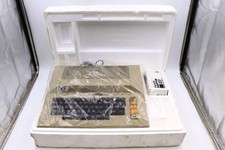
Atari 800 Home Computer Later Variant In Original Styro W/ BASIC CLEAN Untested
$224.99

ATARI XF551 DISK DRIVE WITH AC POWER ADAPTER AND PARALLEL PORT ADAPTER, UNTESTED
$250.00
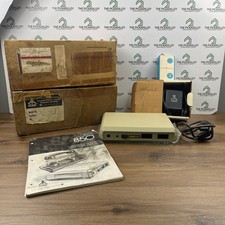
Atari 850 Interface Module Vintage 8-Bit Computer Expansion Serial Parallel Box
$159.95

Happy 1050 Upgrade for Atari 1050 Disk Drive - Solderless Installation - HS/DD
$49.97
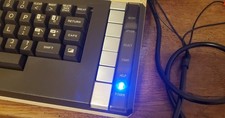
Atari 800 XL 8-Bit Computer W/ Blue LED And S Video A/V Cable
$155.00

Fujinet 1.7.1 Atari 400 800 800XL 130XE 65XE XEGS Assembled, Tested, Working
$99.99
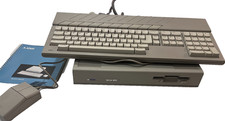
ATARI MEGA ST2 Computer w/ kb mouse and manual- does not read disks
$279.37
Atari 800XL/1200XL 256k Memory Upgrade Kit
$48.00
Atari 1050 Floppy Disk Drive Tested With All Cables Power And Data SIO In Box
$200.00
Vintage Atari 130XE Computer FOR PARTS OR REPAIR BAD RAM IN BOX
$180.00



 Reply With Quote