-
Senior Member
registered user
I bought another (internal) hard drive and was trying to install it. It showed up fine in Windows Device Manager but would not show up in My Computer (with a drive letter)
When you buy a HD it has nothing on it so it will _not_ show up in the My Computer. Yout must use the Windows Disk Management utility (Start -> Control Panel -> Administrative tools -> Computer Managment -> Disk Management) to first partition the HD to give it a drive letter. Then it can be formatted.
Similar Threads
-
By jdrnyc in forum MS Windows & New to Linux
Replies: 6
Last Post: 06-30-2010, 03:31 PM
-
By Idenheart in forum Hardware & Booting
Replies: 8
Last Post: 11-04-2006, 05:33 AM
-
By timothyatpir2 in forum Other Live CDs
Replies: 0
Last Post: 05-13-2005, 02:59 AM
-
By baldyeti in forum General Support
Replies: 1
Last Post: 11-21-2004, 05:06 PM
-
By Sam in forum General Support
Replies: 0
Last Post: 06-06-2004, 09:46 PM
 Posting Permissions
- You may not post new threads
- You may not post replies
- You may not post attachments
- You may not edit your posts
-
Forum Rules


Samsung 2.5" 870 EVO SSD SATA III 250GB 500GB 1TB Internet Solid State Drive Lot
$100.00

Netac 2TB 1TB 512GB 256GB Internal SSD 2.5inch SATAIII Solid State Drive lot
$949.00

Netac 256GB SSD 2.5'' SATA III 6Gb/s Internal Solid State Drive 500MB/s PC/Latop
$40.00

Western Digital Blue 3D NAND 500GB Internal 2.5" SSD - WDS500G2B0A
$49.99

Fanxiang 256GB 512GB 1TB 2TB 4TB SSD Lot 2.5'' SATA Internal Solid State Drive
$42.99

2 PACK 128 GB SSD M.2 2280 SATA Solid State Drive Major Brands, Samsung, LiteON
$28.00

Samsung 860 EVO 250GB SSD MZ-76E250 2.5" SATA III Solid State Drive -
$36.99

Crucial MX500 250GB 2.5" SATA III SSD - Preowned
$29.00
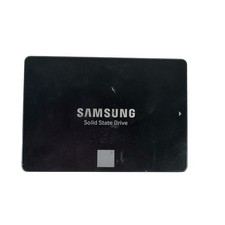
Samsung 250GB SSD 850 EVO 2.5" Internal Solid State Drive MZ7LN250 MZ-75E250
$25.99

Netac 120GB 256GB 1TB 2TB Internal SSD 2.5'' SATAIII 6Gb/s Solid State Drive lot
$119.99



 Reply With Quote