
Is this possible? I'll add details to the problem later tonight, but this is what I need to figure out if I can do it or not.
Thanks,
-Mike


Is this possible? I'll add details to the problem later tonight, but this is what I need to figure out if I can do it or not.
Thanks,
-Mike
You won't be able to do a "system restore" in the Windows sense. The actual system restore utility is built into windows and is proprietary. You can rescue files and settings off your windows partitions with knoppix, however.
I'm not an expert with knoppix or windows by any means, although I do know enough to know what most people are talking about.
I think that I am on the right forum and if I'm not, please tell me.
This is on an '04 HP Pavillion laptop that I've got:
Windows XP Home
Intel P4 2.8ghz
integrated video/sound
256mb ram
Now go figure that I cannot get it to boot 2 months after the warranty expired... When I boot up the computer, I get a "blue screen error" right after the Windows screen with the status bar comes up. It reboots to quickly for me to read what exactly it is saying. If I put the restore disk in, I can get to a command prompt but no Windows OS. I cannot get a directory list, nor can I switch between folders, only drives.
I was able to download Knoppix 3.9 and save most important documents, but would rather not reformat the HDD. I know that the information on the disk is still there, but "windows" doesnt.
Example:
I type in:
c:\> cd ..
or
c:\>cd windows
it tells me that it is an invalid folder... (yet i can view it in knoppix though)
Something has happened. There has been no file sharing what-so-ever, honestly, going on on this computer.
I was hoping that I can set some type of system restore to like a month ago or something.
Anyone have any ideas?
Thanks for your assistance
-Mike
Can you boot to the recovery cousole? If yes, run chkdsk /r . I had a siilar problem with the kids machine after a power dip. Depending on the disk size, chkdsk will run for some time. On my 129 gig drive it ran about two hours. Machine booted normally after running chkdsk /r.
If you can not get to the recovery counsole on the boot disk, you can also get to one using the install CD. That is what I had to do.
I used Knoppix as an FTP server and copied all the files off that were important first. That worked very well. To make that work, I booted the machine from CD, opened a konsole and switched to root. I had to change the password for user knoppix to something I knew. The command was (as root) passwd knoppix It will prompt you for the password, and have you verify what you type. Then as root rm /etc/hosts.deny and rm /etc/hosts.allow. Finally issue the command /etc/init.d/inetd restart
From the machine you wish to copy the files to you start up a FTP program. Since I was using linux, I used gFTP.
Hope this helps.
I've done something similar, except that I used Knoppix as the FTP client. On a Windows box I installed a FTP server (took about a minute including user setup) and then transfered all the files I wanted to the FTP server. I noticed that the file transfers with FTP went much faster than when I transfer the same amount and size of files between windows systems with windows networking.Originally Posted by camorri
Well you guys have done amazing things just like that "in about a minute". Can you also give some instructions how to do it?
How about some of you gurus tell newbies step by step commands (exaples) how to do it?
Including mounting XP / other disk in the Knopix etc. what ever is required.
Thank you.
PS. Instructions from UnderScore in another thread helped me a lot, see http://www.knoppix.net/forum/viewtop...asc&highlight=
I'm using Cerberus FTP Server V 1.71. I had already used it and had experience setting it up on another system (it's always best to have done these kinds of things at times other than when you are in a state of panic trying to recover a crashed system). So it really did take as little time as I said to grab the copy I already had downloaded, run the quick installer, and set up an account with write access. Didn't have to make any changes to my router firewall since all traffic to this server would be on the local lLAN (incoming FTP traffic is still routed to the first FTP server).
I'm not recommending Cerberus over any other Windows FTP server. In fact I had a lot of problems with a 2.x version, so I fell back to 1.71. And it has some quirks. But there are multiple free FTP servers out there, a Google search would be a good place to start. Pick one, see what others say about it, then just follow the package's instructions on how to set it up (I'm certainly not going to try to rewrite FTP server documentation here).
 Posting Permissions

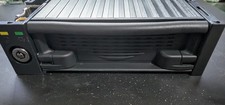
Vintage IDE Removable Hard Drive Mobile Rack 5.25 Bay 50-Pin Tray + Maxtor 40GB
$49.99

Vintage Computer - PC Innovation Intel 486DX2 - Dos Ver 6.2 Windows 3.1
$250.00

Vintage Jetway J-620BF Socket 370 Celeron AT Motherboard SiS 620 Brand New
$75.00

🔥 RARE VINTAGE HP 2112A 21MX M-SERIES 16-BIT MINICOMPUTER HP
$299.99
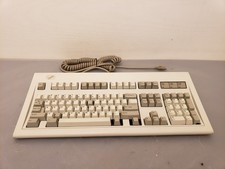
Vintage IBM Model M Keyboard 1391401 Buckling Spring PS/2 Keyboard 1988
$200.00
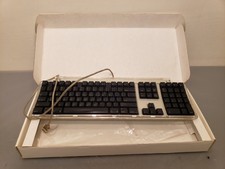
Vintage Apple Pro Keyboard USB Mac M7803 **Used in box
$75.00

Apple Macintosh Classic M1420 Vintage Desktop Computer Model Macintosh Classic
$100.00
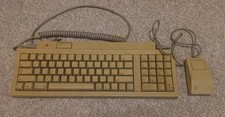
Vintage Apple Keyboard II Model M0487 & G5431 Mouse UNTESTED AS-IS
$59.99

Vintage Microsoft Visual Studio.NET Professional Software suite Version 2002 New
$82.00

Vintage Hewlett Packard HP 13181-60074 Circuit Card Assembly / Interface Board.
$135.37

 Reply With Quote