-
Static IP & Name Resolution
I have two questions:
1. How do I configure eth0 with a static IP address that it remembers everytime it boots up? (I am installed on the HD).
2. How do I make the computer NAME visible to Windows workstations?
Thank you.
-
1. I can't help you with, since that is the reason I'm at these forums right now...
2. Ok, become Root and going into /etc/samba/ and open up smb.conf with your favorite text based text editor. Then add "netbios name = NameOfServer
hopes this helps. The smb.conf file is pretty self explanatory.
-
Senior Member
registered user
You must edit the /etc/network/interfaces file.
Yours might currently look like this
Code:
# This file describes the network interfaces available on your system
# and how to activate them. For more information, see interfaces(5).

# The loopback network interface
auto lo
iface lo inet loopback

# The primary network interface
auto eth0
iface eth0 inet dhcp
Mine is
Code:
# This file describes the network interfaces available on your system
# and how to activate them. For more information, see interfaces(5).

# The loopback network interface
auto lo
iface lo inet loopback

# The primary network interface
auto eth0
iface eth0 inet static
address 192.168.1.51
newtork 192.168.1.0
netmask 255.255.255.0
gateway 192.168.1.1
broadcast 192.168.1.255
-

Originally Posted by
holymoo
1. I can't help you with, since that is the reason I'm at these forums right now...
2. Ok, become Root and going into /etc/samba/ and open up smb.conf with your favorite text based text editor. Then add "netbios name = NameOfServer
hopes this helps. The smb.conf file is pretty self explanatory.
I'm afraid that didn't work. I still can't see the NAME from Windows.
-
Originally Posted by
UnderScore
You must edit the /etc/network/interfaces file.
Yours might currently look like this
Code:
# This file describes the network interfaces available on your system
# and how to activate them. For more information, see interfaces(5).

# The loopback network interface
auto lo
iface lo inet loopback

# The primary network interface
auto eth0
iface eth0 inet dhcp
Mine is
Code:
# This file describes the network interfaces available on your system
# and how to activate them. For more information, see interfaces(5).

# The loopback network interface
auto lo
iface lo inet loopback

# The primary network interface
auto eth0
iface eth0 inet static
address 192.168.1.51
newtork 192.168.1.0
netmask 255.255.255.0
gateway 192.168.1.1
broadcast 192.168.1.255
I'm afraid this hasn't worked. Following is my current interfaces file:
auto lo eth0
iface lo inet loopback
iface eth0 inet static
address 10.10.1.151
network 10.10.1.1
netmask 255.255.255.0
gateway 10.10.1.1
broadcast 10.10.1.255
-
iface eth0 inet static
address 10.10.1.151
network 10.10.1.1
netmask 255.255.255.0
gateway 10.10.1.1
broadcast 10.10.1.255
Where did you come up with those address numbers? Are in a home network?[/quote]
-
Senior Member
registered user
The network line is incorrect.
iface eth0 inet static
address 10.10.1.151
network 10.10.1.1
netmask 255.255.255.0
gateway 10.10.1.1
broadcast 10.10.1.255
Based on your IP & netmask, the network should be 10.10.1.0.
Also, how did you install Knoppix to the HD? What type of HD install did you do? See HD Install: Types of installation.
-
Originally Posted by
UnderScore
The network line is incorrect.
iface eth0 inet static
address 10.10.1.151
network 10.10.1.1
netmask 255.255.255.0
gateway 10.10.1.1
broadcast 10.10.1.255
Based on your IP & netmask, the network should be 10.10.1.0.
Also, how did you install Knoppix to the HD? What type of HD install did you do? See
HD Install: Types of installation.
I changed the network, as you suggested, with no effect.
I am using the Beginner Default install.
-
Originally Posted by
holymoo
iface eth0 inet static
address 10.10.1.151
network 10.10.1.1
netmask 255.255.255.0
gateway 10.10.1.1
broadcast 10.10.1.255
Where did you come up with those address numbers? Are in a home network?
[/quote]
This is our office LAN.
-
Senior Member
registered user
I am using the Beginner Default install.
I think this is the problem. The beginner & Knoppix installs are not normal and do not behave like a normal HD installed Linucx distro. I think it is breaking the networking. In fact, most Knoppix HD installs tend to break something, usually networking and this is why we recommend to not install Knoppix to the HD, especially beginner mode. The link I posted above explains in detail why the HD install is not recommended.
Two things to narrow down, (1) what version of the Knoppix CD did you use and (2) does your network connection work under a CD boot Knoppix?
To verify #2, if you still have the Knoppix CD, then boot off of it with the cheat code:
knoppix 2 nodhcp vga=normal
which will force knoppix to not use DHCP and will drop you to a root console prompt.
Then run the command:
netcardconfig
and configure the eth0. Again do not use DHCP and then input your static IP info.
Once that is successful, type:
ifconfig -a
to get a output of the eth0 and its net address.
Try pinging the gateway:
ping 10.10.1.1
If it is successful, then continue to confirm that the network is up. Use the command:
init 5
to go to the Knoppix KDE GUI and run firefox and browse either a local website or even an internet site.
If networking is fully working when boot off the CD, then something in the HD install has broken networking. I have a Debian 3.1 (codename sarge) PC that is working right next to me and the /etc/network/interfaces file I posted came from that PC. If the /etc/network/interfaces is failing on your system, then the HD install is to blame.
You need to decide if really want to run Knoppix from the HD, & if so, then you will need to re-run the knoppix-installer program and reinstall Knoppix to the HD. This time you should choose Debian method & not beginner or Knoppix method.
Please keep us updated with your progress.
Similar Threads
-
By hoy_128 in forum Networking
Replies: 1
Last Post: 07-29-2004, 03:37 AM
-
By A. Jorge Garcia in forum General Support
Replies: 3
Last Post: 03-06-2004, 12:18 AM
-
By beecee in forum Networking
Replies: 4
Last Post: 01-19-2004, 08:05 PM
-
By jaimefe in forum Networking
Replies: 6
Last Post: 10-29-2003, 01:46 PM
-
By kaplanfx in forum Networking
Replies: 5
Last Post: 06-04-2003, 05:38 PM
 Posting Permissions
- You may not post new threads
- You may not post replies
- You may not post attachments
- You may not edit your posts
-
Forum Rules


(New) AMD Ryzen 7 5700X 8 Core 16 Thread AM4 Unlocked 3.4 GHz CPU OEM Tray
$169.99

8-core 10-core GPU baseboard 8654 to PCIE 5.0x16 GPU expansion baseboard
$377.77

Apple MacBook Air 13.6” M2 8GB 256GB SSD 2022 MLY33LL/A 8‑Core CPU 8‑Core GPU
$529.95

Panasonic Toughbook CF19 MK8 Core i5 3610ME 2.7GHz 12GB RAM 512GB SSD Win 10 Pro
$319.00

HP - OmniBook 3 16" 2K Touchscreen Laptop - Intel Core Ultra 5 (2025) - 8GB M...
$479.99
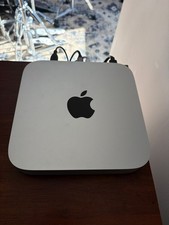
Apple Mac Mini 2020 M1 8-Core CPU 8-Core GPU 16GB 512GB SSD Silver Excellent
$700.00
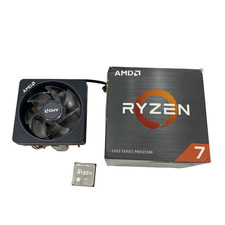
AMD Ryzen 7 5800XT 3.80GHz 8 Core 16 Thread AM4 #U6325 (AR)
$189.88

AMD Ryzen Threadripper PRO 3945WX 12-Core 4.0GHz sWRX8 CPU NEW Tray Unlocked
$79.99
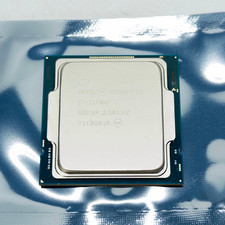
Intel Core i7-11700F SRKNR 2.5GHz 8-Core 16MB CPU Processor Socket LGA1200
$149.99

Dell T7810 Workstation 8-Core 2.40GHz E5-2630 v3 No RAM GPU HDD OS
$259.98



 Reply With Quote