-
HD install 4.0: openoffice and samba does not work
I have installed knx 4.0 on HD in beginners mode.
It looks quite good, but openoffice and samba do not work.
starting Openoffice, it works for a while and then it dies silently whithout showing any response.
Looks like something is missing
Samba-server starts, but the second window asking if all drives should be shared r/w does not
appear. So in WIN only the workgroup and the Server shows up, but no shared drive. How can I call
this window?
The Linux partition has a size of 19 GB and the swap 600 MB
Any hint to fix this?
regards
rudolf
-
Senior Member
registered user
Your problems with a HD install in not unusual. Read the HD Install Howto and see why we recommend to not install Knoppix to the HD. And if you so choose to install Knoppix to the HD, see also HD Install: Types of installation for why the Debian method is the preferred method.
For a visual walkthrough of the Knoppix 4.0 HD install (which I personally do not recommend) see http://www.virtualacuity.com/james/k...-other/knop40/
**EDIT** You will probably not see much help unless someone else also has a beginner HD install of the 4.0 DVD.
-
Thanks for your reply
First of all I tried the Debian type, but I felt myself thrown back into the stone age' ' . Nothing is installed, just the kernel.....
No help for installation (YAST?)
I am not the command line freak and I am Knoppix fan because this fine and intelligent Hardware detection works really fine
and helps me to overcome the pitfalls of learning, searching and doing all that hardware and driver configuration.
I kicked away SUSE cause it left off to much questions after installation. For what I have to know which Graphic chip I use when knoppix is able to detect it? Knoppix is the evidence that all this detections are possible..
The live CD/DVD if knx works nearly perfect and I do not understand why the same comfort should not work on HD?
I have the strong feeling that for the experts it is a matter of honour, not to use the automatic detections and to clicki-clacki
all that stuff for yourself. The same reason for that some people do not want to drive cars with automatic gearcase.
I just want to work with Linux, not to research it!
Nevertheless I hope that someone in the forum will understand me and can give me - I think - some simple hints.
Thanks in advance for that
Rudolf
Similar Threads
-
By Crazydude in forum Hdd Install / Debian / Apt
Replies: 0
Last Post: 11-20-2006, 12:42 AM
-
By lovetide in forum Networking
Replies: 1
Last Post: 06-09-2006, 02:42 AM
-
By dosdragon in forum Tips and Tricks
Replies: 0
Last Post: 03-09-2006, 02:46 AM
-
By sakiZ in forum Hdd Install / Debian / Apt
Replies: 2
Last Post: 02-18-2006, 03:07 AM
-
By vi.tan.gr in forum Customising & Remastering
Replies: 2
Last Post: 09-24-2003, 10:02 PM
 Posting Permissions
- You may not post new threads
- You may not post replies
- You may not post attachments
- You may not edit your posts
-
Forum Rules


Mini Computer Vacuum USB Keyboard Cleaner PC Laptop Brush Dust Cleaning Kit NEW
$13.89

LEVOIT Cordless Vacuum Cleaner, Stick Vac with Tangle-Resistant Design, Up to...
$162.04

Cordless Air Duster & Vacuum Cleaner for Keyboard & PC Cleaning - 110000RPM Powe
$53.99

V3 Robot Vacuum and Mop Combo,Self-Charging,5000pa Strong Suction,WiFi/Alexa NIB
$82.00
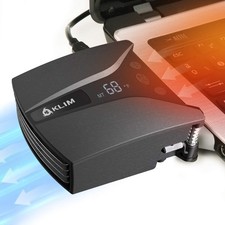
Tempest Laptop Cooler with Vacuum Fan, Rapid Cooling, Small, Black
$40.22
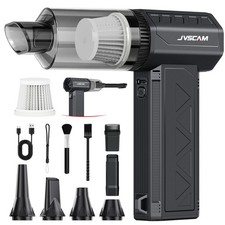
New JVSCAM Compressed Air Duster,150000RPM Electric Duster, Vacuum Cleaner & Bag
$77.23

US Mini Computer Vacuum USB Keyboard Cleaner PC Laptop Brush Dust Cleaning Kits
$13.89

2-in-1 Compressed Air Duster & Vacuum, Brushless Motor, 320000RPM
$37.99

Mini Computer Vacuum Cleaner & Compressed Air Duster 14500Pa, 110000RPM, Cordles
$53.99
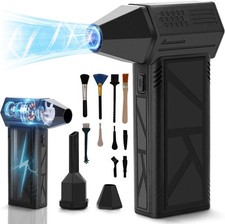
WeePro Compressed Air Duster 180000RPM Cordless Mini Turbo Fan, 3-Speed Vacuum
$149.99



 Reply With Quote