-
Diskless workstation accessing disk over lan
I have several diskless boxes I want to run Knoppix off a CD (mounted on the diskless box), and use a host box on the lan to store working files.
Knoppix boots and correctly configures eth0, I can ping the host but can't find any nfs client on the Knoppix 3.6 CD. What do you guys use to access disks over the lan ?
Thanks
Rod
-
Senior Member
registered user
Hi Rod,
here is my suggestion (for Knoppix 3.8, have no experience with 3.6):
1. Boot server from live CD
2. Run netcardconfig script from Knoppix menu, assign static IP address 192.168.0.1 to eth0, leave entries for "Gateway" and "Nameserver" blank
3. Run terminal server script from Knoppix menu, confirm default values, but allow root access on client (for troubleshooting, if needed)
4. Open root console, add user "diskless01" and assign Unix password
5. Run start ssh server script from Knoppix menu
6. Boot diskless client and select network boot (PXE) in BIOS settings
7. On client, when Knoppix has finished booting, click on home symbol in taskbar and type "fish://192.168.0.1"
8. Log in as user diskless01 using Unix password => you should now have access to home directory on server
This is a very simple setup, using only tools that ship with Knoppix. I hope it works for you. Good luck!
Reimar
-
Thanks for responding Reimar. But I don't want to boot from network, I want the diskless box to boot Knoppix 2 (i.e. command line only, no X) from a Cdrom drive on the same box, but use the hard disk on the main host, which can run whatever network file servers (nfs, samba etc) are necessary.. So I suppose my question is, what network file protocols are available on the Knoppix disk ? What is this "fish" ?
thanks
Rod
-
Senior Member
registered user
Sorry, I took "diskless" to mean w/o any disk drives.
"fish" is a graphical front end for ssh, available in KDE 3.4. By typing "fish://IP_of_my_server" in Konqueror, you can browse, copy and modify files on the server. It's a simple and convenient way to allow filesharing on a Linux network, very appealing to a (former) Windows user like me.
-
Junior Member
registered user
Rcbutcher, did you ever get your set up working? I have something similar in mind and would appreciate some details if possible.
Similar Threads
-
By chrs3000gt in forum General Support
Replies: 0
Last Post: 01-28-2008, 12:19 AM
-
By Arkasha in forum Hardware & Booting
Replies: 8
Last Post: 10-18-2005, 02:29 PM
-
By fatphil in forum Ideas
Replies: 3
Last Post: 06-08-2005, 07:04 PM
-
By 5417 in forum General Support
Replies: 1
Last Post: 09-20-2004, 07:23 AM
-
Replies: 6
Last Post: 08-07-2003, 10:44 PM
 Posting Permissions
- You may not post new threads
- You may not post replies
- You may not post attachments
- You may not edit your posts
-
Forum Rules


Netac DDR4 32GB 16GB DDR4 3200MHz UDIMM C16 Desktop Internal Memory RAM Kit
$105.99
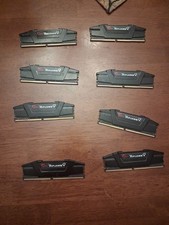
G.Skill PC RAM kit Ripjaws V F4-3200C16D-16GVKB 64GB 8 x 8 GB DDR4 RAM 3200 MHz
$69.99

Corsair CMK32GX4M2B3000C15 Vengeance LPX DDR4 3000mhz Memory Kit - 32GB (2x16GB)
$164.95
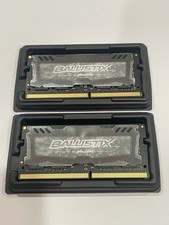
Crucial 32GB Ballistix Sport LT-Laptop Ram 2x16 DDR4 2666 Memory 2 Module Kit
$89.92

RAMAXEL Lenovo 32GB LPDDR5X CAMM2 7500MHz Laptop RAM | UNTESTED
$445.00
Micron 128GB(8 x 16GB) MTA18ASF2G72AZ-3G2R1ZI PC4-3200AA ECC UDIMM RAM - R1069A
$499.95

Corsair Vengeance DDR3 8GB 16GB 32GB 1866MHz PC3-14900 Desktop RAM Memory DIMM
$85.00
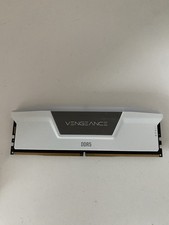
Corsair Vengeance - 16gb DDR5 Ram (Single Stick)
$190.00
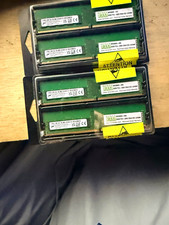
128GB (4x32GB) NEMIX Micron DDR4-3200 ECC UDIMM 2Rx8 PC4-25600 T350 RAM
$949.00
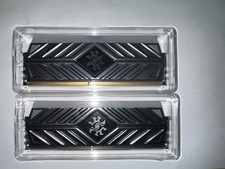
XPG DDR4 3200 2x8Gb Ram (ax4u320038g16a) CL 16-20-20
$85.00



 Reply With Quote