

 Reply With Quote
After verifying that you can see the files on the USB memory stick, right click on the icon and go to actions > change read/write mode.


I am trying to use knoppix to transfer files from a windows installation to a usb memory key. Knoppix mounts the memory key and I can see all the files on the key, but when I try to copy from the hard drive to the key I get "could not write to /mt/usba1/filename." I get the same problem trying to copy from the key to the hd. I can copy from the hd and memory key to a floppy, but not to either device from a floppy. Any help would be very much appreciated.
After verifying that you can see the files on the USB memory stick, right click on the icon and go to actions > change read/write mode.
Thank you!
 Posting Permissions

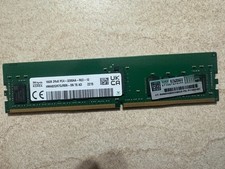
HYNIX HMA82GR7DJR8N - XN 3200AA 16GB 288 Pin RDIMM DDR4 Memory
$105.00

SMART(Micron)SafeStor 32GB(1X32GB) 1RX4 NN4-3200AA(DDR4) HPE Server Memory
$159.98

Microsoft Windows 11 Pro 64-Bit USB Flash Drive (HAV-00162)
$36.99

Micro SD Adapter To SD HC SDHC Memory Card Adapter Reader NEW
$1.39

Kingston 32GB 64GB 128GB 256GB USB 3.0 Flash Drive Thumb Memory Stick Pen lot
$285.90
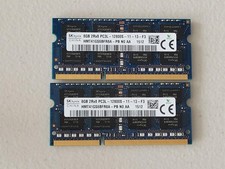
16GB Total of SK hynix PC3L-12800S 2 sticks of 8GB each = 16GB Laptop Memory
$27.95

Server Memory: Samsung 32GB 4DRx4 PC4-2133P ECC LRDIMM DDR4 M386A4G40DM0-CPB
$124.95

A-Tech 8GB DDR3 1600 PC3-12800 Laptop SODIMM 204-Pin Memory RAM PC3L DDR3L 1x 8G
$21.68
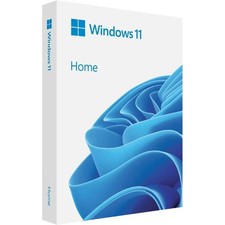
Microsoft Windows 11 Home 64-Bit USB Flash Drive + Key Retail Box - Original
$39.98
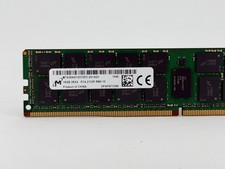
Micron 16GB DDR4 2133MHz RDIMM Server Memory (MTA36ASF2G72PZ-2G1A2II) - Preowned
$59.00