

 Reply With Quote
You could do that but it would be unnecessary trouble. The best way to dual boot is to use a bootloader. When you install Knoppix, it will install a bootloader for you.


i am building my computer, (only need to buy a psu) and i have 3 sata hds. 1 is a 74gig raptore and the two other ones are 120gig spinpoints. if i want my computer to have linux and windows, couldn't I have windows installed on the raptor, make one of the 120gig hd's my other windows hd, and when i install linux, unplug the raptor and the 120gig hd and replace them with the 2nd 120 gig hd. so when i want to use linux, i would simply open my case, unplug the windows hd's and then plug in th e linux hd. Would that work? would that cause any problems with the bios? thanks[/u]
You could do that but it would be unnecessary trouble. The best way to dual boot is to use a bootloader. When you install Knoppix, it will install a bootloader for you.
What you have described should work but is not what is normally called a 'dual boot'. A typical dual boot is loading windows & linux on the same hard drive(s) without having to open up the PC & swap HDs. Typically a boot loader such as grub or lilo as opposed to the Windows boot loader is used to create a boot menu that allows you to select a OS to boot. Your method, which is not wrong and there is nothing wrong with it, is just hard drive switching.
Your use of the word simply is a strange one. What you write of certainly should work, there should be no BIOS issue as long as the BIOS get the drive configuration automatically at boot (certainly any system that suports sata will do that). There are a lot of other techniques that are used that are less work and safer to the hardware, however. Boot loaders like grub and lilo will do this for you. SBM should do it (I've never used it with a sats drive, so I say should rather than will) and I really like XOSL as a boot manager that will let you run multiple versions (or copies of the same version) of Windows as well as one or more Linux systems and perhaps other OSs as well. (I recommend installing XOSL into it's own small partition, just a few meg in size).Originally Posted by Evil One
On the hardware side, many systems that have both primary drives and a RAID controler will let you select to boot from either in the BIOS, and you don't have to actually RAID the drives on the raid controler. My BIOS lets me select which RAID drive I want to boot from in the BIOS, or change the boot order to boot from a hard drive on the main IDE controller.
If you really want to swap around sata drives, consider getting a few drive trays that hold SATA drives and inserting whichever drive you want to boot from into an externally accessable tray slot on the front of your computer. Such trays don't cost very much and will make the change much faster, cleaner and safer. And they usually have one or two built in fans that will help improve your drives ventilation and increase it's life. The down side to the (as well as the way that you talk of doing it) is that you can't see the Windows prtitions from Linux, so moving files between systems is harder. Buy spare trays aor just buy multiple SATS tray and bays slots at the same time (but be advised that trays of one model cannot be swapped into a bay of a different model, so buy all you need at the same time).
For those with ATA rather than SATA there are kits that add a switch to the front of the computer that swaps around the master/slave drive jumpers, allowing the user to see either drive as the master and either see the other drive as a slave (better supporting file exchange between systems) or completely "hiding" the other drive (better protecting important files from accidental deletion or virus attack when children or other unsafe users access the alternate system). I expect switch systems will show up soon for SATA drives, if they are not available already.
well the reason i want to do a true dual boot is because this computer is my barmitzvah gift, i am curently using my mom's old t21, it severs me well, but i want a desk top. when i told them i was going to build my pc instead of buy a pc, they said this is it till colage, and i',m not sure if they were lying. i'll use openoffice instead of word ppt and exel. basically i don't whant it to brake and not work, and my old compaqe i tried to install linux multible times after linux faild but would allways freeze. and even though i love linux, it dosn't mean i want a good deal of money i had to give to bill gates to be for nothing. also i intend to use linux more, windows for gaming, i could even run the games in WINE.
actually, what are the chances of lilo or grub screwing up? i had lots of bad luck with my old pc and now its dead
I think you should stick with your initial idea of plugging and unplugging the drives. First of all, you might soon discover that you don't like Linux or have no use for it. Then you would be stuck with your multiboot system. Second, Linux support for SATA is not perfect yet, so you want to keep your disk setup as simple as possible. Third, using a single Spinpoint for Linux would allow you to enjoy Linux without the noise coming from the Raptor.
 Posting Permissions


Lot of 500 Cisco 10-3145-02 QSFP-100G-CWDM4-S 100G CWDM4 QSFP28 Transceiver
$1500.00

Cisco WS-C3650-12X48UR-L 48-Port Stackable Layer 3 8x10G SFP+ Port Switch
$129.99
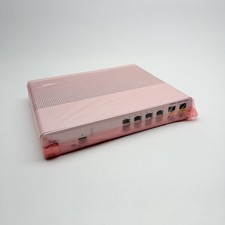
Cisco 8-Port Ethernet Catalyst Switch - WS-C2960C-8TC-L - Brand New
$50.00

Cisco Catalyst WS-C2960+24TC-S 24-Port Gigabit Managed SFP Switch
$39.99

CISCO Services Router C891F-K9, Grade B, SKU 16188
$24.94
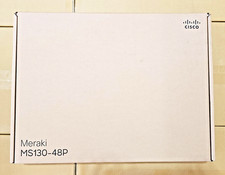
Cisco Meraki MS130-48P-HW 48-Port Gigabit PoE+ Cloud Manage UNCLAIMED Lot of 10
$22000.00
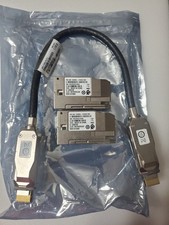
Cisco C9300L-STACK-KIT V02 Stack
$190.00

Cisco Nexus N9K-C92160YC-X 48P 25GbE SFP28 6P QSFP+/QSFP28 PE Switch
$439.00
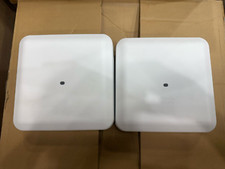
2 PACK Cisco AIR-AP2802I-B-K9 Aironet 2802 Series Dual Band Access Point
$19.85
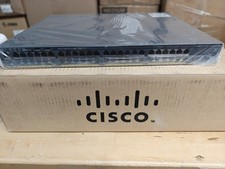
Cisco Catalyst 2960x (WS-C2960X-48FPD-L) 48 Port POE Rack Mount Switch Brand New
$399.99