

 Reply With Quote
If the difference is exactly one or several hours it's probably the time zone. What's your time zone setting?


Sorry if this is OT! I'm using a knoppix 3.8 HD install and win98se dual boot system. In knoppix the time displayed on the panel is totally wrong, even though my bios has got it right. If I change the time using the setup utility, the change only lasts until the next reboot. knoppix knows what the actual time is, 'cos it displays it in the setup utility, just not on the panel.
Weird eh? Pse let me know if you know why this is going on.
Ta.
If the difference is exactly one or several hours it's probably the time zone. What's your time zone setting?
It's Europe/London, which is true.
gkrellm is picking up the correct time (0026 hrs), the panel clock says it's 0527 hrs. I agree that it's probably a simple fix, I just don't know what to try next.
I think it's sorted. Clicking on 'local time zone' (which up until now I'd not noticed), seems to have done the trick. Weird why local and London (which is local to me) don't mean the same thing.
 Posting Permissions


Crucial MX500 1TB 2.5" SATA III Internal SSD CT1000MX500SSD1
$102.99

Samsung 860 EVO 250GB SSD MZ-76E250 2.5" SATA III Solid State Drive -
$39.99

Netac 2TB 1TB 512GB 256GB Internal SSD 2.5inch SATAIII Solid State Drive lot
$549.00
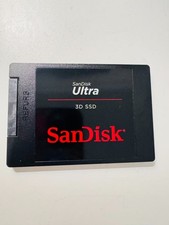
SANDISK ULTRA 3D NAND 1TB SSD SATA III 6 GB/S 2.5" /7 (SDSSDH3-1T02)
$138.56

Samsung 256 GB Internal SATA SSD Fully Tested 50%-79% Health
$24.00

Fanxiang 256GB 512GB 1TB 2TB 4TB SSD Lot 2.5'' SATA Internal Solid State Drive
$42.99

2 PACK 128 GB SSD M.2 2280 SATA Solid State Drive Major Brands, Samsung, LiteON
$28.00

Fanxiang 1/2/5/10Pcs 2.5'' SATA SSD Lot 1TB 2TB 4TB 512GB 256GB TLC Internal SSD
$129.99
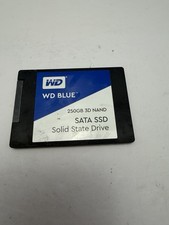
WD Blue DRIVE SSD 250gb Internal SATA Solid State Drive for Laptops
$39.99

Micron MTFDDAK256TBN 256 GB, Internal ,2.5" SSD
$23.00