

 Reply With Quote
nope, that's not a problem.Originally Posted by K-Zodron


Hello!
This is my first try to use any Linux, and I decided to try Knoppix because booting from CD seems simple.
Ok, to the point: I put the CD in the drive, start the computer etc, and it boots there, I hit "Return" and it starts loading Linux..then I get to the loading/detecting Hardware etc. screen, it all goes fine untill it's going to the next Screen -> screen goes blank (Black) and nothing happens...
I tried the tips&tricks, but none of them helped...
Some info about my PC: 400MHz pentium 2, Nvidia Geforce 2 GFX card and some kind of ram etc.
I got no HDD in it, so thats maybe a problem, is it?
Any help would be nice!
Thanks in advance,
K-Zodron
nope, that's not a problem.
Ok, good.
First I burned with 10x, I'll try 4x instead
I doubt that 10x is a problem, but you never know, and of course you can always get a bad burn occasionally even at slow speeds. I assume that your reference to tips and tricks is the tips and tricks section of the cheat codes and not the tips and tricks forum, but if not read through all of the cheat codes wiki. It would't hurt to run the testcd option (again I don't expect it will find anything but it will not hurt). Your Nvidia card is a very common card and certainly should be recognized by Knoppix.
I'm also assuming that you downloaded by bittorrent or checked the md5 sum, but mostly because I can't be bothered to help people who don't.
You might want to try stepping through the boot process in expert mode and see if you can learn anything. My best guess is that you might have some other hardware that is causing a strange conflict, but that's certainly just a guess.
I downloaded by HTTP, and didn't really check the MD5 sum, maybe I should try dl:ing by BitTorrenta 'n check the MD5 thingy =p
If you still have the iso, it is foolish and wasteful to download everything again by bittorrent (unless the md5 check turns out a bad download). You can download the md5 file from the same mirror that you got the iso from (or from any of the mirrors). I'm assuming that you do still have the iso since you were going to burn another CD. See the downloading faq for details.
Your use of the adverb really above is interesting.
 Posting Permissions


Dell EMC PowerEdge R740 8 Bay Server w/ 32GB RAM 2x GOLD 6132 2x 1600W PSU H730p
$499.88

Dell EMC PowerEdge R440 Xeon silver 4215 2.5GHz 16 GB ram 2x 550W PSU No HDD
$275.00

Dell Poweredge R630 2x Xeon E5-2680 v3 2.5ghz 24-Cores / 64gb / Raid / 2x 1Tb
$374.99

8W81F Dell PowerEdge R840 24x SFF 4x Xeon Gold 6252 H730P 2x 1100W PSU
$1100.00

Dell PowerEdge R730XD 28 Core Server 2X Xeon E5-2680 V4 H730 32GB RAM No HDD
$378.93

Dell Poweredge R810 4x Xeon X7560 2.26ghz 32-Cores | 256GB | 3x Trays | H700
$289.99

Dell PowerEdge C4130 1U AI GPU Server | 2x E5-2680 v3 | 32gb Ram | 2x 1600W
$409.99

Dell Poweredge R730xd 12LFF 2*2660v4 4*1Gbe h730 2x 750W Server CTO
$248.00
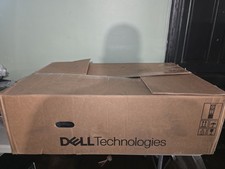
Dell PowerEdge R740 E38S001 Server E38S
$660.00
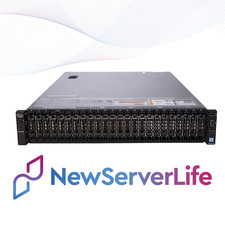
DELL PowerEdge R730XD Server 2x E5-2690v4 2.6GHz =28 Cores 64GB H730 4xRJ45
$653.00