-
Senior Member
registered user
They are not in tar but are gzipped tar files. The webbrowser or download agent is automatically g-unzipping the TGZ file into a TAR file. You should use a different web browser or use the command wget to download a TGZ file. In the commands below, I use 'wget' to download the mc-4.6.0-i486-4.tgz and then use the 'file' command to get a description of its format.
Code:
james@test-machine /home/james
$ mkdir temp

james@test-machine /home/james
$ cd temp

james@test-machine /home/james/temp
$ wget http://slackware.mirrors.pair.com/sl...6.0-i486-4.tgz
--09:53:20--  http://slackware.mirrors.pair.com/sl...6.0-i486-4.tgz
           => `mc-4.6.0-i486-4.tgz'
Connecting to 192.168.1.102:80... connected.
Proxy request sent, awaiting response... 200 OK
Length: 1,776,619 [application/x-tar]

100%[====================================>] 1,776,619      5.20M/s

09:53:20 (5.20 MB/s) - `mc-4.6.0-i486-4.tgz' saved [1776619/1776619]


james@test-machine /home/james/temp
$ file mc-4.6.0-i486-4.tgz
mc-4.6.0-i486-4.tgz: gzip compressed data, was "mc-4.6.0-i486-4.tar", from Unix,  max compression
Then to generate the MO file:
Code:
james@test-machine /home/james/temp
$ tgz2mo mc-4.6.0-i486-4.tgz
If you do not want to use wget or want to change browsers, then you can just g-zip up the TAR file into a TAR.GZ, then rename it to TGZ.
Code:
james@test-machine /home/james/temp
$ ls
mc-4.6.0-i486-4.tgz

james@test-machine /home/james/temp
$ gunzip mc-4.6.0-i486-4.tgz

james@test-machine /home/james/temp
$ ls
mc-4.6.0-i486-4.tar

james@test-machine /home/james/temp
$ gzip mc-4.6.0-i486-4.tar

james@test-machine /home/james/temp
$ ls
mc-4.6.0-i486-4.tar.gz

james@test-machine /home/james/temp
$ mv mc-4.6.0-i486-4.tar.gz mc-4.6.0-i486-4.tgz

james@test-machine /home/james/temp
$ tgz2mo mc-4.6.0-i486-4.tgz
Similar Threads
-
By sotris99 in forum Other Live CDs
Replies: 0
Last Post: 05-11-2007, 03:00 PM
-
By fatso in forum General Support
Replies: 6
Last Post: 03-18-2006, 10:00 PM
-
By Godji in forum Customising & Remastering
Replies: 5
Last Post: 07-17-2004, 04:56 PM
-
By firepunk in forum Customising & Remastering
Replies: 10
Last Post: 08-09-2003, 04:40 AM
-
By Leg0z in forum Customising & Remastering
Replies: 6
Last Post: 05-22-2003, 10:32 AM
 Posting Permissions
- You may not post new threads
- You may not post replies
- You may not post attachments
- You may not edit your posts
-
Forum Rules


SFP TO RJ45 TRANSCEIVER SFP MODULE COPPER SFP OPTICAL PORT TO RJ45 ETHERNET PORT
$7.99
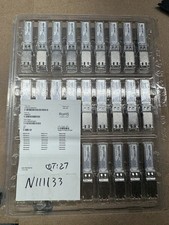
Finisar Copper SFP 1Gbps Transceiver Module FCLF8522P2BTL (34 total)
$680.00

Dell Intel X710-DA2 5N7Y5 Dual-Port 10GbE SFP+ PCIe 3.0 x8 Network Adapter
$27.50

NEW Sealed Cisco SFP-10G-LR 10GBASE-LR SFP+ 1310nm 10km *US Shipping*
$24.00

Genuine Cisco SFP-10G-SR 0-2415-03 10 Gigabit Transceiver
$5.40

HP 560SFP+ 10GB 2-port PCIe NIC Ethernet ADAPTER 669279-001 w/ (2) 10GB SFP+
$16.99
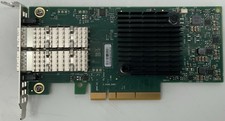
Dell Mellanox ConnectX-4 Lx CX4121C Dual 25GbE SFP28 LP | 20NJD
$25.00

HPE 560SFP 2x 10Gb SFP+ PCIe Both Profile Network Card 669279-001 665247-001
$14.90

Cisco Meraki MA-SFP-1GB-SX Network Tranceiver Module
$89.00
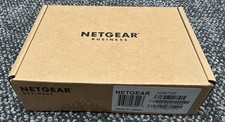
Netgear ProSafe AGM732F 1000BASE-LX SFP 1310nm GBIC Module NEW SEALED
$80.00



 Reply With Quote