-
Senior Member
registered user
The tools needed to have a bootsplash can be found here:
http://www.bootsplash.org/kernel.html
First you need to recompile your kernel with splash patch.
When done, install the new kernel.
Then you need to do some adjustment/editing of your cd miniroot file.
Files that you need to look for is linuxrc and all files in /modules (need to be replace with newer modules)
Get this file: ftp://ftp.openbios.org/pub/bootsplas...-3.0.7.tar.bz2
Extract and find a file called splash.c.
Compile that file with static option: gcc --static splash.c -o splash
Copy the file and put into /static in miniroot.
Edit linuxrc and add this line:
Code:
if [ ! -f "/proc/splash" ]; then
     unset SPLASH
fi

if test -n "$SPLASH"; then
splash -s -u 0 /bootsplash/config/bootsplash-1024x768.cfg >/dev/null
fi
From the above code, you will know that your bootsplash themes need to be placed in /bootsplash folder inside miniroot.
Make sure bootsplash-1024x768.cfg reflect where your themes are located.
The last part is to edit isolinux.cfg and append : splash=silent
You also need to comment line in knoppix-autoconfig if there is line that state something about splash. This is scripted splash.
If you don't, you might ended with 2 different bootsplash running.
Done.
Similar Threads
-
By Linuxgamer in forum Customising & Remastering
Replies: 12
Last Post: 09-16-2006, 11:48 AM
-
By tr in forum Customising & Remastering
Replies: 2
Last Post: 07-26-2006, 10:48 AM
-
By tarekeldeeb in forum General Support
Replies: 1
Last Post: 01-01-2006, 06:45 PM
-
By usha panwar in forum General Support
Replies: 2
Last Post: 08-27-2005, 07:32 PM
-
By Masza in forum General Support
Replies: 0
Last Post: 01-11-2004, 11:19 PM
 Posting Permissions
- You may not post new threads
- You may not post replies
- You may not post attachments
- You may not edit your posts
-
Forum Rules


Original Vintage Old Style STANDARD Black CD Jewel Case (Heavy Duty) 90g Lot
$316.95

Vintage Computer Keyboard Northgate OMNIKEY Ultra
$120.00

Lot of 2 Vintage Plextor PX-43CS SCSI CD-ROM Caddy Drives + 4 Caddies Used
$55.99

VINTAGE COLLECTIBLE Comp USA Maxtor 20 GB 3.5 Inch EIDE Hard Drive NEW SEALED
$500.00
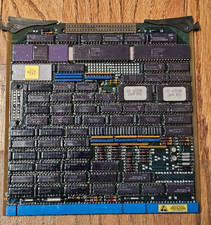
Vintage Intel 8085 CPU Processor Board Ceramic Gold IC Industrial Military Rare
$199.95
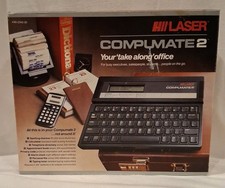
Vintage 1988 LASER Compumate 2 - Your Take Along Office
$49.99

Toshiba TDP-S26 DLP Projector Vintage 2005 For Parts Does Not Power On
$24.99
vintage pentium 3 pc turns on no display no post
$150.00

Vintage Hewlett Packard HP 13181-60074 Circuit Card Assembly / Interface Board.
$135.37
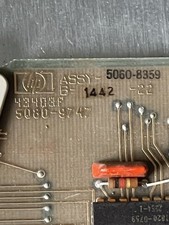
HP 5060-8359 8K solid state semiconducter memory HP 2100/1000 Vintage 1974
$135.36



 Reply With Quote