-
Junior Member
registered user
You can install Flash Player to your hard drive, like I do, and activate it with a script. I am sure it would also work with other storage also, if you specify the mount points. Your mount points will be different than mine, of course. Off subject, I also have a RealPlayer icon and Windows Media Codecs install with the same simple script I use to easily activate Flash Player. I install the two Flash Player files on my hard drive at /mnt/sda1/flash. I install RealPlayer8 with the installation program at /mnt/sda1/RealPlayer8 instead of the default. I unzip Win32 codecs at /mnt/sda1/essential-20050412 from the mplayer site. I then write a script in a text editor named Multimedia. It goes:
#!/bin/bash
mkdir /UNIONFS/usr/lib/win32
cp /mnt/sda1/essential-20050412/* /UNIONFS/usr/lib/win32
ln -s /mnt/sda1/RealPlayer8/realplay /home/root/Desktop/RealPlayer8
cp /mnt/sda1/flash/flashplayer.xpt /UNIONFS/usr/lib/mozilla-firefox/plugins
cp /mnt/sda1/flash/libflashplayer.so /UNIONFS/usr/lib/mozilla-firefox/plugins
Then make sure the script is executable (right click on Properties, check "executable" under permissions). And make sure it is available to all users, too. Each time you reboot, just click on the script wherever you have it and you are ready to use RealPlayer, Flash for Firefox, and Xine with windows codecs. Of course, I run as root by booting as Knoppix 2, but once you have installed the stuff to your hard drive, it should work running as user. The /home/root would be replaced, of course, by /home/knoppix or whatever your home directory desktop is.
Similar Threads
-
By Albretch in forum General Support
Replies: 3
Last Post: 11-22-2009, 11:24 AM
-
By Distro-Don in forum General Support
Replies: 0
Last Post: 02-23-2005, 05:33 PM
-
By A.O.Q. in forum General Support
Replies: 5
Last Post: 12-31-2004, 01:09 AM
-
By lewisdw in forum General Support
Replies: 1
Last Post: 11-05-2004, 03:50 AM
-
By Lemming in forum General Support
Replies: 0
Last Post: 02-17-2004, 09:25 PM
 Posting Permissions
- You may not post new threads
- You may not post replies
- You may not post attachments
- You may not edit your posts
-
Forum Rules


(New) AMD Ryzen 7 5700X 8 Core 16 Thread AM4 Unlocked 3.4 GHz CPU OEM Tray
$174.99

SGIN 17.3" Laptop Intel Quad-Core Up to 2.4 GHZ 8GB RAM 256GB SSD HD
$229.99
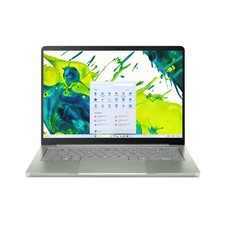
acer swift air 14
$600.00

Dell T7810 Workstation 8-Core 2.40GHz E5-2630 v3 No RAM GPU HDD OS
$259.98

Intel Xeon E5 - 2667V2 / SR19W 3.30GHz 25MB 8-Core CPU Socket LGA2011
$30.00

AMD FX 8350 8-CORE 4.00GHz CPU FD8350FRW8KHK SOCKET AM3+ *QTY
$39.99

AMD Ryzen 7 7800X3D 4.20GHz Quad Core 100-000000510 8 Thread AM4
$279.99

AMD Ryzen 7 9700X 8-Core 16-Thread 40MB Cache Socket AM5 9000 Series Processor
$245.99

Dell OptiPlex 5070 SFF i7-9700 (8-Core) 3.0GHz 16GB 256 SSD Windows 11
$250.00

Dell Inspiron 15 3250 15.6 Touch Screen Laptop Intel core I5, 8GB, 256GB SSD
$379.00



 Reply With Quote