-
Successful HDD install, root access?
I recently installed Knoppix onto one of my machines. It was successful. Im really new to linux im curious about root privileges. I realized that in /etc/apt/sources.lst there are specific updates. I wanted to add the deb and deb-src for a Wine HQ install. When i open the file in kedit and add the lines that works great, but when i try to save it a message pops up and tells me either i dont have the privileges or i dont have enough space. Space isn't the issue.
Basically im trying to ask, is there a way to give yourself full root access using the GUI without using the shell?
Or, if there isnt a way, how do i open source.lst in a text editor from the shell once im logged in as root?
I did try typing "nano /etc/apt/sources.lst" but it doesnt recognize the command.
Is there a shell command for kedit? or any other text editor?
-
Senior Member
registered user
Re: Successful HDD install, root access?

Originally Posted by
wishkah
Basically im trying to ask, is there a way to give yourself full root access using the GUI without using the shell?
Or, if there isnt a way, how do i open source.lst in a text editor from the shell once im logged in as root?
I did try typing "nano /etc/apt/sources.lst" but it doesnt recognize the command.
Is there a shell command for kedit? or any other text editor?
As I know 'nano' isn't isntalled in knoppix. You can type another gui editor instead of nano in shell with root privileges, or a full shell editor as "vi /etc/apt/sources.lst", but this is very tricky for newbies.
I'm not sure and maybe I'm sayng a stupid thing, but while knoppix is based on debian, seems to me that last debian releases (and so last knoppix releases) don't make possible to acess at gui environment with root account.
-
Senior Member
registered user
You don't have to use a shell for all tasks but you most likely so have to run 1 command.
From a non-root user account, edit a text file with KDE's Kate as root:
kdesu kate /path/to/file.txt
From a non-root user account, run KDE's Control Center as root:
kdesu kcontrol
Like su or sudo, it will ask for the root user password and then will run the command that you specified. you could create a task bar app link or icon that runs the command 'kdesu kate /path/to/file.txt' so that in the future you do not need to manually type it all out but instead just click an icon. I am not 100% positive but I do not see a reason why this wouldn't work.
-
Senior Member
registered user
The simplest way to gain a root gui is to log out as a normal user, then log in as root. If there are no other users that have a gui
then root will obtain a gui. It's not as convenient as it used to be.
http://www.knoppix.net/forum/viewtopic.php?t=17347
http://www.knoppix.net/forum/viewtopic.php?t=18459
should help explain.
Regards,
Mark
-
Senior Member
registered user
Ummm Mark you might be incorrect. It is not necessary to login and get a complete KDE desktop session to run application as root. From that first link:
Originally Posted by
Markus
If you try to login to KDE as root it won't work. You should never login to KDE as root as it's a security risk.
To do root stuff you can use:
- sudo
- su
- sux
- kdesu kedit (or some other app)
From that second link, you mentioned that you can't login as root. Its a function of KDM since it locks root from loggin in. So follow echo2geek's advice at http://www.knoppix.net/forum/viewtop...?p=80355#80355
This is why I suggested to run kdesu. You can try it yourself. Boot knoppix from CD. Open a konsole command prompt window. Since root user password is scrambled/locked by default, use the command 'su -' to become root user. Run 'passwd' & set a new password for root. Run 'exit' to escape from root user. Now run kdesu to run an application: kdesu konqueror /path/to/folder/
It will popup a dialog & ask you for the root password. Once you give it the root password, konqueror will run as root and will have full authority as root.
-
Senior Member
registered user
Hi UnderScore,
I'm at a bit of a disadvantage discussing this topic at present because I recently uninstalled my Knoppix 3.8.1 installation and currently have no relevant Knoppix hard-disk installation to refer to. However, I did solve the problem I had which was discussed at
http://www.knoppix.net/forum/viewtopic.php?t=18459
and from memory, if you are logged in with just a console login you can su into root, startx and gain a full root graphical login, which is what
wishkah asked for. There are other ways as well, but as Markus wrote there are security risks to be considered.
Regards,
Mark
-
Thanks for the help, ill test out getting root access in the GUI and let you know. So far i just used mcedit and then ran apt-get install wine and it worked ok..
Similar Threads
-
By monogram in forum Hdd Install / Debian / Apt
Replies: 1
Last Post: 10-24-2005, 06:47 PM
-
By sakiZ in forum Hdd Install / Debian / Apt
Replies: 5
Last Post: 12-16-2004, 05:58 AM
-
By Nataki in forum Hdd Install / Debian / Apt
Replies: 9
Last Post: 08-12-2004, 09:11 PM
-
By HaroldK in forum Hdd Install / Debian / Apt
Replies: 20
Last Post: 11-08-2003, 09:17 PM
-
By ndrake in forum Hardware & Booting
Replies: 0
Last Post: 09-28-2003, 08:56 PM
 Posting Permissions
- You may not post new threads
- You may not post replies
- You may not post attachments
- You may not edit your posts
-
Forum Rules

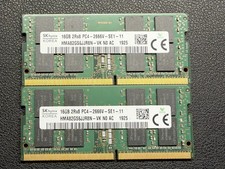
SK hynix 32GB DDR4 2666MHz (2×16GB) PC4-2666V-SE1-11 HMA82GS6JJR8N-VK
$99.99

16GB KIT (2x8GB) DDR4 Gamer Desktop RAM PC4 MIXED BRANDS
$65.00

Kingston 16GB DDR4 3200MHz PC4-3200AA-SA2-12 Laptop RAM SODIMM (HP32D4S2S8ME-16)
$64.99

Netac DDR4 32GB 16GB DDR4 3200MHz UDIMM C16 Desktop Internal Memory RAM Kit
$99.99
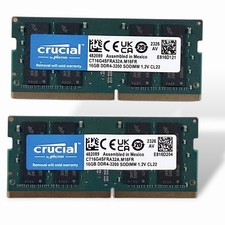
Crucial 32GB (2x16GB) DDR4-3200 PC4-25600 SO-DIMM CL22 CT16G4SFRA32A.M16FR
$149.00
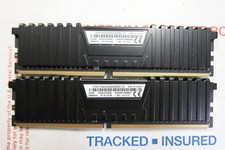
Corsair Vengeance LPX 16GB Kit 2x8GB PC4-21300 DDR4-2666 RAM CMK16GX4M2A2666C16
$74.00
![[ BULK LOT OF 10 ] UNITS of 8GB DDR4 Laptop RAM SAMSUNG, HYNIX etc. picture](/store/img/g/IKQAAeSwEK9qv9TG/s-l225/-BULK-LOT-OF-10-UNITS-of-8GB-DDR4-Laptop-RAM-SAMSU.jpg)
[ BULK LOT OF 10 ] UNITS of 8GB DDR4 Laptop RAM SAMSUNG, HYNIX etc.
$299.99
8GB DDR4 SDRAM 260-Pin SO-DIMM Laptop RAM Module AZW 8G DDR4 211105 I
$108.53
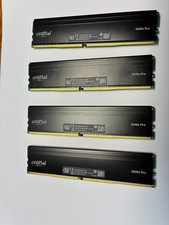
128 gb ddr4 ram 3200 mhz (32x4)-Sold after switching my motherboard
$1000.00
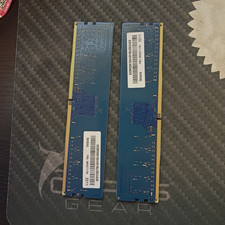
Ramaxel 16GB (2x8GB) DDR4-3200 PC4-25600 288-Pin DIMM Non-ECC UDIMM
$85.00



 Reply With Quote