
The subject says it all. It hangs on my tulip-based network card and, quite frankly, I could care less about network access anyway. Is there any way to accomplish this?


The subject says it all. It hangs on my tulip-based network card and, quite frankly, I could care less about network access anyway. Is there any way to accomplish this?
Knoppix boots with a splash screen. At that splash screen you can enter codes which will force Knoppix to do certan things. Theses codes are known as Cheat Codes. The one you need is nodhcp, and you will boot the PC with:
knoppix nodhcp
Outstanding!Originally Posted by UnderScore
I missed that on the cheat code list. Then again, I was pretty frustrated at the time I read it.
Thanks!!
 Posting Permissions


Samsung 256GB SSD MZ-JPV256S/0A2 PCIe Solid State Drive SSD SSUBX 655-1959A
$22.02

Samsung T7 Shield 1TB Portable External SSD USB 3.2 Black MU-PE1T0S NEW SEALED
$219.99

Samsung T9 1TB External Portable SSD MU-PG1T0B -2000MB/s - Black
$179.00
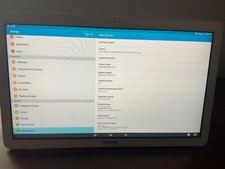
Samsung Galaxy View SM-T670 32GB, Wi-Fi, 18.4 inch Tablet White
$799.99

RAM-GDS-SKIN-SAM80-NG RAM IntelliSkin® Next Gen for Samsung Tab A7 Lite 8.7”
$82.99

3 -M.2 2280 512GB SSD - Samsung MZNTE512HMJH, MZNLN512HMJP, Toshiba KSG60ZMV512G
$155.00

RAM-GDS-DOCK-SAM80CPU RAM GDS® Tough-Dock™ for Samsung Tab A7 Lite 8.7"
$159.49

1 lot of 3 (2)Samsung PM951 SM961 & (1)Intel SSD 600P 256GB M.2 2280 SSD NVMe
$109.00

Samsung Galaxy Tab Active 3 / 64 gig/ WIFI/ IP68 Rated
$85.00
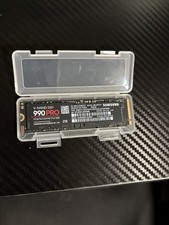
$300.00

 Reply With Quote