

 Reply With Quote
Following the instructions in the downloading faq reached bt the documentation link near the top of this page.


I am a first-time (attempted) user.
The download went OK (apparently), I burned the CD, the bootup goes fine (splash screen and all). I see "checking for firewire devices", then the report "can't find the file system, dropping you into a (very limited) shell . . ."
I would appreciate suggestions as to what may be wrong, and where to go from here.
TIA
rgmills
Following the instructions in the downloading faq reached bt the documentation link near the top of this page.
---
Verifying of md5 checksum and burning a CD at slow speed are important.
Boot-up is now successful.
I had failed to specify a kernel at boot-up. Sorry.
rgmills
That's an interesting "solution" since AFAIK you do not need to specify a kernel unless you are using additional cheat codes (which you did not mention doing).
I am in my first 24 hours of using (1) LINUX and (2) Knoppix, so what do I know? (I used to know something about UNIX in ages past.)
I'll try it again, but I'm pretty sure that a <CR> on an otherwise empty "boot:"-prompt line produces the "can't find file system" problem, whereas if I put "knoppix" there, producing the line "boot: knoppix<CR>", I get a normal (and, I must say, very "Wow!") bootup.
Again . . . my first day at the deep end of the pool!
Thanks!
rgmills
No, it doesn't work that way. I think after more attempts you are going to find that it's something that is emphasised repeatedly in the downloading faq, the speed of the burn.Originally Posted by rgmills
---
Verifying of md5 checksum and burning a CD at slow speed are important.
OK. I have a new, and apparently very clean, download. I will now go back and burn a new CD at low speed. Doubtless that will put me in much better shape.
Thank you for your patience. I learned the hard way, as an assembly-language programmer for the 704 (before most folks now in the trade were born), that just because it "runs" does NOT mean that it's right. And also that just an occasional glance or two at the documentation can really do wonders.
How quickly we forget!
rgmills
From what you have written it seem very unlikely that you are reading the faq and following instructions. You say you downloaded the ISO again, but if you had done a simple md5 test you would have know if the first file you had was good or not. You would not have needed to download the ISO again. Time to download the ISO again: likely an hour or more (and without a test or using BitTorrent you may still have a bad download). Time to download an md5 tool, learn to use it, do the test, and have the technology for the future: less than 5 minutes. And you used the word apparently when talking about the quality of this download, which again implies that you are just skipping over doing the simple md5 test rather than knowing for sure if the download is good or not.
If you are going to insist on skipping important steps then you might as well just go back to typing the unneeded "knoppix" at the boot prompt. We can't help you if you are going to decide to skip over important steps in the advice that you ask for.
By the way, the fact that your fist CD worked good for you some of the time made me believe that that download was good, I only thought the way you burned the CD was the issue. But I have no idea if your second download is good or not.
I am properly admonished.
You will not hear from me again until I have worked harder on comprehending ALL of the instructions and carrying them out.
Thanks again for your patience.
rgmills
. . . turns out one could characterize most of the problem I encountered/created as EITHER the somewhat quirky UI of the CD burner, OR my poor understanding of German, depending on your point of view.
Once past that, everything worked.
Thanks again!
rgmills
 Posting Permissions


Western Digital WD Blue 3D NAND 500GB 2.5in SATA III Internal SSD WDS500G2B0A
$41.99

SSD 880EVO SATA III 2.5 4TB INTERNAL STATE DRIVE
$214.99
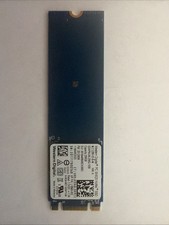
Western Digital 256GB NVMe 2280 80mm SSD SDAPNUW-256G-1006 L18845-002 SN520
$29.99

Samsung 860 EVO 250GB SSD MZ-76E250 2.5" SATA III Solid State Drive
$39.99
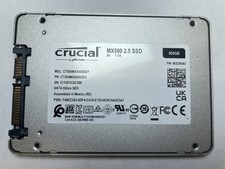
Crucial MX500 500GB 2.5" SATA III Internal SSD CT500MX500SSD1
$52.99

2 PACK 128 GB SSD M.2 2280 SATA Solid State Drive Major Brands, Samsung, LiteON
$28.80
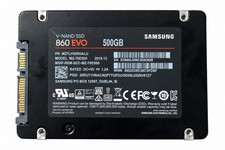
Samsung 860 EVO 500GB 2.5" SATA III SSD MZ-76E500 MZ7LH500HALU
$50.00

M.2 SATA SSD 2280 128GB 256GB 512GB major brands | Very Good health
$35.99

Samsung 860 EVO 250GB, SATA III, 2.5" Internal Solid State Drive - Black...
$30.00

Samsung 850 EVO 250GB SATA III 2.5" Internal SSD (MZ7LN250HMJP) dell Lenovo hp
$32.99