-
Firewall Tool in 3.9
I am using the GUI firewall tool that is supplied in knoppix 3.9. I want to allow incoming access to ssh and an application server on port 62856. I've set the mode to expert even though I 'm not. When I start the firewall I can't connect on the ssh or application port. Do you know what I'm doing wrong? Note, I'm not using NAT and there is no firewall in front of of the PC. Below is the contents of /etc/sysconfig/firewall.iptables
Code:
# internal interfaces
iptables -A INPUT -i lo -j ACCEPT
iptables -A OUTPUT -o lo -j ACCEPT

# all outgoing
iptables -A OUTPUT -o eth0 -j ACCEPT

# SSH access
iptables -A INPUT -p tcp -i eth0 --dport 22 -j ACCEPT

# Application access
iptables -A INPUT -p tcp -i eth0 --dport 62856  -j ACCEPT
-
Ok, figured out the problem. After turning on the firewall I ran the command "iptables -L" to get a list of all the rules. I noticed that the rules I added in firewall.iptables were being appended after the DROP all rule. The solution is to insert the new rules before the DROP all rule. Just use "iptables -I" instead of "iptables -A"
So here it is.
Code:
# SSH access
iptables -I FROMINTERNET 3 -p tcp -m tcp --dport 22 -m state --state NEW -j ACCEPT

# Application access
iptables -I FROMINTERNET 4 -p tcp -m tcp --dport 62856 -m state --state NEW -j ACCEPT
Similar Threads
-
By Richard Kalp in forum General Support
Replies: 1
Last Post: 01-27-2008, 01:19 PM
-
By beerak in forum Hdd Install / Debian / Apt
Replies: 1
Last Post: 03-24-2006, 09:03 AM
-
By Albrecht Benz in forum German Forum
Replies: 3
Last Post: 02-23-2005, 09:38 AM
-
By lmsaga in forum Hdd Install / Debian / Apt
Replies: 0
Last Post: 04-25-2004, 11:12 PM
-
By FelixDzerzhinsky in forum Hdd Install / Debian / Apt
Replies: 5
Last Post: 01-27-2003, 07:02 AM
 Posting Permissions
- You may not post new threads
- You may not post replies
- You may not post attachments
- You may not edit your posts
-
Forum Rules

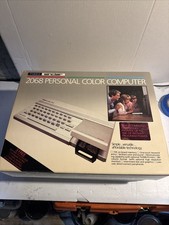
Vintage 1983 Timex Sinclair 2068 Color Computer PC, Complete in Box
$349.99
Vintage computer AMD K6-2 300 MHz 96 MB ram No HDD/No OS
$79.99
Vintage Media Vision Pro Audio Studio PAS16 ISA Sound Card 650-0060 A. PC
$90.00
Retro Vintage PCI Video Card Creative Labs CT6670 3Dfx Voodoo2 8MB Tested Works
$180.00
Vintage IBM ThinkPad Soft Leather Laptop Bag Black Briefcase 15” or Smaller
$60.00

SELLER EXCLUSIVE MINT _ MacWeek Bag - Apple Computer Macintosh Lisa Vintage RARE
$49.95
IBM PC Manuals Books Lot of 6 Vintage
$250.00

Original Vintage Old Style STANDARD Black CD Jewel Case (Heavy Duty) 90g Lot
$316.95
Vintage Intel iPDS-100 Personal Development System
$1499.99
7 Vintage Microsoft Software CDs Lot Windows XP Home 2000 95 Works PC
$35.98



 Reply With Quote