-
Installing on USB Harddisk -> help anyone?
Hi all,
I have Googled a lot to find the answer to the following question(s), but I can't find it anywhere, so I hope to find help here.
Here is what I want:
I have a 40gb 2 1/2" external USB 2.0 harddisk. I would like to have the Knoppix 4.0 DVD run from it as if it is a DVD (so with hardware detection etc..)
So that way I will be able to boot from it from different machines with different hardware, just as I would from the DVD. That way I have a portable Linux distro with me and I can store data and access it from the USB harddisk. Also handy for systems that do not have a DVD but CD only.
Ideally it should also run with a USB 1.1 system...
A) Is the above scenario at all possible
B) If yes: how?
C) If no, can I install Linux (any flavor) on my USB and boot from it?
Remember: I'm pretty much a Linux noob, so please be specific with any pointers or solutions 
ps: most systems I work on do have the option to boot either from USB HDD or USB floppy or LS120 (or something like a big floppy/zip drive?)...
-
Anyone? 
-
some experiences
I have exactly the same "fantasy" as yours, I have tried many linux distribution but not yet including KNOPPIX(I have heard that the software installation is quite different from an origional Debian, that is, the HD-installed KNOPPIX is no longer a Debian), the following observations are based on non-LiveCD/DVD linux.
1. buy a NB or desktop which does not have a very "new" hardware, esp. graphics, network chip.
2. if you follow step.1, then maybe many Linux distributions can be installed successfully, if not, then the "Mandrake Linux 10.1 official" can be the first try, you may successfully reboot from USB HD "for the first time", but then you probably will get "kernel panic..." and can not boot any more. but somebody have succeeded that way, it really depends on the specific hardware(even the same NB model has different outcome !), but if you install from a desktop PC instead of a new NB, it mabye be easier.
3. if you find no luck in step 2. try install Mandrake Linux 9.2 then "upgrade" it to Mandrake Linux 10.1 official but does not configre the network, you will be able to boot from USB HD almost 100%, but if you configre the network, it will probably get "kernel panic..." and can not boot any more. again, if you install from a desktop PC instead of a new NB, it mabye be easier.
4. then you can manually configre the network, not the usual one from control center, which I have not succeeded...(maybe you can)
5. FC core 4 can not even showup its installation startup picture on my NB(Asus M6N)
6. KNOPPIX 4.0 DVD is the most powerful Linux I have ever seen, but socftware installation not "rpm" type, but debian type, which I am not familiar with, and have some dependency problems, some software just can find its .deb counterpart, and alien the rpm usually get lots of errors.
hope they help, if you find out some clean solution, I will be very looking forward to it.
-
Well, buying a laptop kind of defies the whole idea of having a portable OS with you. With a laptop you have both hardware AND software. In my solution (which by the way: more and more distro's are now made to work from a USB stick!) you have a portable OS that you can use with any (host) hardware/PC.
But reasearching some more into this subject already made me come up with something I think would be the scenario needed to achieve this:
1) 2 partitions on my HDD: one that is either fat16 or 32 to be able to boot from (probably emulating either a LS120 floppy or just USB-boot)
2) Have the DVD image on its own partition
3) have some sort of bootsector that loads the DVD image, boot Knoppix and start
4) use the fat partition to be able to 'share' files between Knoppix and other OS's, write all settings etc... (home/dir)
I was just hoping that anyone could somehow guide me on how to achieve all that....
PS: I do run SUSE 9.3 Professional on a desktopsystem as a secondary OS, and I have used both Red Hat (untill it became commercial) and Mandrake (untill it became Mandriva) so I do have limited Linux experience....
-
Junior Member
registered user
Be warned, Knoppix is designed to be a LiveCD in principle. The use and installation to any media are at your own risks.
I haven't tried the installation of Knoppix-4.0 DVD version, but installing Knoppix to a USB is indeed possible, but tricky.
I have installed successfully Knoppix3.9 to a USB HDD, major steps are:
1. Prepare a custom kernel without the ub support
2. Install Knoppix into USB HDD, GRUB will fail at this point because of the nasty ub support
3. Reboot an existing Linux system (or other LiveCD without ub), chroot into the Knoppix-partition in your USB HDD and install the custom kernel from (1).
4. Make few changes to the mkinitrd.conf and modules in the /etc/mkinitrd directory
5. Create a initrd for this kernel so that the kernel is capable to find the necessary modules during boot process.
6. Install GRUB into the MBR of your USB HDD
I know Knoppix-4.0 already get rid of the ub, so it may be more straightforward.
If you are still interested in the steps as described above, I may write in more details.
If you don't want to go thru these tedious steps, then the easiest way is to download and install the latest version of Kanotix (bleeding edge variant of Knoppix).
-
I know this is not what you are looking for but could you not:
Boot from usb flash or CD and tell knoppix to run from iso image on external usb hardrive or will it not be detected at that point?
-

Originally Posted by
d00m3d
Be warned, Knoppix is designed to be a LiveCD in principle. The use and installation to any media are at your own risks.
I haven't tried the installation of Knoppix-4.0 DVD version, but installing Knoppix to a USB is indeed possible, but tricky.
I have installed successfully Knoppix3.9 to a USB HDD, major steps are:
1. Prepare a custom kernel without the ub support
2. Install Knoppix into USB HDD, GRUB will fail at this point because of the nasty ub support
3. Reboot an existing Linux system (or other LiveCD without ub), chroot into the Knoppix-partition in your USB HDD and install the custom kernel from (1).
4. Make few changes to the mkinitrd.conf and modules in the /etc/mkinitrd directory
5. Create a initrd for this kernel so that the kernel is capable to find the necessary modules during boot process.
6. Install GRUB into the MBR of your USB HDD
I know Knoppix-4.0 already get rid of the ub, so it may be more straightforward.
If you are still interested in the steps as described above, I may write in more details.
If you don't want to go thru these tedious steps, then the easiest way is to download and install the latest version of Kanotix (bleeding edge variant of Knoppix).
Hmm, well maybe I need to clarify something...
I want knoppix 4 on a USB HDD were it should act like its the DVD. So basically the only difference is the medium it's booting from. Now, if you treat the DVD as an ISO-image then I suspect there should be the following involved:
a) bootimage to actaully boot from from the USB HDD
b) some way to mount the ISO-image
c) continue booting and the whole hardware detection, setup etc. like the DVD does from the DVD Image
presto: instead of booting from DVD it booted from the harddisk
Because in your version I need to actually do the knoppix-install thingy in step 2. I do not want to alter anything in the sense that it's just not the DVD I'm booting from but just another medium (USB harddisk)...
In this scenario I would have the benefit of all the Knoppix hardware detection, have about 8gig of software and be still able to take my own files with me on a fat32 partition and share it etc. etc...
Btw: I wonder how this performs and works: http://www.fingergear.com/computer_on_a_stick.php
-
USB dongle or hdd boot
I have your setup working using grub on a USB dongle and external usb hdd.
To figure out how I did it, have a look at my posts in here:
http://www.knoppix.net/forum/viewtopic.php?t=20215
http://www.knoppix.net/forum/viewtopic.php?t=11796
Please, let me know if this works for you. Hope this helps, cheers,
Gilles
-
Re: USB dongle or hdd boot
Originally Posted by
ruymbeke
Hey thanks: unfortunately I won't have time to mess with it untill next weekend, but I will let you know for sure!
-
I am using both PCLinuxOS 8 and Mandriva (Mandrake) 10.1 on external USB hard drives. My drives are USB 2.0 and I think that USB 1.1 would be a problem. Mandriva even sell a USB hard drive with Mandriva 10.1 preinstalled. It includes both a floppy and cd bootdisk for systems that can not boot for USB drives. The Mandriva 10.1 Offical installation lets you make these two disks if wanted.
I use the USB drives as I wish to try and learn about linux without having my wife complain that she does not have Windows for her use. I have set my system to boot from USB first- the only thing is I have to remember to either cut off or remove my USB drives to boot to the ide drive.
I have not thied to install Knoppix but have installed Debian Sarge- I need to do some work with the boot as I get a kernel panic on boot up still.
I also have booted Win 98 from a Iomegs Zip 250 USB drive on my computer.
System- Dell Dimension 3000, P4, 512MB memory, 80GB Windows ide drive, 2 external 80GB linux drives and a 15GB external USB drive with Mandriva 10.1.
Many distributions will not easily boot from USB- I have gotten many kernek panic messages trying.
Jim
(also new to linux- less than 4 months trying)
Similar Threads
-
By chessweb in forum Hardware & Booting
Replies: 0
Last Post: 05-03-2006, 09:21 PM
-
By GblubbR in forum Hardware & Booting
Replies: 1
Last Post: 09-09-2005, 05:18 PM
-
By Dobez in forum Hdd Install / Debian / Apt
Replies: 3
Last Post: 03-18-2005, 02:41 PM
-
By Pix21 in forum MS Windows & New to Linux
Replies: 0
Last Post: 02-12-2005, 03:15 PM
-
By sn0wflake in forum General Support
Replies: 1
Last Post: 03-25-2004, 06:45 PM
 Posting Permissions
- You may not post new threads
- You may not post replies
- You may not post attachments
- You may not edit your posts
-
Forum Rules


Apple Macintosh Plus 1MB M0001A Vintage Computer Boots Up / Floppy Disk Stuck
$99.99

Vintage 1998 iMac G3 M4984 Mac OS + Keyboard Working but Needs Some Repair Read
$295.00

Apple Power Macintosh PowerPC 7300/200 VTG w Keyboard Mouse Storage Drive Read
$199.99

Mixed Lot Vintage Mac Windows media / Graphics / Sound Software - CDs 37 Pieces
$40.99
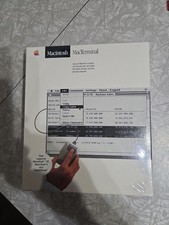
Macintosh MacTerminal M0521 Version 1.0. Vintage Apple software 1984 Sealed
$129.99

185--Sonnet Crescendo G3 PPCG3-375-5-K-06 G3 Add-On Card for Vintage Mac
$90.00
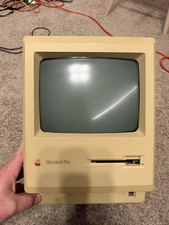
Apple Macintosh Plus 1MB M0001A Vintage Computer - Works
$169.99
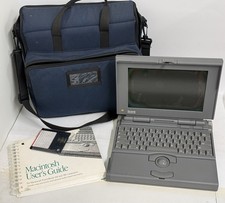
READ - UNTESTED Apple Macintosh PowerBook 160 M4550 Vintage Laptop
$299.00

Apple Macintosh DuoDock Duo Dock M7779 & Powerbook 230 Vintage Mac RARE Vintage
$249.00
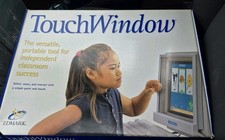
Vintage Edmark TouchWindow for Macintosh DeskTop Computer Touch Window Never Usd
$63.99



 Reply With Quote