
Since KNOPPIX-29-08-2002, KNOPPIX has been able to boot other computers via PXE [?], now since version 31-10-2002, it can also boot computers via etherboot, I havn't tested it, but can see the that the changes have been made.


Since KNOPPIX-29-08-2002, KNOPPIX has been able to boot other computers via PXE [?], now since version 31-10-2002, it can also boot computers via etherboot, I havn't tested it, but can see the that the changes have been made.
I also have not tried it, though I would like more info on it. Sounds cool.
I was the one, who had the idea how to impldment this, so I can say, that this really works
Quick-Tutorial:
- Start Knoppix with CD on computer 1...
- Start knoppix-terminalserver (Choose the richt network-card, you want to use in computer two, which shall boot from network)
Make an floppydisk for you NIC (network interface card) from www.rom-o-matic.net ... (lzdsk)
cat eb-5.0.7-xx.lzdsk > /dev/floppy (Say: Write image to floppy)
Boot computer two from floppy ...
Choose boot from network, when asked (press 'n')
Finished
Now your computer two should get the bootdisk from computer-1 and you should soon see the normal boot-prompt ...
After setting some or no options it should boot knoppix just normal
Useful for computers without a cdrom-drive or for presentations, where many computers shall be started with knoppix
cu
Fabian
Fabian,
Thanks for the tips! This sounds really neat and looks quite easy. I look forward to giving it a try. I have one computer where the hard drive is shot, but it is otherwise ok. I might use this network setup to make use of it. Is it possible to gain read/write access to the drive of computer 1 from computer 2? Again thanks for the tip and please share any other info that you find out.
I tried it in the past Sunday with my friend's network and it works. Quite asy to do as well. One thing my friend and I are quite confused is that it seems not to be a terminal server in usual way. The client runs processes in it's cpu as well as in the Knoppix terminal server side. It is much like a Fit client as Shaolin's Aptus rather than a traditional thin client. Is it true?
Yes it is a kind of fat-client-server.Originally Posted by Anonymous
I think they mad add an option to connect to the server the traditional way in later versions.
well, u can use knx as a thin client, too:
start computer 2 (client) on runlevel 2 (at boot prompt type 'knoppix 2'),
then use the terminal server's xdm/kdm/gdm, as you prefer. This is done by:
X -query your_server (issued on computer 2)
Well, some further customization is needed on the knx server, as some configs are symlinked read-only from the cd. U can delete and copy them instead, and while /etc is on the ramdisk, u can access it read-write.
I have done a 5-minute-work to start xdm the normal way, this is very much the same as it is written in LTSP's docs (see www.ltsp.org)
The most efficient way is to have knx installed onto HD, in that case you do not need to bother with access rightsAny Q's are welcome, but i am short in time, so suspicious delays may occur in answers
linuxfan
First, let me say that I love Knoppix. The knoppix-terminalserver works like a charm when the server is booted from CD. However, when installed to the hard drive I get an error when starting with the knoppix-terminalserver command. After I complete the config dialogs, everything looks good except for this error: "cp: cannot stat `/dev/systty': No such file or directory". I have reinstalled knoppix and installed it on a different machine, same error when it runs from the hard drive. Both machines worked great from the CD.
When the client boots up it loads the knoppix screen and then pulls an IP via DHCP. Then I get the following error "can't NFSmount Knoppix file system, sorry. Dropping you to a (very limited) shell. Any ideas?
I had the same experience. The terminal server works great when the server is running off of the CD, but the client cannot fails to mount when the server is running Knoppix from the hard drive.
I played with the settings for a day or two and gave up. But I would like to know how to resolve the issue. I just have too many irons in the fire to figure it out myself.
I got stuck at the same spot, the 'very limited shell.'
I certainly wanted to play with it, but in my case, I
_was_ running from the CD, so apparently it's not ready for
prime time quite yet.
 Posting Permissions

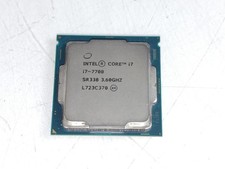
Intel Core i7-7700 3.6 GHz 8 GT/s LGA 1151 Desktop CPU Processor SR338
$39.99
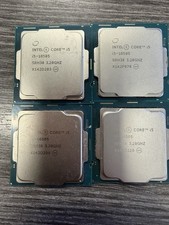
LOT OF 4 Intel Core i5-10505 6-Core 3.2GHz SRH38 CPU Processor
$349.95
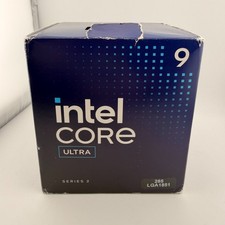
READ Intel Core Ultra 9 285 Processor LGA 1851
$449.99
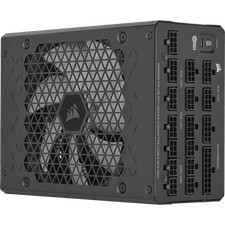
Corsair HX1500i 1500W 80+ Platinum Fully Modular ATX 3.1 PSU Certified Refurb
$207.99
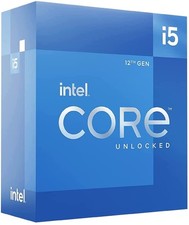
Intel Core i5-12600 3.30 GHz Processor CPU
$119.99

AMD Ryzen 5 5600X Desktop Processor (3.7GHz, 6 Cores, AM4 CPU) 100-100000065
$135.00
INTEL CORE i7-7700K 4.20GHz CPU QUAD CORE Processor SR33A *km
$66.99

Intel Core i9-9900 3.10GHz CPU Processor SRG18
$165.00

INTEL CORE I7-870 SLBJG 2.93GHZ LGA1156 4 CORE CPU PROCESSOR
$23.00
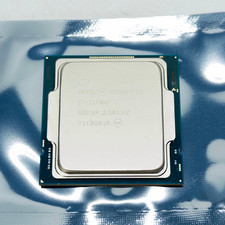
Intel Core i7-11700F SRKNR 2.5GHz 8-Core 16MB CPU Processor Socket LGA1200
$149.99

 Reply With Quote