-
Problem booting thin-clients
I had a problem booting etherboot clients with Knoppix 12-12-2002. The client would not configure the X server properly. I even tried doing a modprobe for the the video card, but that resulted in errors as well. The weird thing is that the client and the terminal server have the same video card! Any advice?
-
Knoppix with etherboot
If you do a hdinstall then you end up with a normal Debian config.
The terminal server in the Knoppix CD version is a script with some assumptions of your configuration that are not valid when you run it from harddisk.
One solution is to copy the BIG Knoppix file from the CD to the Windows C:\ directory (if you still have that) in the directory knoppix so the image will be in:
C:\knoppix\knoppix
If you boot from floppy (without the CD) then the image will be found and will be used as if it was the CD. Now start terminal server.
After this boot the diskless client and all will run OK, it is a lot quicker this way. I think this is the best solution for classroom project where more than 5 PC's work diskless.
Good luck and thanks to Dave Bechtel that gave the usefull hints.
-
Can you help me with ethernet boot!
! have i host computer with 2 real tek 8139 NIc card and guest with 1 real tek 8139 NIC card! The computers a connected via "crossower" cable! How to set ethernet boot? what options to enter in knoppix and how to configure network kard floppy from www.rom-o-matic.com ? please help!
-
Senior Member
registered user
Re: Knoppix with etherboot

Originally Posted by
Guest NL
If you do a hdinstall then you end up with a normal Debian config.
The terminal server in the Knoppix CD version is a script with some assumptions of your configuration that are not valid when you run it from harddisk.
One solution is to copy the BIG Knoppix file from the CD to the Windows C:\ directory (if you still have that) in the directory knoppix so the image will be in:
C:\knoppix\knoppix
If you boot from floppy (without the CD) then the image will be found and will be used as if it was the CD. Now start terminal server.
After this boot the diskless client and all will run OK, it is a lot quicker this way. I think this is the best solution for classroom project where more than 5 PC's work diskless.
Good luck and thanks to Dave Bechtel that gave the usefull hints.
OK, but what do you setup on the server side? I'm confused, terminal server only works off the CD? What if my clients are running off the CD image (poor man's) and my server is from knoppix-installer (debian version). Can I also use clients from knoppix-installer (knoppix version)?
TIA,
Similar Threads
-
By bkw1a in forum Networking
Replies: 2
Last Post: 07-14-2007, 10:39 PM
-
By Tec in forum Networking
Replies: 2
Last Post: 03-15-2004, 04:56 PM
-
By dave in forum General Support
Replies: 5
Last Post: 01-29-2004, 12:13 AM
-
By MaTh2k in forum Networking
Replies: 0
Last Post: 09-04-2003, 10:28 AM
-
By stonent in forum Networking
Replies: 7
Last Post: 06-11-2003, 05:04 AM
 Posting Permissions
- You may not post new threads
- You may not post replies
- You may not post attachments
- You may not edit your posts
-
Forum Rules


Intel i7-8700 Coffee Lake 3.2GHz 6-Core Max Turbo 4.6GHz Processor
$69.99
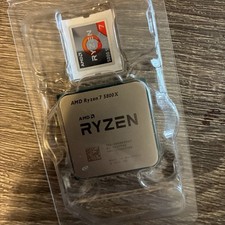
AMD Ryzen 7 5800X Desktop Processor (4.7GHz, 8 Cores, Socket AM4)
$169.99
Intel Core i5-10500 @ 3.10GHz - SRH3A - CPU - Processors - 10th Gen - Tested
$89.95
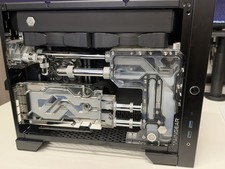
Maingear Apex Turbo computer rtx 3080 12gb , 64GB Ram, Ryzen 5800x , Parts
$1600.00

Intel Core i7-7700T 2.9GHz 8MB Socket LGA1151 Quad Core Processor SR339
$39.99

Intel 4th Gen Core i7-4790 SR1QF 3.60GHz (Turbo 4.00GHz) 8M 4-Core LGA-1150 CPU
$39.99
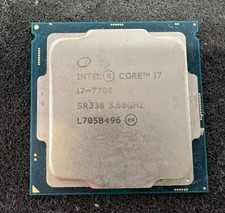
Intel 7th Gen Core i7-7700 3.6GHz 4 Core 8 Thread LGA1151 CPU SR338
$42.99
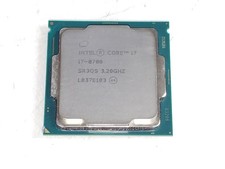
Intel Core i7-8700 3.2 GHz 8 GT/s LGA 1151 Desktop CPU Processor SR3QS
$67.99

Intel Core i7-9700 3.0 GHz 8 Core Processor
$85.00
Intel Core i9-9900K @ 3.10GHz - SRG19 - CPU Processors - Tested
$174.95



 Reply With Quote