

 Reply With Quote
That's almost always a system/hardware problem. You may have a bad CMOS battery (the battery used to hold system settings and run the clock). Does it read the time correctly under Windows?Originally Posted by Tovi


I intalled Knoppix on my harddrive and its great. I have a few problems though and maybe someone can help me out.
1. Everytime I turn on the computer and log on I have to set up the time and date. It's not being saved.
2. I can use the CD Player as root but if I try as knoppix user I get the message: CD ROM read or access error. Please make sure you have access permissions to: /dev/cdrom.
I've only been using Linux for 4 days so sorry if this are stupid questions.
Tovi
That's almost always a system/hardware problem. You may have a bad CMOS battery (the battery used to hold system settings and run the clock). Does it read the time correctly under Windows?
Yes it does. This only started happening under Linux.
Tovi
Open a root console adduser < user name > cdrom to get access to cdrom by adding your user to the group.
[edit]Add yourself to the floppy group too if you want to write to the floppy.[/edit]
Your system probably has the time on your clock set to CET (central european time) change the time zone to your zone. Right click on the clock in the system tray to change.
Nope this problem also appears on my system. My hardware clock is set to gmt, however even if I set a root password and go into kde and change to my time zone (cst/cdt) the hours are way off (even after syncing with a time server). However if I reboot into Mandrake the time is correct again.
I've also seen this problem on some of my debian systems, I don't think I've seen it with Libranet though, although I don't dual boot much anymore so maybe that's why.Everytime I turn on the computer and log on I have to set up the time and date. It's not being saved.
rock
two problems with the above approach:
one: knoppix should already have access to cdrom and floppy (although one would have to have 2 cdrom drives for this to be a real issue I would think)
two: You would have to set a root password before you can change the time via the kde taskbar (open a root console and type: "sudo passwd" (without quotes) then enter the root password you want.). Then you would need to kill the kicker process ("ctrl + esc" will bring up the kde task manager) and then rerun kicker ("alt + F2" will bring up a command line and then type "kicker") for the proper time change to be seen on the taskbar. I am also uncertain as to if it will be saved after "save Knoppix configuration" has been run. I don't believe that it is (although the root password will be saved).
One problem with your approach is that he has installed to the Hard Drive and Knoppix then becomes standard Debian. If you want to access the cdrom you have to belong to that group, audio the same and so on for other devices unless you do like I did on my first install and you change a lot of permissions from what they are set too, I have since found the "Debian" way of setting up the system and it works well.
oops... didn't catch that. For future reference, there is a seperate forum for install to hard drive issues.
Rock makes a good point about dual booting. I suspect this is where your problem lies. You actually have 2 clocks to maintain, the CMOS or 'hardware' clock (battery powered) and the OS or 'system' clock which dies every time you reboot right? Then when you boot again the hardware clock resets the system clock.
In Linux you can set the clock to UTC/GMT time OR your own local time zone. If set to UTC/GMT then daylight savings will be adjusted automagically. Unfortunately DOS is not as smart as Linux (tell you something else you didn't know eh?)and can only think in local time which is what creates these time discrepancies. So I would set your Linux clock to Local time if you are dual booting windows. That should clear things up.
 Posting Permissions


GIGABYTE A520M DS3H AC AMD AM4 Motherboard mATX
$59.99

Intel H310 LGA1151 8-9th Gen DDR4 M.2 NVMe mATX Motherboard IO Shield Battery
$54.99

GIGABYTE Z790 AORUS ELITE AX LGA 1700 Intel Z790 ATX Motherboard with DDR5
$189.99

ASUS PRIME Z490-V Motherboard Intel Z490 10th gen DDR4 LGA 1200 ATX w/ IO Shield
$84.99

GIGABYTE B365 HD3 LGA1151 Intel 9th Gen motherboard
$59.99

Intel H81 Motherboard M.2 NVMe LGA 1150 mATX w/ IO Shield (Random Slot Color)
$29.90

ASUS PRIME B360M-C MicroATX Intel LGA1151 DDR4 HDMI VGA USB RJ-45 Audio
$34.99
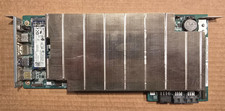
ASRock AMD BC-250 16GB 128GB SSD Used
$220.00

ASUS B85M-G / B85M-G PLUS LGA1150 DDR3 Micro ATX Motherboard HDMI Support 4thCPU
$45.00

Dell XPS 8940 Desktop Motherboard Intel H470 LGA1200 DDR4 K3CM7 KV3RP 427JK
$154.99