-
Created CD image, now what?
I've created the CD image -- it shows two folders: BOOT and KNOPPIX -- I'm using an old system so I've had to use a boot disk -- the system starts and I get an A: but nothing after that -- I'm able to get to the drive with those files on it, but think I must have done something wrong.
Sorry for being such an idiot.
-
Administrator
Site Admin-
Re: Created CD image, now what?

Originally Posted by
tmedina
the system starts and I get an A: but nothing after that --.....
Classic sign of someone who decided he knew what he was doing and didn't have to follow the instructions in the downloading faq (reached by following the Documentation link near the top of this page). And I'll give 5 to 1 odd that you burnt the disc with Nero 6.
-
Actually I DID read the instructions, and NO I did not use Nero 6.
The CD works fine in another computer (one that boots from CD), so the image was created without problems.
It appears that my problem is with the boot disk. I've got to figure out how to make the computer boot to the CD, right now I can get it to boot to A:, and can switch over to the CD drives, R: and S: and view the directories, etc from disks in them. I've just got to search some more on how to edit the config.sys file to make the R: or S: drive bootable, instead of A:. Either that or give up on this old system and use one that will boot to CD.
Thanks for the response anyhow.
-
Administrator
Site Admin-
Originally Posted by
tmedina
Actually I DID read the instructions, and NO I did not use Nero 6.
The CD works fine in another computer (one that boots from CD), so the image was created without problems.
It appears that my problem is with the boot disk. I've got to figure out how to make the computer boot to the CD, right now I can get it to boot to A:, and can switch over to the CD drives, R: and S: and view the directories, etc from disks in them. I've just got to search some more on how to edit the config.sys file to make the R: or S: drive bootable, instead of A:. Either that or give up on this old system and use one that will boot to CD.
Thanks for the response anyhow.
The A: prompt is typical of someone who burns with Nero 6 and takes an option to make the disc "bootable". Glad that's not what happened to you. You didn't mention that it booted on another system and said you thought you had done something wrong, this seemed the most logical choice.
Forget about traditional boot disks. Download a copy of the Smart Boot Manager installer, and either install it to a floppy, or do it the easy way and install it right to your hard disk MBR. That should let you continue to boot your current Operating System(s) as well as boot a CD on a system where the BIOS isn't quite up to booting the CD.
-
That's what I needed -- Smart Boot Manager -- up and running now. THANKS!!!
-
Administrator
Site Admin-
Originally Posted by
tmedina
That's what I needed -- Smart Boot Manager -- up and running now. THANKS!!!
Originally Posted by
tmedina
Actually I DID read the instructions, and NO I did not use Nero 6..
Glad to hear that you are finally up. By the way, you would have found about SBM a lot faster if you had read the answer to the question Q: My computer won't boot from CD. What should I do? in the Downloading Faq (currently item 14).
no one listens to Zathras ........
Similar Threads
-
By kiddokit in forum Hardware & Booting
Replies: 0
Last Post: 07-16-2008, 06:52 PM
-
By tr in forum Customising & Remastering
Replies: 5
Last Post: 01-28-2006, 01:39 PM
-
By jannetta in forum General Support
Replies: 0
Last Post: 10-20-2005, 03:50 PM
-
By quit5 in forum General Support
Replies: 2
Last Post: 08-17-2005, 03:23 PM
-
By lgriske in forum Customising & Remastering
Replies: 1
Last Post: 04-23-2003, 07:14 AM
 Posting Permissions
- You may not post new threads
- You may not post replies
- You may not post attachments
- You may not edit your posts
-
Forum Rules

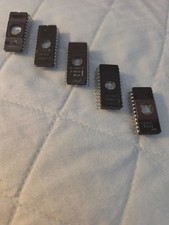
Vintage 1970s UV EPROM Lot Intel D2716 2708 TI TMS2708 AMD NEC Ceramic Windowed
$55.99
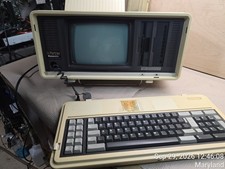
Vintage Panasonic Sr. Partner RL-H7000 Computer w/Service Manual & DOS Disks Cov
$275.00

Vintage NEC CDR-1410A 50 Pin SCSI CD-ROM Optical Drive Used
$39.99
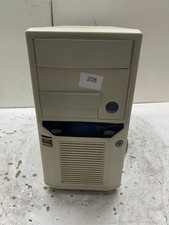
Vintage Retro Beige AT Desktop Computer Sleeper Case
$99.99
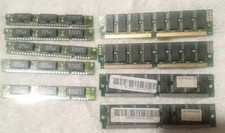
Vintage Computer Computer Memory EX32 EDO - KCP601 - Gold Silver
$30.00

Original Vintage Old Style STANDARD Black CD Jewel Case (Heavy Duty) 90g Lot
$316.95
Vintage Intel C2708 EPROM White Ceramic Gold Pins Windowed Die Visible INTEL '75
$44.99

VINTAGE ESS ES1868 16 BIT ISA SOUND CARD COMPAQ 247428-001 - USA SELLER RM2-SC
$24.95
Vintage AppleCD 300i Plus CD-ROM Optical Drive SCSI 1993 Used
$47.99
Vintage Toshiba XM-6201B SCSI 50 Pin CD-ROM Optical Drive Used
$39.99



 Reply With Quote