-
v4.0 DVD freezes during Boot-Up
Hi -
I have downloaded the 4.0 iso with the md5. I checked the iso with the md5 and all is ok.
I burnt the iso onto a DVD at x2.4 then I made a second DVD at x2.0 ... then rebooted
the computer. I get the startup screen that says:
____________________________
KNOPPIX V4.0.1-DVD
boot: _
-----------------------------------------------------------------
So I hit <Enter> ... Then I get a black screen for 3.5 minutes! then another screen that says:
____________________________
Welcome to the KNOPPIX live Linux-on-DVD!
Scanning for USB/Firewire devices... Done.
Accessing KNOPPIX DVD at /dev/hdc...
-------------------------------------------------------------------
At this point it just hangs and nothing happens. (I waited for 10 minutes to be sure)
The DVD wont eject .... I have to physically reboot the machine at this point.
As I said abouve, I have 2 DVD's (burnt @ x2.0 and x2.4) I have tried and they both
do the same thing. What is wrong ??
My system:
AMD Duron 1.31 GHz
256 RAM
Maxtor DiamondMax 60 Gig (master on primary IDE channel)
Sony DVD-RW DRU500A (master on secondary IDE channel)
NO FLOPPY DRIVE
NViDIA GeForce2 MX/MX 400
Please help !
John
-
Here is an update to my problems....
I have tried the DVD on another computer (P4 3.0Ghz) and now Knoppix will boot from the dvd.
But I now get a 'new' error :
Autoconfiguring devices...
WARNING: Autodetection seems to hang,
please check your computers BIOS settings.
What settings am I looking for in the BIOS ???
What should I try next ??
And any idea's as to why this DVD wont boot on my other PC (listed abouve) ??
Thank you !
John
-
I've noted some similar problems with the 08-16 version but not the 06-25 version. (May have got the exact dates wrong).
Distrowatch has a note about some bugs in 4.0 DVD.
http://distrowatch.com/weekly.php?issue=20050822#1
-
Senior Member
registered user
Use cheat code "testcd" to check the DVD. This will take a few minutes, but it's the best way to rule out a bad burn.
-

Originally Posted by
ockham23
Use cheat code "testcd" to check the DVD. This will take a few minutes, but it's the best way to rule out a bad burn.
I just did a testcd and the DVD is fine. Any other thoughts ? ? : /
JJohn
Similar Threads
-
By Ripscarface in forum Hardware & Booting
Replies: 2
Last Post: 05-26-2007, 11:11 PM
-
By shawnrgr in forum Hdd Install / Debian / Apt
Replies: 1
Last Post: 04-30-2006, 01:28 AM
-
By System in forum Hardware & Booting
Replies: 13
Last Post: 04-11-2005, 04:04 PM
-
By k225yt in forum Networking
Replies: 2
Last Post: 03-25-2005, 12:56 PM
-
By racerpup in forum Hdd Install / Debian / Apt
Replies: 2
Last Post: 10-22-2003, 08:18 PM
 Posting Permissions
- You may not post new threads
- You may not post replies
- You may not post attachments
- You may not edit your posts
-
Forum Rules


Seagate ST1000VM002 1TB 5900RPM 3.5" SATA 6GB/s HDD Video Hard Drive PC DVR
$24.99

Western Digital 1TB 3.5" SATA III 7200RPM Desktop Hard Drive
$29.99

Samsung T9 1TB External Portable SSD MU-PG1T0B -2000MB/s - Black
$179.00
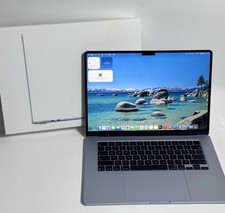
Apple MacBook Air 15-inch 2026 M5 Chip 24GB RAM 1TB SSD ''Rеаd dеѕсriрtiоn''
$1200.00

Acer Aspire 14" AI Copilot+PC Laptop Core Ultra 5 226V Gen 4 ARC 16GB 1TB Refurb
$438.51

Acer Aspire 16 16" Laptop Core Ultra 5 226V S2 16GB RAM 1TB SSD Arc Refurbished
$533.51

Netac 2TB 1TB 500GB Internal SSD M.2 NVMe PCIe3.0 Solid State Drive lot
$129.99
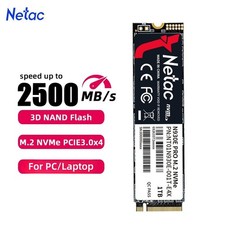
Netac 1TB M.2 2280 Internal SSD PCIe Gen3.0x4 NVMe Solid State Drive PC Laptop
$129.99
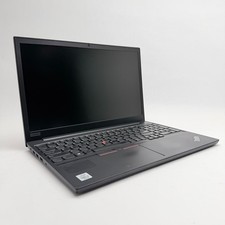
Lenovo Thinkpad E15 15.6" Laptop i5/i3 8GB RAM Up to 1TB SSD HDD Tested Working
$136.55

Dell Latitude 14" Laptop Computer Intel i5 Up To 32GB RAM 1TB SSD Windows 11 Pro
$474.02



 Reply With Quote