-
Newbie Boot/USB Configuration Question
Hi.
I'm new to Knoppix and having a boot issue I can't seem to figure out. I've looked for the answer/solution before posting, but no luck. So here goes.... This should be pretty simple to fix (for someone who knows what they're doing). 
Summary of what I've done and where I'm at now.
Downloaded and burned Knoppix 4.0 DVD (EN). Booted off the DVD with no problems. I have a 1GB USB Key and it mounted fine (as sdf1). When I booted up to the desktop, there were a bunch of drive icons (all in German) that I didn't want since I'm not going to be using anything except the USB key and perhaps an external USB hard drive. Sent all the unneeded icons to the Trask to remove clutter. Renamed the remaining two drive icons to USB Key and WD Ext. Made various changes to the desktop (background, icons, splash screen, rtc.) Changed multiple desktops from 4 (default) to 2.
Then I mounted the USB Key and allowed it to be writable. Saved the configuration (KNOPPIX - Configure - Save KNOPPIX configuration) to the USB Key. Dialog says save was successful. Then created a Persistent Home Directory on the USB using KNOPPIX - Configure - Create a persistent KNOPPIX disk image). Again all went well and system says it completed successfully. I followed the steps in http://unit.aist.go.jp/itri/knoppix/...n/index20.html exactly and so far, so good.
OK That's the background. Here's my problem.
When I boot the system with the USB drive in, I use the cheat code knoppix home=/mnt/sdf1 myconfig=/mnt/sdf1 I've tried using only one of these at a time and also together. I've also substituted knoppix home=/dev/sdf1 for the knoppix home=/mnt/sdf1
All (I think. I've done this so many times, it's hard to keep straight) produce the same or similar results.
During the boot process, all goes well. I get to a KNOPPIX Configuration screen (kind of looks like an old DOS screen). In it there are 4 choices: HOME, SYSTEM, OVERWRITE, INIT. All but OVERWRITE have an 'X' in the checkbox. If I leave the screen as is, the system continues to boot and the following lines appear:
/home/knoppix mounted OK from /mnt/sdf1/knoppix.img
Read-only CD/DVD system successfully merged with read-write /mnt/sdf1/knoppix.img
The desktop comes up with the splash screen I selected and with the wallpaper I changed to. The problem is is that all of the icons I deleted are now back with their original German names, and I'm back to 4 desktops showing. Sometimes (maybe all the time) I also have two Trash icons. Therefore, it appears the system is partially loading my config, but apparently merging it with the default. The line from the boot process above seems to indicate that as well.
I think the solution is to remove the 'X' from SYSTEM choice on the KNOPPIX Configuration screen, but I don't know how to do that. Either that or type something when I boot to disable this from happening.
Can someone help me? I appreciate any suggestions.
Similar Threads
-
By jthebbb in forum General Support
Replies: 1
Last Post: 04-26-2007, 12:02 PM
-
By legio in forum Networking
Replies: 1
Last Post: 11-08-2005, 07:03 AM
-
Replies: 2
Last Post: 03-06-2004, 12:28 AM
-
By Drago in forum General Support
Replies: 2
Last Post: 10-21-2003, 10:10 PM
-
By Maverik in forum General Support
Replies: 2
Last Post: 02-19-2003, 03:25 AM
 Posting Permissions
- You may not post new threads
- You may not post replies
- You may not post attachments
- You may not edit your posts
-
Forum Rules


Samsung DVI to DVI Cable 6 ft Digital Video Interface Audio Video NEW
$30.89
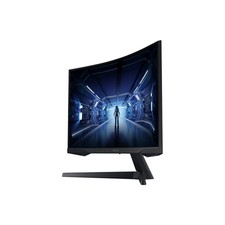
SAMSUNG LC34G55TWDNXZA 34" Odyssey G55T WQHD 165Hz 1ms(MPRT) HDR Curved Gaming
$127.00
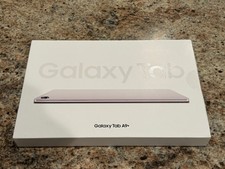
Samsung Galaxy Tab A9+ Plus 11” 128GB Android Tablet Graphite BRAND NEW SEALED.
$214.99
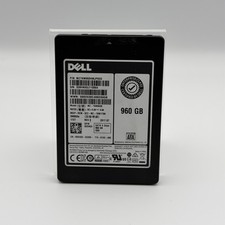
Samsung SSD SM863a 960GB MZ-7KM960B SATA 6 G bps MZ7KM960HMJP0D3 DELL 0DD4G0
$249.99

Kids Case for Samsung Galaxy Tab A9+/A9 plus 11 Inch 2023 Case, with Strap, Shoc
$27.99

Samsung JC95-01514A Cover-Side Roller T2 Compatible
$39.00

Samsung JC93-01078A Transfer Roller T2
$89.00

Samsung SCXSTP000, SCX-STP000 (Swingline Staple Cartridge - 3 Refills)
$57.99

Samsung Galaxy View Tablet 18.4 SM-T670/677A Digitizer 100% Original Oem
$152.99
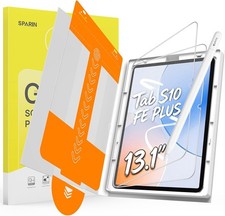
13.1’’ Paper Screen Protector for Samsung Galaxy Tab S10 FE Plus
$62.69



 Reply With Quote