-
BIOS won't boot from DVD
So, I downloaded Knoppix 4.0 and burnt the ISO to a dvd-r. I restarted my system and noticed that it didn't look for the dvd rom drive like it does the cd rom, so I went into my BIOS to try and set it to do so. The only problem is that in my BIOS it only lets me choose CD Rom Drive, Hard Disk, or Floppy drive to boot from. I can reagrrange their order or uncheck them but it won't let me add my Dvd Rom to the list. I've searched around the Forums and couldn't figure out how to do this, so any help would be appreciated.
-
Administrator
Site Admin-
While BIOSs tend to only mention CD, usually they will boot from either CD or DVD. Some BIOSs seem to only boot from the first (master) optical drive though and don't check the other drives. Is you DVD the slave? If so you might want to make it the master and the CD the slave.
If all else fails you can look at Smart Boot Manager or XOSL. With Smart Boot Manager you can make a floppy that will let you boot from any of the optical drives. Even better, you can install it right to your hard disk master boot record (MBR) and it will come up each time you boot, giving you the option to boot windows and/or any other OS on the hard disk or boot from any optical drive or floppy. XOSL is even nicer, more powerful and has a much cleaner looking user interface. It uses the SBM code internally to do the optical drive boot. It is slightly more complex to set up and does need a little hard disk space (I suggest giving XOSL it's own tiny partition, just a few meg in size), but I use both XOSL and SBM and generally I like XOSL a lot more.
-
Well, my BIOS now recognized my DVD rom drive but it won't boot from it. As far as I can tell it's not the media's fault because it woudln't boot my knoppix 3.8 disc, which did boot in my CDR drive. I'd really like to not have to set my DVDR as the master. So, with the Smart Boot Manager, I put it onto a diskett with both the main exe and it's support file, but when I tell my computer to boot from floppy it doesn't work. Is there something I'm missing? Thanks for the help.
-
Administrator
Site Admin-

Originally Posted by
samo21
...I put it onto a diskett with both the main exe and it's support file, but when I tell my computer to boot from floppy it doesn't work. Is there something I'm missing?
Yup, you don't put the 2 files onto the DVD, you run the exe (from hard disk and from a DOS prompt) and it creates a bootable floppy (or installs to the hard disk MBR, depending on the options you give it).
Similar Threads
-
By pybass in forum Hardware & Booting
Replies: 1
Last Post: 07-20-2005, 01:02 PM
-
By yukichigai in forum Hardware & Booting
Replies: 3
Last Post: 07-15-2005, 09:35 PM
-
By hollex in forum Hardware & Booting
Replies: 2
Last Post: 07-07-2005, 11:45 AM
-
By iwasnthere in forum Hardware & Booting
Replies: 1
Last Post: 04-11-2005, 04:34 PM
-
By paddyponchero in forum General Support
Replies: 2
Last Post: 12-15-2003, 03:47 PM
 Posting Permissions
- You may not post new threads
- You may not post replies
- You may not post attachments
- You may not edit your posts
-
Forum Rules

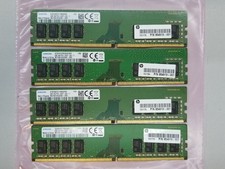
Samsung 32GB (4x8GB) DDR4 1Rx8 PC4-2400 Desktop RAM Memory M378A1K43CB2-CRC
$94.95
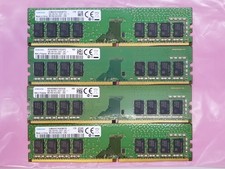
Samsung 32GB (4x8GB) DDR4 1Rx8 PC4-2400 288 Desktop RAM Memory M378A1K43CB2-CRC
$94.95

Netac DDR4 32GB 16GB DDR4 3200MHz UDIMM C16 Desktop Internal Memory RAM Kit
$99.99
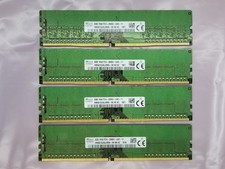
SK Hynix 32GB (4x8GB) DDR4 1Rx8 PC4-21300 Desktop RAM Memory HMA81GU6JJR8N-VK
$89.95
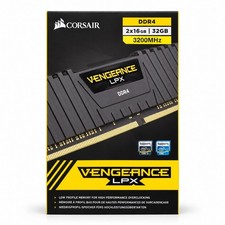
Corsair Vengeance LPX 32GB (2x16GB) DDR4 3200MHz CL16 CMK32GX4M2E3200C16
$159.99

Major Brand 16GB (2x8GB) PC3-12800U DDR3-1600MHz DDR3-12800 DESKTOP RAM NON-ECC
$29.99

A-Tech 8GB DDR3 1600 PC3-12800 Laptop SODIMM 204-Pin Memory RAM PC3L DDR3L 1x 8G
$21.68
16GB Total of SK hynix PC3L-12800S 2 sticks of 8GB each = 16GB Laptop Memory
$27.95
G.SKILL Ripjaws V 32GB (1x32GB) DDR4-3200 288-Pin DIMM XMP 2.0 F4-3200C16S-32GVK
$149.99

16GB ( 4X 4GB ) MEMORY DDR3 PC3-10600 1333MHz FOR DELL OPTIPLEX 790 780 990 980
$39.99



 Reply With Quote